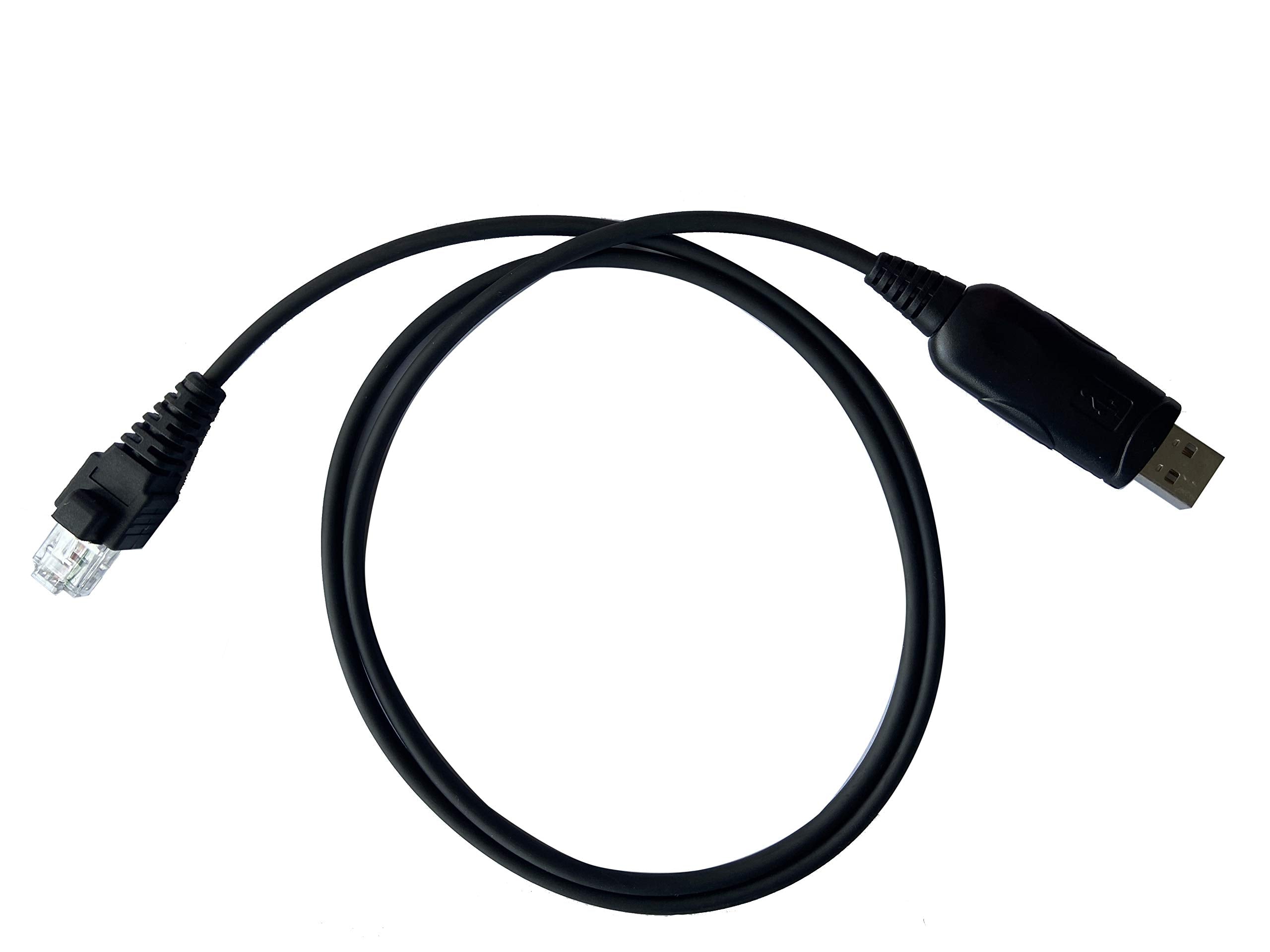
Description: Usb Programming Cable Kpg-46 Connector Type: Rj45 / 8-Pin, Usb Fit For 32 And 64 Bit Windows And Mac Operating Systems Compatible Models: Tk-760, Tk-760G, Tk-762, Tk-762G, Tk-763, Tk-763G, Tk-768, Tk-768G, Tk-780, Tk-780G, Tk-785 Tk-805, Tk-805D, Tk-808, Tk-809, Tk-830, Tk-840, Tk-850, Tk-852, Tk-859 Tk-860, Tk-860G, Tk-862G, Tk-863, Tk-863G, Tk-868, Tk-868G, Tk-880, Tk-880G, Tk-885 Tk-930, Tk-940, Tk-941, Tk-980, Tk-981, Tk-931Hd Tk-5720, Tk-5820, Tk-6110K, Tk-6110K2 Tk-7100, Tk-7102, Tk-7108, Tk-7150, Tk-7160, Tk-7162, Tk-7180, Tk-7189, Tk-7302, Tk-7360 Tk-8100, Tk-8102, Tk-8108, Tk-8150, Tk-8160, Tk-8162, Tk-8180, Tk-8180H, Tk-8182, Tk-8182H, Tk-8189, Tk-8302, Tk-8360 Tkr-730, Tkr-740, Tkr-750, Tkr-751, Tkr-830, Tkr-840, Tkr-850, Tkr-851 Tm-261, Tm-261A, Tm-261E, Tm-271, Tm-271A, Tm-271E, Tm-281A, Tm-281E Tm-461, Tm-461A, Tm-461E, Tm-471, Tm-471A, Tm-471E, Tm-481A Package Include: 1X Usb Programming Cable 1X Cd Driver Please Note: Not Programming Software Included
⚠️ WARNING (California Proposition 65): This product may contain chemicals known to the State of California to cause cancer, birth defects, or other reproductive harm. For more information, please visit www.P65Warnings.ca.gov.
Frequently Asked Questions
Q: What is the connector type of the USB programming cable?A: The connector type is RJ45 / 8-Pin. This allows compatibility with various Kenwood two-way radios.
Q: Is this USB programming cable compatible with both Windows and Mac?A: Yes, it is compatible with both thirty-two bit and sixty-four bit Windows and Mac operating systems. This versatility ensures ease of use across different platforms.
Q: What is the material of the USB programming cable?A: The USB programming cable is made of copper. This material choice ensures efficient data transmission and durability.
Q: How long is the USB programming cable?A: The exact length of the cable is not specified. However, it is designed to provide convenient connectivity for programming purposes.
Q: What models of Kenwood radios are compatible with this cable?A: This cable is compatible with numerous models including TK-760, TK-880, and TM-261A, among others. A comprehensive list is available in the product details.
Q: How do I use the USB programming cable?A: To use the cable, connect it to your Kenwood radio and your computer. Follow the software instructions for programming your device.
Q: Can I use this USB cable with a Kenwood radio that is not listed?A: No, it is specifically designed for compatible Kenwood models. Check the list before purchasing to ensure it will work with your device.
Q: Is any programming software included with the cable?A: No, the package does not include programming software. You will need to obtain compatible software separately.
Q: How should I store the USB programming cable?A: Store the cable in a cool, dry place. Avoid bending or twisting the cable to maintain its integrity and functionality.
Q: What should I do if the cable arrives damaged?A: If the cable arrives damaged, contact customer support for assistance. They can guide you through the return or exchange process.
Q: Do I need any additional equipment to use the USB programming cable?A: No additional equipment is needed besides a compatible Kenwood radio and a computer. Just install the relevant programming software.
Q: Is this USB programming cable suitable for beginners?A: Yes, it is user-friendly and suitable for beginners. Basic instructions are typically provided with the programming software.
Q: What is the warranty period for the USB programming cable?A: The warranty period is not specified in the product details. Check with the seller for warranty information before purchasing.
Q: Can I use this cable for purposes other than programming?A: No, this cable is specifically designed for programming Kenwood two-way radios. It is not intended for other uses.
Q: How do I keep the USB programming cable in good condition?A: Keep the cable away from extreme temperatures and moisture. Regularly inspect for any signs of wear and avoid excessive bending.
Q: What if I need technical support while using the USB programming cable?A: For technical support, refer to the manufacturer’s website or contact customer service for assistance with any issues.