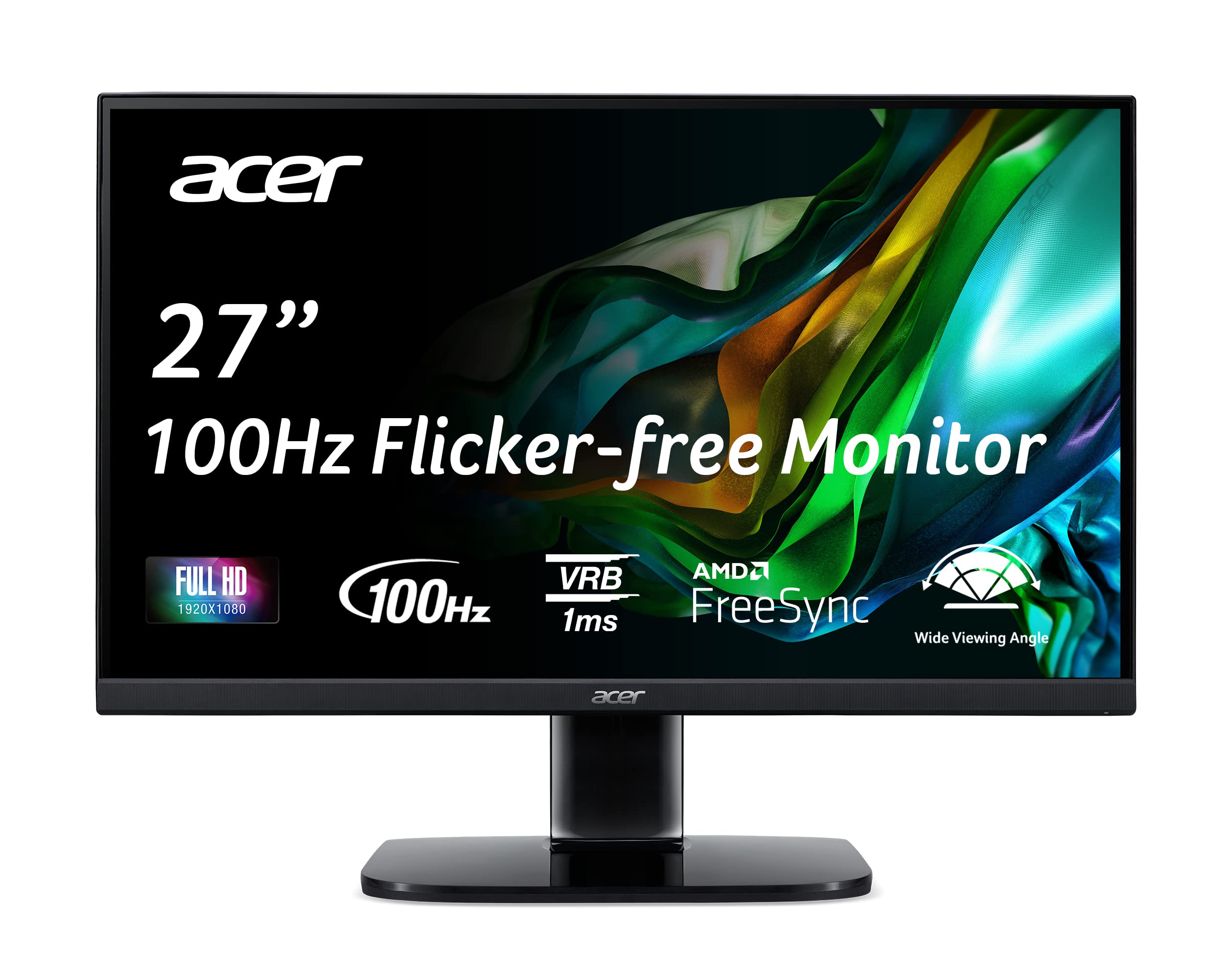
The Acer KB272 gaming monitor is designed for competitive gamers who require precision and responsiveness. With its Full HD resolution, this 27-inch monitor provides clear visuals for an immersive gaming experience and is also suitable for home and office use.
The Acer KB272 features advanced AMD FreeSync technology, which synchronizes the monitor’s refresh rate with your graphics card’s frame rate. This minimizes screen tearing and stuttering, delivering smooth gameplay. The monitor's 1ms VRB response time ensures that fast-moving scenes are displayed clearly, making it ideal for action-packed games. The ergonomic design includes a tilt range of -5° to 15°, offering comfortable viewing angles. Additionally, the monitor is VESA mounting compliant, allowing for flexible setup options. The sleek black finish complements any gaming or professional environment.
Key Features:
27" Full HD IPS display with a resolution of 1920 x 1080 pixels for vibrant colors and sharp details.
AMD FreeSync technology to eliminate tearing and stuttering for smoother gameplay.
Rapid 1ms VRB response time for fast-paced action without blurring.
100Hz refresh rate when using the HDMI port, enhancing motion clarity.
Brightness level of 250 nits, ensuring visibility in various lighting conditions.
Ergonomic tilt adjustment from -5° to 15° for personalized comfort.
Includes 1 HDMI 1.4 port and 1 VGA port, with an HDMI cable included for immediate setup.
The Acer KB272 gaming monitor is an excellent choice for gamers, home users, and office professionals who need a reliable display. Its combination of advanced features, ergonomic design, and high performance makes it a valuable addition to any desktop setup. Whether playing the latest games or working on projects, this monitor provides the clarity and responsiveness needed for optimal productivity and enjoyment.
⚠️ WARNING (California Proposition 65): This product may contain chemicals known to the State of California to cause cancer, birth defects, or other reproductive harm. For more information, please visit www.P65Warnings.ca.gov.
Frequently Asked Questions
Q: What is the screen size of the Acer KB272 monitor?A: The screen size is twenty-seven inches. This size provides an immersive viewing experience for gaming and office tasks.
Q: What resolution does the Acer KB272 monitor support?A: The resolution is Full HD at one thousand nine hundred twenty by one thousand eighty pixels. This ensures sharp and clear visuals for gaming and productivity.
Q: What type of panel is used in the Acer KB272 monitor?A: The monitor uses an IPS panel. IPS technology offers better color accuracy and wider viewing angles compared to traditional panels.
Q: What is the refresh rate of the Acer KB272 monitor?A: The refresh rate is up to one hundred hertz. This allows for smoother motion and reduces motion blur during fast-paced gaming.
Q: What is the response time of the Acer KB272 monitor?A: The response time is one millisecond with VRB. This fast response helps reduce ghosting effects in gaming scenarios.
Q: What are the dimensions of the Acer KB272 monitor?A: The dimensions are approximately seven point nine inches in depth, twenty-four point five inches in width, and eighteen inches in height. This compact design is suitable for various setups.
Q: Does the Acer KB272 monitor have tilt functionality?A: Yes, it features ergonomic tilt adjustments from negative five degrees to positive fifteen degrees. This allows users to find a comfortable viewing angle.
Q: What ports are available on the Acer KB272 monitor?A: The monitor includes one HDMI one point four port and one VGA port. An HDMI cable is included for easy connectivity.
Q: Is the Acer KB272 monitor compatible with VESA mounting?A: Yes, it is VESA mounting compliant with a hundred by one hundred millimeter pattern. This enables flexible mounting options for your workspace.
Q: What technology does the Acer KB272 monitor use to reduce screen flicker?A: It utilizes flicker-less technology. This feature helps reduce eye strain during prolonged viewing sessions.
Q: How do I set up the Acer KB272 monitor?A: To set it up, connect the monitor to your computer using the included HDMI cable or a VGA cable. Then, adjust the tilt for comfort.
Q: Is the Acer KB272 monitor suitable for gaming?A: Yes, it is designed for gaming. The combination of AMD FreeSync technology and a high refresh rate enhances the gaming experience.
Q: Can I use the Acer KB272 monitor for office work?A: Absolutely, it is suitable for office tasks. The Full HD resolution and low blue light feature make it comfortable for extended use.
Q: How do I clean the Acer KB272 monitor?A: To clean the monitor, use a soft microfiber cloth. Avoid using harsh chemicals or abrasive materials to prevent damage to the screen.
Q: What should I do if the Acer KB272 monitor arrives damaged?A: If the monitor arrives damaged, contact customer support for assistance with returns or exchanges. Keep all packaging materials for potential returns.