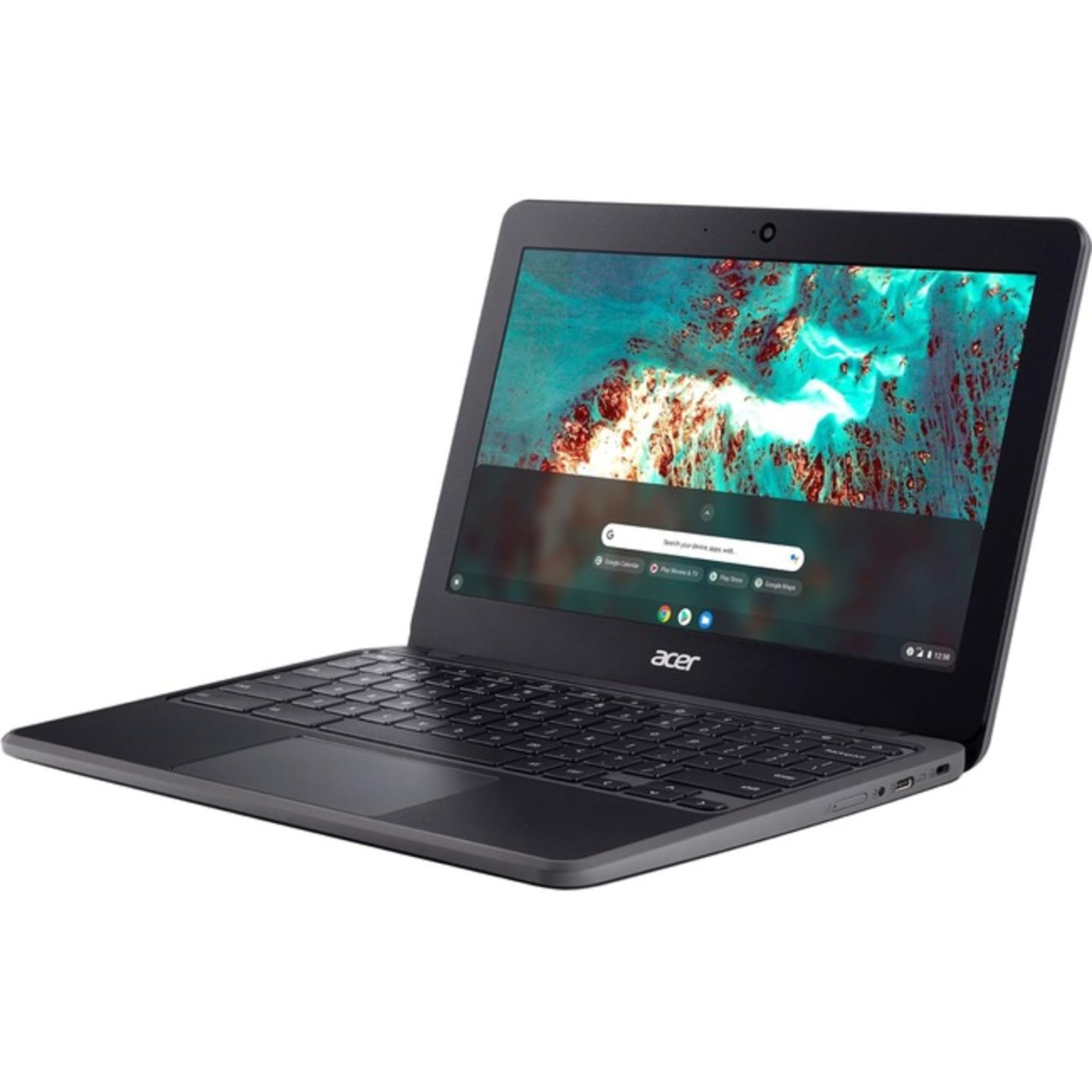
The Acer Chromebook 511 C741L C741L-S85Q Is An 11.6-Inch Chromebook With An Hd 1366 X 768 Resolution Display. It Is Powered By A Qualcomm Kryo 468 Octa-Core (8 Core) Processor Clocked At 2.40 Ghz. The Device Comes With 4 Gb Of Total Ram For Multitasking And 32 Gb Of Flash Memory For Storage. The Chromebook Features Built-In 4G Lte Connectivity, Allowing Students To Access Their Work, Applications, Learning Materials, And Remote Classrooms Even Without Wi-Fi. It Also Supports Zero-Touch Enrollment, Enabling School It Departments To Remotely And Automatically Enroll The Device As Soon As It Connects To The Internet. The Acer Chromebook 511 C741L C741L-S85Q Has Been Designed And Tested To Meet Ul/Iec 60950-1 Safety Standards And The Astm F963 Toy Safety Standard For Kids Over 3 Years Old. It Measures 29.7 X 20.6 X 2.1 Cm (11.7 X 8.1 X 0.8 In) And Weighs 1.30181 Kg (2.87 Lbs).
⚠️ WARNING (California Proposition 65): This product may contain chemicals known to the State of California to cause cancer, birth defects, or other reproductive harm. For more information, please visit www.P65Warnings.ca.gov.
Frequently Asked Questions
Q: What are the dimensions of the Acer Chromebook 511 C741L-S85Q?A: The dimensions are fifteen point five one inches long, eleven point seven inches wide, and nine point five inches high.
Q: What is the processor in the Acer Chromebook 511?A: The Acer Chromebook 511 is powered by a Qualcomm Kryo four hundred sixty-eight octa-core processor, running at two point four gigahertz.
Q: How much RAM does the Acer Chromebook 511 have?A: This Chromebook has four gigabytes of RAM, which is built using LPDDR4X memory technology.
Q: What is the storage capacity of the Acer Chromebook 511?A: The storage capacity is thirty-two gigabytes of flash memory.
Q: What is the display resolution of the Acer Chromebook 511?A: The display resolution is one thousand three hundred sixty-six by seven hundred sixty-eight pixels, which is classified as HD.
Q: Does the Acer Chromebook 511 have a touchscreen?A: No, the Acer Chromebook 511 does not feature a touchscreen.
Q: How do I connect to Wi-Fi on the Acer Chromebook 511?A: To connect to Wi-Fi, click on the network icon in the bottom right corner, select your network, and enter the password.
Q: Is the Acer Chromebook 511 suitable for gaming?A: While it can handle casual games, the Acer Chromebook 511 is not designed for high-performance gaming.
Q: How can I charge the Acer Chromebook 511?A: You can charge the Chromebook using the USB Type-C port that supports USB charging.
Q: Can I upgrade the RAM on the Acer Chromebook 511?A: No, the RAM in the Acer Chromebook 511 is not upgradeable as it is soldered onto the motherboard.
Q: How do I keep the Acer Chromebook 511 clean?A: Use a soft, lint-free cloth to gently wipe the screen and keyboard, avoiding any harsh cleaners.
Q: Is the battery removable on the Acer Chromebook 511?A: No, the battery is not removable as it is integrated into the device.
Q: What should I do if my Acer Chromebook 511 won't turn on?A: First, ensure that it is charged. If it still won't turn on, try performing a hard reset by holding the power button for ten seconds.
Q: Does the Acer Chromebook 511 come with a warranty?A: Yes, it typically comes with a one-year limited warranty from the manufacturer.
Q: What if my Acer Chromebook 511 has a hardware issue?A: If you experience hardware issues, contact Acer customer support for assistance or warranty service.


![Acer Chromebook 511 C741L C741L S85Q 11.6 Chromebook Hd 1366 X 768 Qualcomm Kryo 468 Octa Core [8 Core] 2.40 Ghz 4 Gb To](http://electroeshop.com/cdn/shop/files/61wCzgTUHrL.jpg?v=1748962944&width=1400)