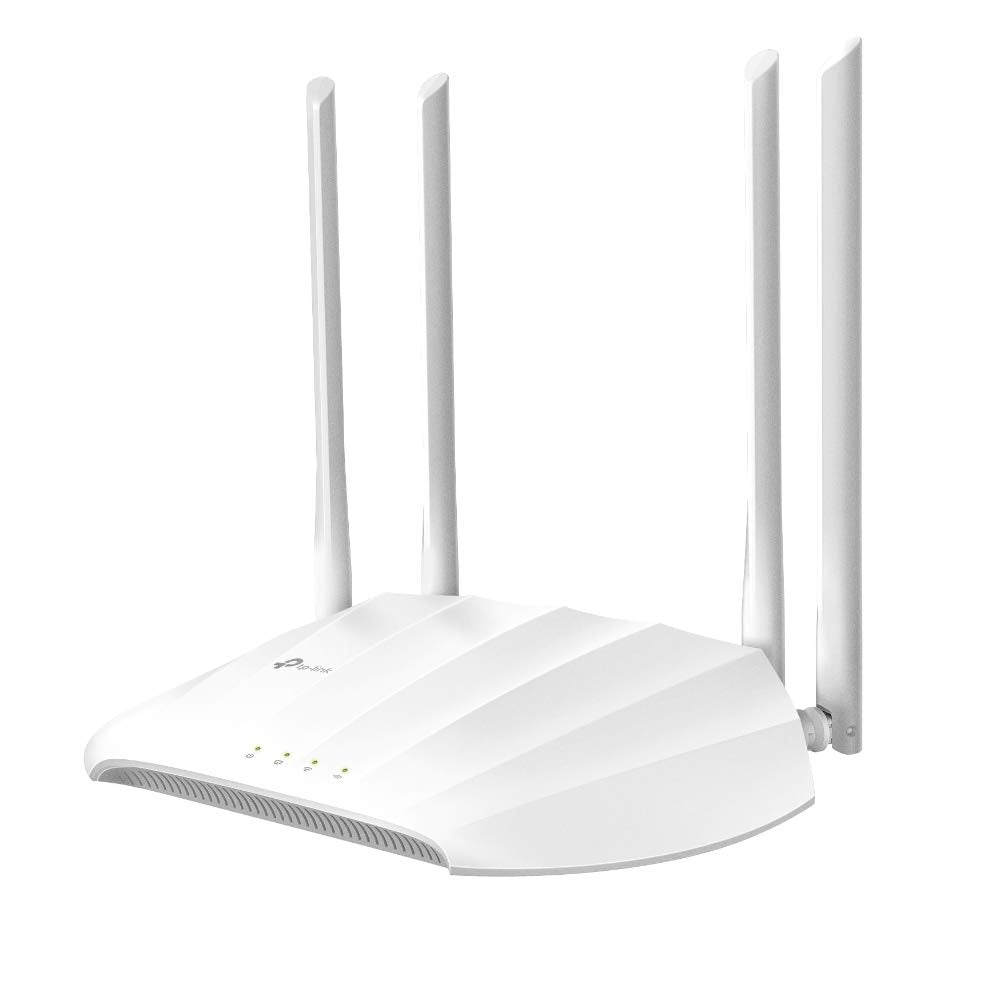
Ac1200 Dual-Band Wi-Fi Access Point, 867Mbps At 5Ghz + 300Mbps At 2.4Ghz, 802.11B / G / N / Ac, 1 Gigabit Ports, Passive Poe Supported, Ap / Client / Range Extender, Multi-Ssid, 4 Fixed Antennas , Beamforming, Mu-Mimotp-Link Tl-Wa1201. Maximum Data Transfer Rate: 867 Mbit/S, Maximum Data Transfer Rate (2.4 Ghz): 300 Mbit/S, Maximum Data Transfer Rate (5 Ghz): 867 Mbit/S. Security Algorithms: 64-Bit Wep,128-Bit Wep,Wpa,Wpa-Psk,Wpa2,Wpa2-Psk, Service Set Identifier (Ssid) Features: Multiple Ssids, Device Type Identification: Dhcp Options. Wan Connection: Ethernet (Rj-45). Input Voltage: 12 V, Input Current: 1.5 A. Placement: Table, Product Colour: White, Certification: Ce, Fcc, Rohsfeatures2.4 Ghzy5 Ghzymaximum Data Transfer Rate867 Mbit/Smaximum Data Transfer Rate (2.4 Ghz)300 Mbit/Smaximum Data Transfer Rate (5 Ghz)867 Mbit/Sethernet Lan Data Rates10,100,1000 Mbit/Sfrequency Band2.4 - 5 Ghznetworking Standardsieee 802.11A,Ieee 802.11Ac,Ieee 802.11B,Ieee 802.11G,Ieee 802.11Ncabling Technology10/100/1000Base-T(X)Mimoymimo Typemulti User Mimofit Ap Mode Featureswireless Distribution System (Wds)Wi-Fi Multimedia (Wmm)/(Wme)Ytransmitting Power (Ce)
⚠️ WARNING (California Proposition 65): This product may contain chemicals known to the State of California to cause cancer, birth defects, or other reproductive harm. For more information, please visit www.P65Warnings.ca.gov.
Frequently Asked Questions
Q: What is the maximum data transfer rate for this access point?A: The maximum data transfer rate is eight hundred sixty-seven megabits per second at five gigahertz and three hundred megabits per second at two point four gigahertz. This dual-band capability enhances connectivity for multiple devices.
Q: What networking standards does this access point support?A: This access point supports IEEE networking standards, including eight zero two point eleven a, eight zero two point eleven ac, eight zero two point eleven b, eight zero two point eleven g, and eight zero two point eleven n. This ensures compatibility with a wide range of devices.
Q: How many gigabit ports does the TP-Link AC1200 have?A: The TP-Link AC1200 features one gigabit port. This allows for high-speed wired connections for devices that require stable internet access.
Q: How do I install the TP-Link AC1200 access point?A: To install the TP-Link AC1200, connect it to your modem or router using an Ethernet cable, plug it into a power outlet, and follow the setup instructions in the user manual. The device supports passive Power over Ethernet for flexible installation.
Q: Can I use this access point as a range extender?A: Yes, the TP-Link AC1200 can be used as a range extender. This feature helps to boost the Wi-Fi signal in areas with weak coverage, ensuring a stronger connection throughout your home or office.
Q: Is this access point suitable for outdoor use?A: No, this access point is designed for indoor use only. Its construction and specifications are not rated for outdoor environments.
Q: How do I keep the TP-Link AC1200 access point clean?A: To clean the access point, simply use a soft, dry cloth to wipe the exterior. Avoid using any harsh chemicals or liquids that could damage the device.
Q: What security features does the TP-Link AC1200 offer?A: The TP-Link AC1200 supports several security algorithms, including WPA and WPA2. These protocols help protect your network from unauthorized access and ensure secure data transmission.
Q: How many SSIDs can I set up with this access point?A: You can set up multiple SSIDs with the TP-Link AC1200. This feature allows you to create separate networks for guests or different devices, enhancing security and management.
Q: What is the input voltage for the TP-Link AC1200?A: The input voltage for this access point is twelve volts. Make sure to use the provided power adapter to avoid any damage.
Q: What should I do if the access point doesn't power on?A: If the access point does not power on, check the power connection and ensure the outlet is working. If the issue persists, consider using a different power adapter or contacting support for troubleshooting.
Q: Is the TP-Link AC1200 compatible with older devices?A: Yes, the TP-Link AC1200 is compatible with older Wi-Fi devices that support eight zero two point eleven b, g, and n. This ensures a seamless connection for various devices in your network.
Q: What is the maximum transmitting power for this device?A: The maximum transmitting power is less than twenty decibels for two point four gigahertz and less than twenty-three decibels for five point fifteen to five point twenty-five gigahertz. This ensures optimal signal strength while complying with regulations.
Q: Does this access point support MU-MIMO technology?A: Yes, the TP-Link AC1200 supports MU-MIMO technology. This allows multiple devices to connect simultaneously without sacrificing speed and performance.
Q: What color is the TP-Link AC1200 access point?A: The TP-Link AC1200 is available in a sleek white color. This neutral shade allows it to blend well with various home or office decors.
Q: Can I return the TP-Link AC1200 if I am not satisfied?A: Yes, you can return the TP-Link AC1200 according to the seller's return policy. Ensure you keep all packaging and documentation for a smooth return process.