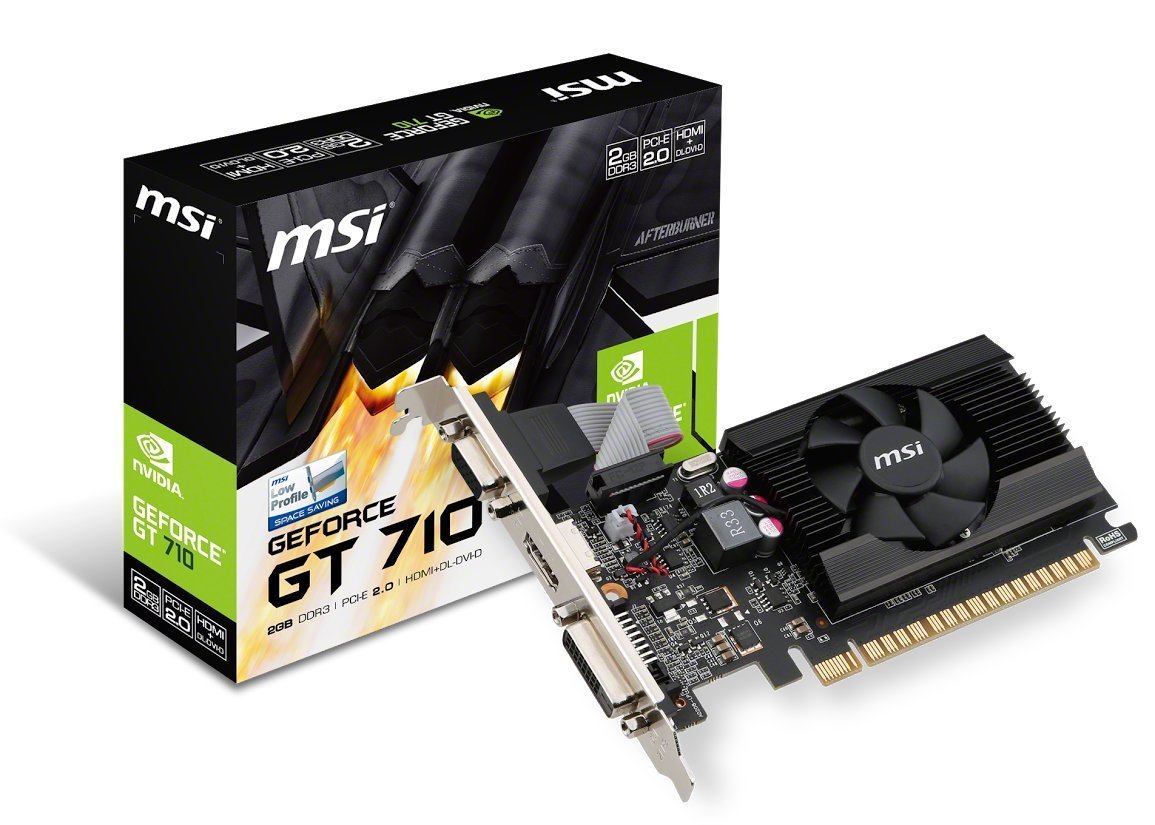
Geforce Gt 710 2Gd3 Lp Graphics Card Has A Core Speed Of 954Mhz And 1600Mhz Memory Speed. It Has A 10 Years Ultra-Long Lifetime Under Full Load, With Lower Temperatures And Higher Efficiency. The Large Heatsink That Covers The Area Of Gpu And Memory Provides The Best Environment For Gaming And Multimedia. Low Profile Design Saves Space So The User Can Build Slim Or Smaller Systems Easier. Afterburner Overclocking Utility Supports In-Game Video Recording, Wireless Control By Android/Ios Handheld Devices And Built-In Dx12 Effect Test. Predator, A Free Bundle Feature Included Within Afterburner Supports Real-Time Video Capturing.
⚠️ WARNING (California Proposition 65): This product may contain chemicals known to the State of California to cause cancer, birth defects, or other reproductive harm. For more information, please visit www.P65Warnings.ca.gov.
Frequently Asked Questions
Q: What is the video memory of the MSI GT 710 graphic card?A: The MSI GT 710 has two gigabytes of video memory. This dedicated memory enhances performance for gaming and graphics-intensive applications.
Q: What is the maximum resolution supported by the HDMI connector?A: The HDMI connector supports a maximum resolution of four thousand ninety-six by two thousand one hundred sixty at twenty-four hertz. This allows for high-quality displays in gaming and multimedia.
Q: What is the power supply requirement for this graphics card?A: The MSI GT 710 requires a minimum of three hundred watts for the system power supply. This ensures stable performance and compatibility with various PC setups.
Q: What are the dimensions of the MSI GT 710?A: The GT 710 has a low-profile design that is suitable for compact builds. Specific dimensions are not listed, but it is designed to fit in smaller cases.
Q: How do I install the MSI GT 710 graphic card?A: To install the GT 710, power off your PC, remove the side panel, and insert the card into a PCI Express two point zero slot. Ensure it is securely fastened and connect the necessary display cables.
Q: Is the MSI GT 710 suitable for gaming?A: Yes, the MSI GT 710 is suitable for light gaming. It significantly outperforms integrated graphics, making it a good choice for casual gaming and multimedia tasks.
Q: How do I connect my monitor to the MSI GT 710?A: You can connect your monitor using the VGA, DVI-D dual link, or HDMI connectors on the GT 710. Choose the one that matches your monitor's input.
Q: What types of displays can I connect to the MSI GT 710?A: The GT 710 can support up to two displays simultaneously. This allows for multi-monitor setups for increased productivity or immersive gaming.
Q: How do I keep the MSI GT 710 clean and in good condition?A: To maintain the GT 710, regularly dust off the card using compressed air. Avoid exposing it to moisture, and ensure proper airflow within your PC case.
Q: Is the MSI GT 710 compatible with Windows?A: Yes, the MSI GT 710 is compatible with Windows operating systems. Ensure you download the latest drivers from MSI's website for optimal performance.
Q: What if my MSI GT 710 arrives damaged?A: If your GT 710 arrives damaged, contact customer support immediately. You should be able to initiate a return or replacement process.
Q: Does the MSI GT 710 have a warranty?A: Yes, the MSI GT 710 typically comes with a limited warranty. Check the manufacturer's website for specific warranty terms and conditions.
Q: Can I use the MSI GT 710 for video editing?A: Yes, the GT 710 can be used for basic video editing tasks. However, for more demanding editing software, consider a more powerful graphics card.
Q: How does the MSI GT 710 compare to newer graphics cards?A: The GT 710 is an entry-level graphics card, and while it offers better performance than integrated graphics, it lags behind newer models designed for more intensive tasks.
Q: What should I do if I experience issues with the MSI GT 710?A: If you experience issues, first check your connections and ensure your drivers are updated. If problems persist, consult the user manual or contact customer support for assistance.