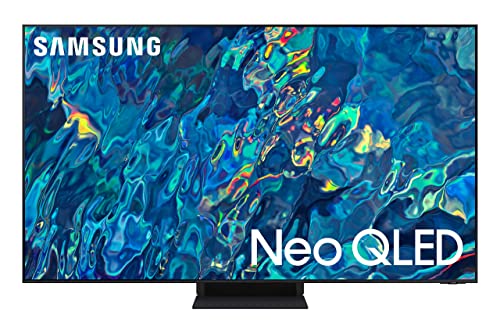
65'' Neo Qled 2160P 120Hz 4K, Quantum Matrix Technology, Smart Tv, 4 Hmdi Ports, Color Volume 100% (Quantum Hdr), Neural Quantum Processor 4K With Ai Upscaling, Object Tracking Sound, Ambient Mode +, Included Accessory: Solarcell Remote|3999.99|0|Both|Short|Warning: Cancer And Reproductive Harm - Www.P65Warnings.Ca.Gov.
⚠️ WARNING (California Proposition 65): This product may contain chemicals known to the State of California to cause cancer, birth defects, or other reproductive harm. For more information, please visit www.P65Warnings.ca.gov.
Frequently Asked Questions
Q: What is the screen size of the Samsung QN95B TV?A: The screen size of the Samsung QN95B TV is sixty-five inches. This size provides an immersive viewing experience suitable for most living spaces.
Q: What type of display technology does the Samsung QN95B use?A: The Samsung QN95B uses Neo QLED technology. This advanced display features Mini LEDs for enhanced brightness and contrast.
Q: What are the dimensions of the Samsung QN95B TV?A: The dimensions of the Samsung QN95B TV are eleven point seven inches in depth, fifty-seven inches in width, and thirty-five point four inches in height. These measurements ensure it fits well in various entertainment setups.
Q: Does the Samsung QN95B support voice assistants?A: Yes, the Samsung QN95B supports multiple voice assistants. You can use Bixby, Amazon Alexa, or Google Assistant for hands-free control.
Q: What features enhance picture quality on the Samsung QN95B?A: The Samsung QN95B features Quantum HDR 32X and a Neural Quantum Processor. These technologies work together to provide stunning color and detail.
Q: How does the Samsung QN95B handle fast-moving content?A: The Samsung QN95B has Motion Xcelerator Turbo Pro technology. This feature enhances refresh rates for smoother motion during high-speed gaming and action scenes.
Q: What is the best way to use the Samsung QN95B for gaming?A: To use the Samsung QN95B for gaming, connect your console via HDMI and enable Game Mode. This optimizes settings for responsive gameplay.
Q: Can I mount the Samsung QN95B on the wall?A: Yes, you can mount the Samsung QN95B on the wall. It is compatible with standard VESA mounts for easy installation.
Q: What is the recommended viewing distance for the Samsung QN95B?A: The recommended viewing distance for the Samsung QN95B is approximately eight to ten feet. This ensures an optimal viewing experience.
Q: How do I clean the Samsung QN95B screen?A: To clean the Samsung QN95B screen, use a microfiber cloth. Avoid using harsh chemicals or abrasive materials that could scratch the screen.
Q: What safety features does the Samsung QN95B include?A: The Samsung QN95B includes safety features such as an anti-glare screen and Eye Comfort Mode. These help reduce eye strain during prolonged viewing.
Q: How do I care for the Samsung QN95B's remote control?A: To care for the Samsung QN95B's remote control, replace the batteries as needed and clean it with a damp cloth. Avoid exposing it to moisture.
Q: What is the warranty period for the Samsung QN95B?A: The Samsung QN95B typically comes with a one-year warranty. This covers manufacturing defects and provides peace of mind for consumers.
Q: What if the Samsung QN95B arrives damaged?A: If the Samsung QN95B arrives damaged, contact the seller immediately for a replacement or refund. Most retailers have policies in place for such situations.
Q: Is there a way to troubleshoot common issues with the Samsung QN95B?A: Yes, common issues with the Samsung QN95B can be troubleshot using the user manual or Samsung's support website. They provide guides for various problems.