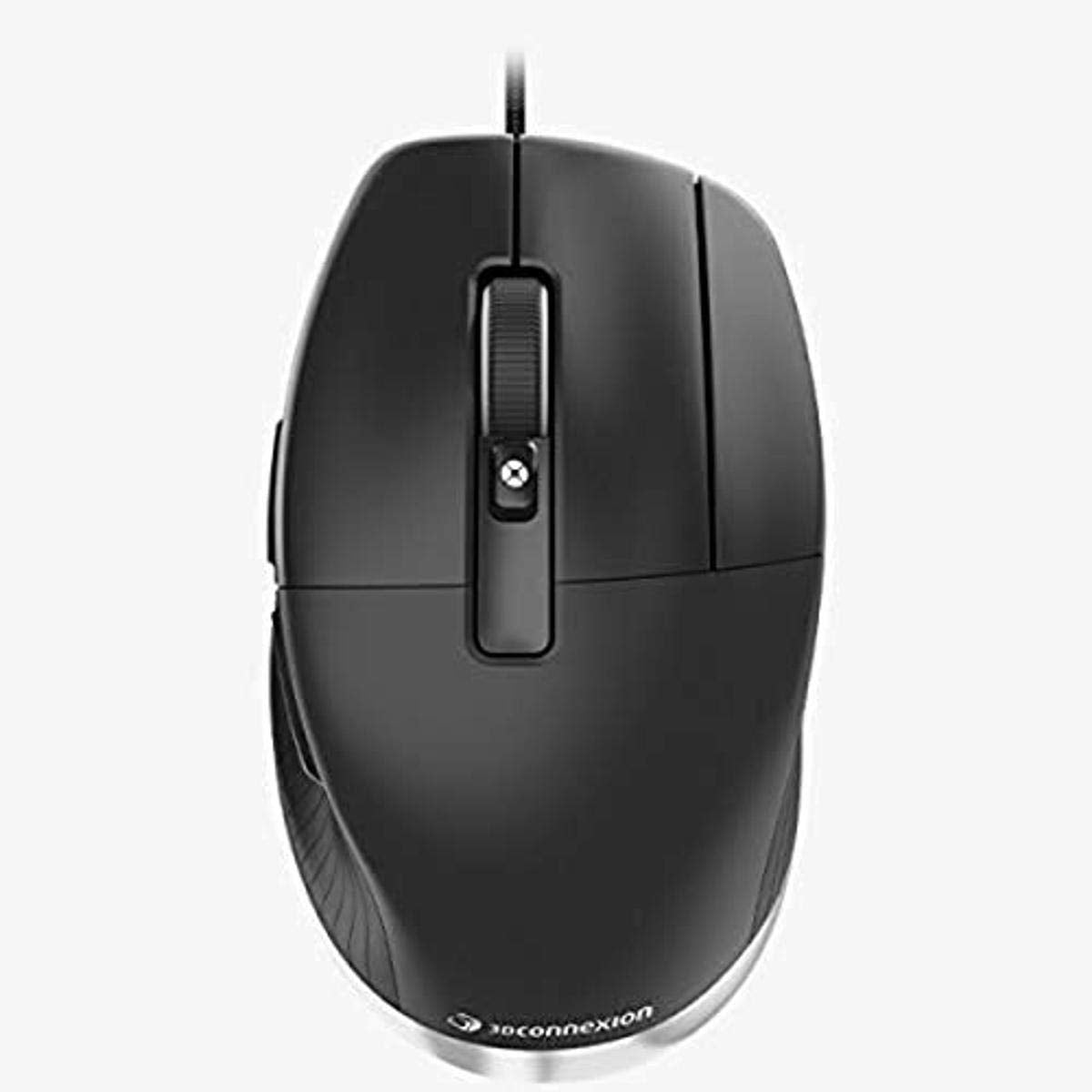
The Ultimate Ergonomic Mouse For Cad Professionals Cadmouse Pro Is The Industry-Acclaimed Purpose-Built Mouse Specifically Suited For Design And Engineering Professionals. Featuring Superior Ergonomics, A Dedicated Middle Mouse Button And A High Resolution Optical Sensor, The Full-Size Wired Mouse Offers Exceptional Comfort And Precision. Professional Ergonomic Design Purpose-Built For Supremely Comfortable Use Over Long Cad Sessions, Cadmouse Pro Feels Completely Organic, With Ergonomic Features Creating An Experience That Greatly Reduces The Muscle And Tendon Discomfort Frequently Encountered During Long Cad Sessions.
⚠️ WARNING (California Proposition 65): This product may contain chemicals known to the State of California to cause cancer, birth defects, or other reproductive harm. For more information, please visit www.P65Warnings.ca.gov.
Frequently Asked Questions
Q: What is the size of the CadMouse Pro Mouse?A: The CadMouse Pro Mouse measures seven point six inches in length, five point eight three inches in width, and zero point four inches in height. It is designed to provide a comfortable fit for extended use.
Q: What materials are used in the CadMouse Pro Mouse?A: The CadMouse Pro Mouse is primarily made of plastic. This material choice ensures durability while maintaining a lightweight design for easy handling.
Q: How many buttons does the CadMouse Pro Mouse have?A: The CadMouse Pro Mouse features seven buttons. This includes a dedicated middle mouse button specifically designed for CAD applications.
Q: How do I use the CadMouse Pro Mouse for CAD applications?A: To use the CadMouse Pro, connect it to your computer via the wired connection. Utilize the middle mouse button for CAD-specific functions, which requires less force than a traditional scroll wheel.
Q: Is the CadMouse Pro Mouse suitable for long CAD sessions?A: Yes, the CadMouse Pro is specifically designed for prolonged use. Its ergonomic features help reduce muscle and tendon discomfort during extended CAD sessions.
Q: Can the CadMouse Pro Mouse be used for gaming?A: While the CadMouse Pro is primarily designed for CAD work, it can be used for gaming. However, its features are tailored for design professionals rather than gaming enthusiasts.
Q: How should I clean the CadMouse Pro Mouse?A: To clean the CadMouse Pro, use a soft, lint-free cloth slightly dampened with water. Avoid using harsh chemicals to prevent damage to the surface.
Q: Is the CadMouse Pro Mouse safe for use with children?A: Yes, the CadMouse Pro Mouse is safe for use with children as it does not contain hazardous materials. However, adult supervision is recommended during use.
Q: Does the CadMouse Pro Mouse come with a warranty?A: Yes, the CadMouse Pro Mouse typically comes with a manufacturer warranty. Check the specific warranty details at the time of purchase.
Q: What is the primary purpose of the middle mouse button?A: The middle mouse button in the CadMouse Pro is designed specifically for CAD professionals. It allows easier access to application functions with reduced force.
Q: What is the color of the CadMouse Pro Mouse?A: The CadMouse Pro Mouse is available in black. This color choice provides a sleek and professional appearance suitable for any workspace.
Q: How do I adjust the grip of the CadMouse Pro Mouse?A: The grip of the CadMouse Pro is designed to fit comfortably in the hand. Its angled shape and thumb rest provide a natural grip without adjustment.
Q: Is the CadMouse Pro Mouse compatible with all computers?A: Yes, the CadMouse Pro Mouse is compatible with various operating systems. It connects via USB, making it suitable for most personal computers.
Q: What type of connectivity does the CadMouse Pro Mouse use?A: The CadMouse Pro Mouse uses wired connectivity technology. This ensures a stable connection without the need for batteries.
Q: How does the ergonomic design benefit users?A: The ergonomic design of the CadMouse Pro helps maintain a natural hand posture, greatly reducing discomfort during long periods of use.
Q: What makes the CadMouse Pro different from regular mice?A: The CadMouse Pro is purpose-built for CAD professionals, featuring a specialized middle mouse button and ergonomic design that traditional mice do not offer.