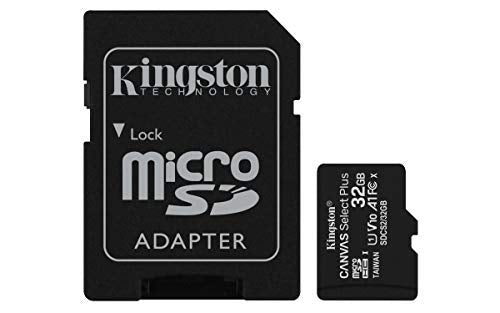
Kingstons Canvas Select Plus Microsd Is Compatible With Android Devices And Designed With A1 Rated Performance. It Offers Improved Speed And Capacity For Loading Apps Faster And Capturing Images And Videos In Multiple Capacities Up To 512Gb*. Powerful In Performance, Speed, And Durability, The Canvas Select Plus Microsd Is Designed For Reliability When Shooting And Developing High-Resolution Photos Or Filming And Editing Full Hd Videos. Kingston Canvas Cards Are Tested To Be Durable In The Harshest Environments And Conditions So You Can Take Them Anywhere With Confidence That Your Photos, Videos, And Files Will Be Protected. Available With A Lifetime . > Class 10 Uhs-I Speeds Up To 100Mb/S** > Optimized For Use With Android Devices > Capacities Up To 512Gb* > Durable > Lifetime.
⚠️ WARNING (California Proposition 65): This product may contain chemicals known to the State of California to cause cancer, birth defects, or other reproductive harm. For more information, please visit www.P65Warnings.ca.gov.
Frequently Asked Questions
Q: What is the storage capacity of the Kingston Canvas Select Plus microSDHC Card?A: The Kingston Canvas Select Plus microSDHC Card has a storage capacity of thirty-two gigabytes. This allows for ample space to store photos, videos, and apps.
Q: What are the speed specifications of this microSD card?A: This microSD card offers Class 10 UHS-I speeds up to one hundred megabytes per second. This high speed enhances performance for loading apps and capturing videos.
Q: Is this microSD card compatible with Android devices?A: Yes, this microSD card is optimized for use with Android devices. It provides improved performance when used with Android smartphones and tablets.
Q: What dimensions does the Kingston microSD card have?A: The Kingston microSD card measures approximately zero point four three inches in length, zero point zero four inches in width, and zero point zero four inches in height. These compact dimensions make it easy to carry.
Q: What materials is the Kingston Canvas Select Plus microSDHC Card made from?A: The Kingston Canvas Select Plus microSDHC Card is made from durable electronic materials. It is designed to withstand tough environmental conditions.
Q: How do I install the Kingston microSD card in my device?A: To install the microSD card, locate the microSD slot on your device, insert the card with the label facing up, and gently push it in until it clicks. Ensure your device is powered off during installation.
Q: Can I use this microSD card to store apps and media?A: Yes, you can use this microSD card to store apps, photos, videos, and other media files. Its A1 rating ensures faster app loading times.
Q: Is the Kingston microSD card suitable for high-resolution video recording?A: Yes, this microSD card is suitable for recording high-resolution videos. Its fast read and write speeds support full HD video recording and playback.
Q: How should I care for my Kingston microSD card?A: To care for your Kingston microSD card, store it in a protective case when not in use. Avoid exposing it to extreme temperatures, moisture, or physical shocks.
Q: Is the Kingston Canvas Select Plus microSD card waterproof?A: Yes, the Kingston Canvas Select Plus microSD card is waterproof. It has been extensively tested to ensure it remains functional even when submerged in water.
Q: What should I do if my Kingston microSD card is damaged?A: If your Kingston microSD card is damaged, contact Kingston's customer support for assistance. They can help with warranty claims or data recovery options.
Q: Can I use this microSD card with a camera?A: Yes, you can use this microSD card with compatible cameras. It is perfect for capturing high-resolution photos and videos.
Q: How long is the warranty on the Kingston microSD card?A: The Kingston Canvas Select Plus microSD card comes with a lifetime warranty. This ensures that you have support for the duration of the card's life.
Q: Is this microSD card suitable for gaming?A: Yes, this microSD card is suitable for gaming. Its fast speeds and A1 rating make it ideal for storing and running mobile games.
Q: How do I format the Kingston microSD card for my device?A: To format the Kingston microSD card, insert it into your device, go to the settings menu, find the storage options, and select the format option. Follow the prompts to complete the process.