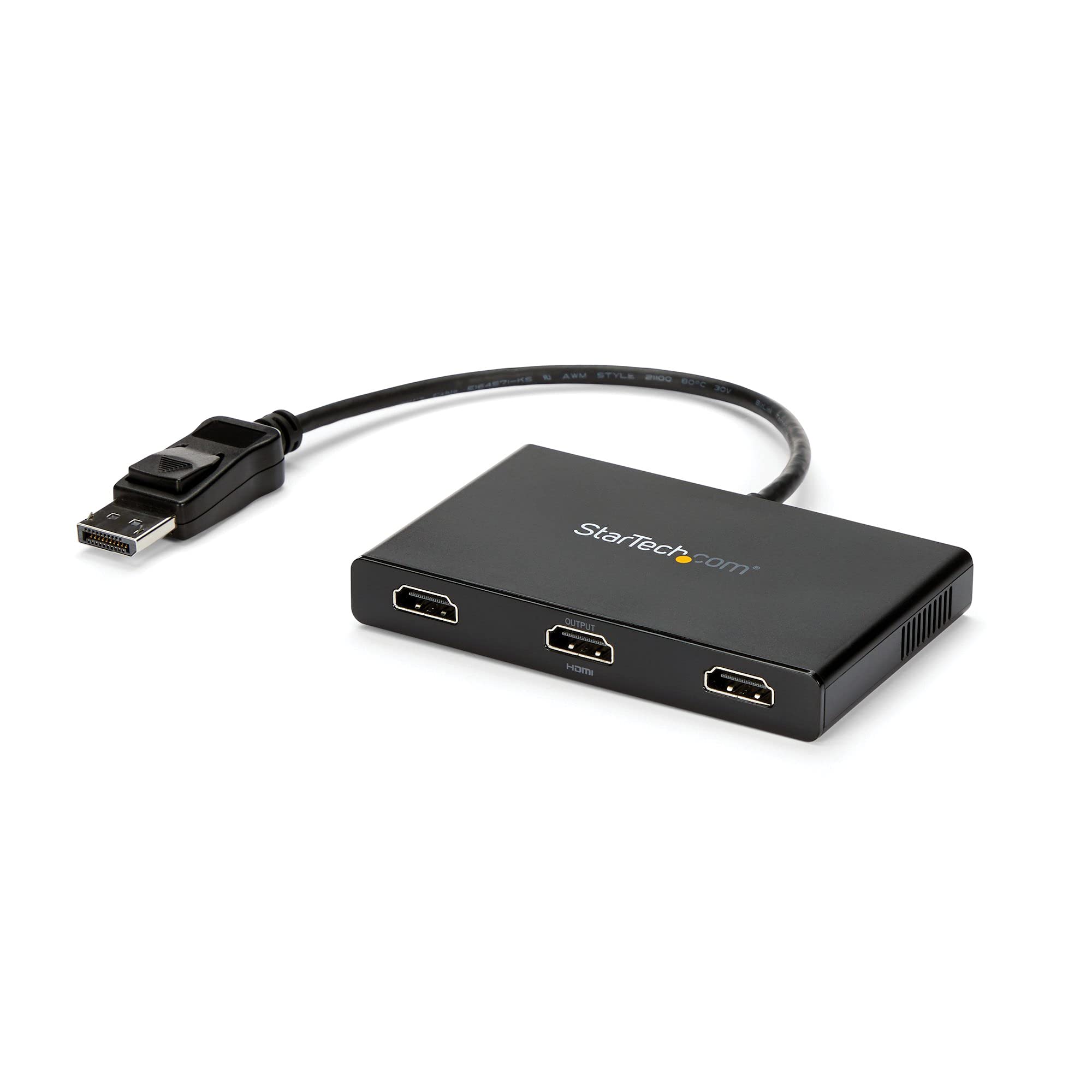
This Mst Hub Lets You Connect Three Hdmi Monitors To Your Displayport (Dp) 1.2 Equipped Windows Laptop Or Desktop.Increase Productivity With Multiple Screensthe Newest Generations Of Computers Are More Portable Than Ever, Which Often Means That Youre Left With Fewer Video Outputs And Smaller Integrated Screens. This Mst Hub Solves Both Of These Problems By Letting You Connect Three Additional Displays To Your Computer, Which Makes Multitasking Much Easier.Configure Your Displays For Any Environmentusing The Mst Hub, You Can Extend Your Desktop Onto Additional Monitors And Stream Independent Content To Each Display. You Can Also Mirror The Same Image Onto Multiple Hdmi Televisions Or Projectors, For Remote Viewing Applications Such As Digital Signage.Enjoy Amazing Video Quality Without Draining System Resourcesmst Technology Uses Your Existing Video Card To Minimize The Use Of System Resources While Delivering Ultra Hd 4K Resolutions. This Unprecedented Performance Makes Mst Perfect For High-Resolution Applications Such As Graphic Design, Gaming And Medical Imaging.Note: When Using A Displayport 1.1 Video Card The Mstdp123Hd Acts As A Splitter, Automatically Mirroring Your Video Source Across All Displays. Resolution Limitations Apply.The Mstdp123Hd Supports Plug-And-Play Installation For A Hassle-Free Setup, And Is Backed By A Startech.
⚠️ WARNING (California Proposition 65): This product may contain chemicals known to the State of California to cause cancer, birth defects, or other reproductive harm. For more information, please visit www.P65Warnings.ca.gov.
Frequently Asked Questions
Q: What is the size of the 3-Port Multi Monitor Adapter?A: The adapter measures approximately twelve point nine nine inches in length, four point thirteen inches in width, and zero point fifty-five inches in height.
Q: What materials are used in the construction of this adapter?A: The adapter is primarily made of copper, ensuring reliable signal transmission and durability.
Q: What is the warranty period for this product?A: This product comes with a three-year warranty, providing peace of mind against potential defects.
Q: How do I install the 3-Port Multi Monitor Adapter?A: Simply connect the DisplayPort end of the adapter to your computer and plug in up to three HDMI monitors; it supports plug-and-play installation.
Q: Is this adapter compatible with macOS?A: No, this adapter is not compatible with macOS; it is designed specifically for Windows operating systems.
Q: Can I use this adapter for gaming?A: Yes, this adapter is suitable for gaming, supporting high-resolution displays for an enhanced gaming experience.
Q: What resolutions can the adapter support?A: The adapter supports up to three hundred eighty-four0 by two thousand one hundred sixty at thirty hertz, or three times one thousand eighty p at sixty hertz.
Q: Can I use more than three monitors with this adapter?A: No, the adapter only supports a maximum of three monitors; connecting a fourth will disable one of the existing displays.
Q: How do I keep the adapter in good condition?A: Store the adapter in a dry place, avoid excessive bending of the cable, and use a soft cloth for cleaning.
Q: What should I do if the adapter doesn't work?A: Ensure that your graphics card supports MST technology and check all connections; if issues persist, contact customer support for assistance.
Q: Is there a limit on the cable distance to the display?A: Yes, the maximum cable distance to the display is approximately forty-nine point nine feet.
Q: Does the adapter support audio output?A: Yes, the adapter supports seven point one channel audio output along with the video signal.
Q: Can I use this adapter for digital signage?A: Yes, the adapter is ideal for digital signage applications, allowing you to mirror content across multiple screens.
Q: What type of power supply does the adapter require?A: The adapter comes with an AC power adapter to ensure it operates effectively.
Q: Is this adapter suitable for office use?A: Yes, this adapter is perfect for office use, enhancing productivity by allowing multiple monitors for multitasking.
Q: What is the maximum resolution for dual displays?A: The adapter can support dual four K displays at thirty hertz, providing excellent clarity for high-resolution work.