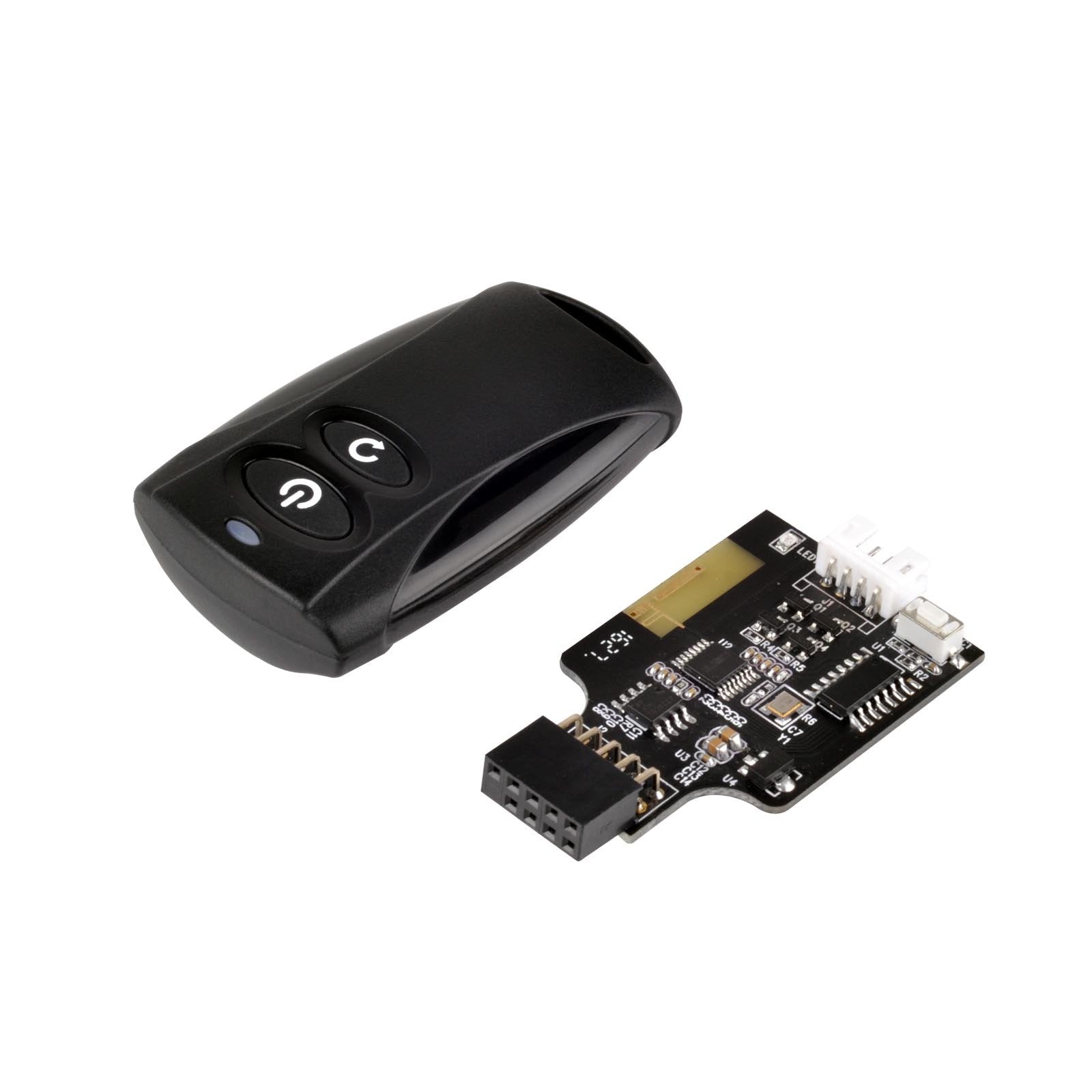
Es02 Is A Convenient Remote Switch Kit Designed By Silverstone To Wirelessly Turn On / Off And Reset A Computer. By Utilizing Existing Standard 2. 4Ghz Rf Wireless Technology, Usb 2. 0 Internal 9 Pin Connector, And Power / Reset Pin Headers On A Motherboard, The Es02 Kit Is Easy To Install And Use Within 20 Meters Of A Connected Computer. An Included Y Cable Ensures Your Computer Case'S Own Power And Reset Buttons Can Be Used Concurrently With The Es02 If Needed. Users Looking For A Simpler Security Solution Than Software Access Control Will Find Es02 To Be A Good Alternative. Those With Computers Located In Hard To Reach Area Or Has Special Usage Scenarios Will Also Find The Es02 To Be Very Handy.
⚠️ WARNING (California Proposition 65): This product may contain chemicals known to the State of California to cause cancer, birth defects, or other reproductive harm. For more information, please visit www.P65Warnings.ca.gov.
Frequently Asked Questions
Q: What is the size of the SilverStone Technology Wireless Remote Switch?A: The SilverStone Technology Wireless Remote Switch measures two point thirty-six inches in length, one point eighteen inches in width, and zero point thirty-nine inches in height.
Q: What materials is the remote switch made from?A: The remote switch is primarily made of copper, which ensures durability and efficient performance.
Q: What type of battery does the device use?A: The device contains lithium metal batteries, which are essential for the wireless functionality of the remote.
Q: How do I install the SilverStone remote switch?A: To install the remote switch, connect the USB two point zero internal nine pin connector to the motherboard and follow the included instructions.
Q: Can I use the remote switch from a distance?A: Yes, you can control your computer from up to twenty meters away using the included two point four gigahertz RF remote.
Q: Is the remote switch compatible with all computers?A: The remote switch is compatible with any computer that has a USB two point zero internal nine pin connector.
Q: How do I keep the remote switch in good condition?A: To maintain the remote switch, avoid exposing it to moisture and store it in a cool, dry place when not in use.
Q: Are there any safety precautions I should take?A: Yes, ensure that the device is kept away from children and pets, as it contains lithium metal batteries.
Q: What should I do if the remote switch does not work?A: If the remote switch does not work, check the battery connections and ensure that the USB connector is securely attached to the motherboard.
Q: Can I use the original power and reset buttons with the remote switch?A: Yes, the included Y cable allows you to use your computer case's original power and reset buttons simultaneously with the remote switch.
Q: What is the operating range of the remote switch?A: The operating range of the remote switch is twenty meters in free space, allowing for flexible usage.
Q: Is the remote switch easy to use?A: Yes, the remote switch is designed for easy installation and use, making it convenient for everyday tasks.
Q: Does the remote switch come with any accessories?A: Yes, it includes a Y cable and left and right angled USB adapters to enhance usability.
Q: What kind of technology does the remote switch use?A: The remote switch utilizes two point four gigahertz RF wireless technology for reliable operation.
Q: Is there a warranty for the remote switch?A: Warranty details can typically be found on the manufacturer's website or the product packaging.