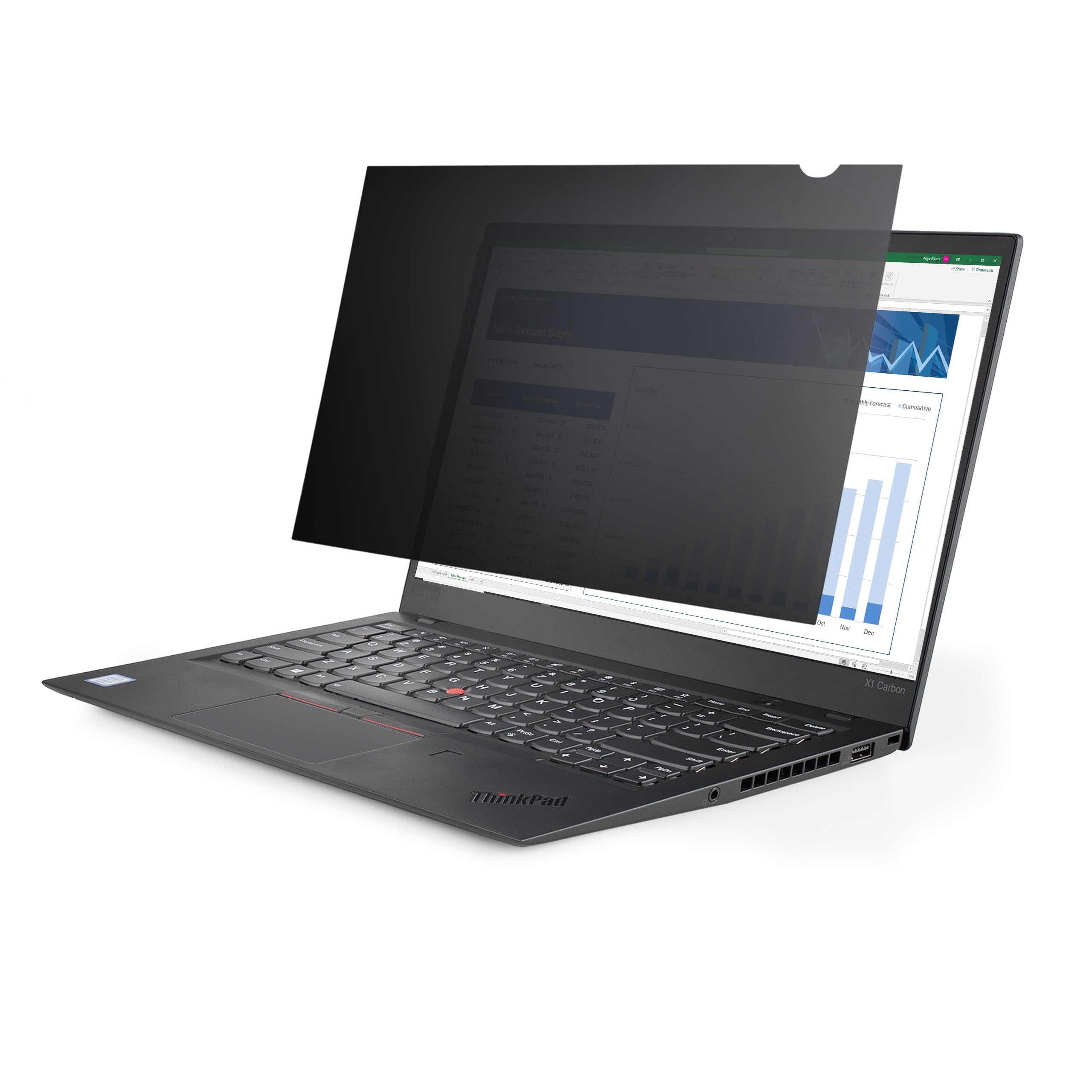
15.6'' Laptop Privacy Filter - Provides Clear Viewing Angle Of 60 (+/-30 ); Laptop Privacy Screen Protector Blacks Out A 15.6-Inch 16:9 Display To Protect Sensitive Data - Reduce Eye Strain By Blocking Up To 51% Of Blue Light - Filter Won'T Interfere With Webcams/Sensors/Closing The Lid - Reversible Privacy Filter With Anti-Glare Matte And High-Gloss Sides - Privacy Shield Features An Additional Coating To Protect Against Scratches And Fingerprints - Includes Adhesive Strips And Mounting Tabs For Installation
⚠️ WARNING (California Proposition 65): This product may contain chemicals known to the State of California to cause cancer, birth defects, or other reproductive harm. For more information, please visit www.P65Warnings.ca.gov.
Frequently Asked Questions
Q: What are the dimensions of the StarTech.com privacy screen?A: The dimensions are thirteen point five inches by seven point six inches. This size is designed to fit laptops with a fifteen point six inch display and a sixteen by nine aspect ratio.
Q: What material is the StarTech.com privacy screen made of?A: The privacy screen is made of plastic. This material is lightweight and durable, ensuring longevity and ease of installation.
Q: What is the light transmittance of the privacy screen?A: The light transmittance is fifty-seven point five percent. This allows for optimal brightness while maintaining privacy.
Q: How do I install the StarTech.com privacy screen?A: You can install it using adhesive strips or mounting tabs. The installation is hassle-free and allows for easy switching between matte and glossy finishes.
Q: Is the privacy screen suitable for all laptop models?A: No, it is specifically designed for laptops with a fifteen point six inch display and a sixteen by nine aspect ratio. Be sure to check your laptop's specifications before purchasing.
Q: Can I use the privacy screen on a touchscreen laptop?A: Yes, the privacy screen can be used on touchscreen laptops. However, be aware that it may slightly affect touch sensitivity due to its additional layers.
Q: How do I clean the privacy screen?A: You can clean the privacy screen with a soft, lint-free cloth. Avoid using harsh chemicals or abrasive materials to prevent damage to the surface.
Q: Does the privacy screen reduce eye strain?A: Yes, it blocks up to fifty-one percent of blue light, which helps reduce digital eye strain. This feature improves visual comfort during prolonged use.
Q: How do I store the privacy screen when not in use?A: Store the privacy screen in a cool, dry place. Keep it flat to avoid bending and protect it with a cloth to prevent scratches.
Q: Is the privacy screen reversible?A: Yes, it is reversible with a matte side for anti-glare and a glossy side for vibrant colors. This feature allows users to choose their preferred finish.
Q: What is the warranty on the StarTech.com privacy screen?A: The warranty period is typically one year. Check with the retailer for specific warranty details and coverage.
Q: What should I do if my privacy screen arrives damaged?A: If the screen arrives damaged, contact the retailer for a return or exchange. Keep all original packaging for the return process.
Q: Is the adhesive removable without leaving residue?A: Yes, the adhesive is designed to be residue-free, allowing for easy removal without damaging your laptop screen.
Q: Can I use the privacy screen while sharing my screen with others?A: Yes, you can easily remove the privacy screen to share content. It can be switched back and forth for personal use and sharing.
Q: Is the StarTech.com privacy screen compatible with MacBooks?A: Yes, it is compatible with any laptop that has a fifteen point six inch display and a sixteen by nine aspect ratio, including MacBooks.
Q: What is the viewing angle of the privacy screen?A: The viewing angle is sixty degrees, with the screen appearing dark from the sides while remaining clear for the user directly in front.