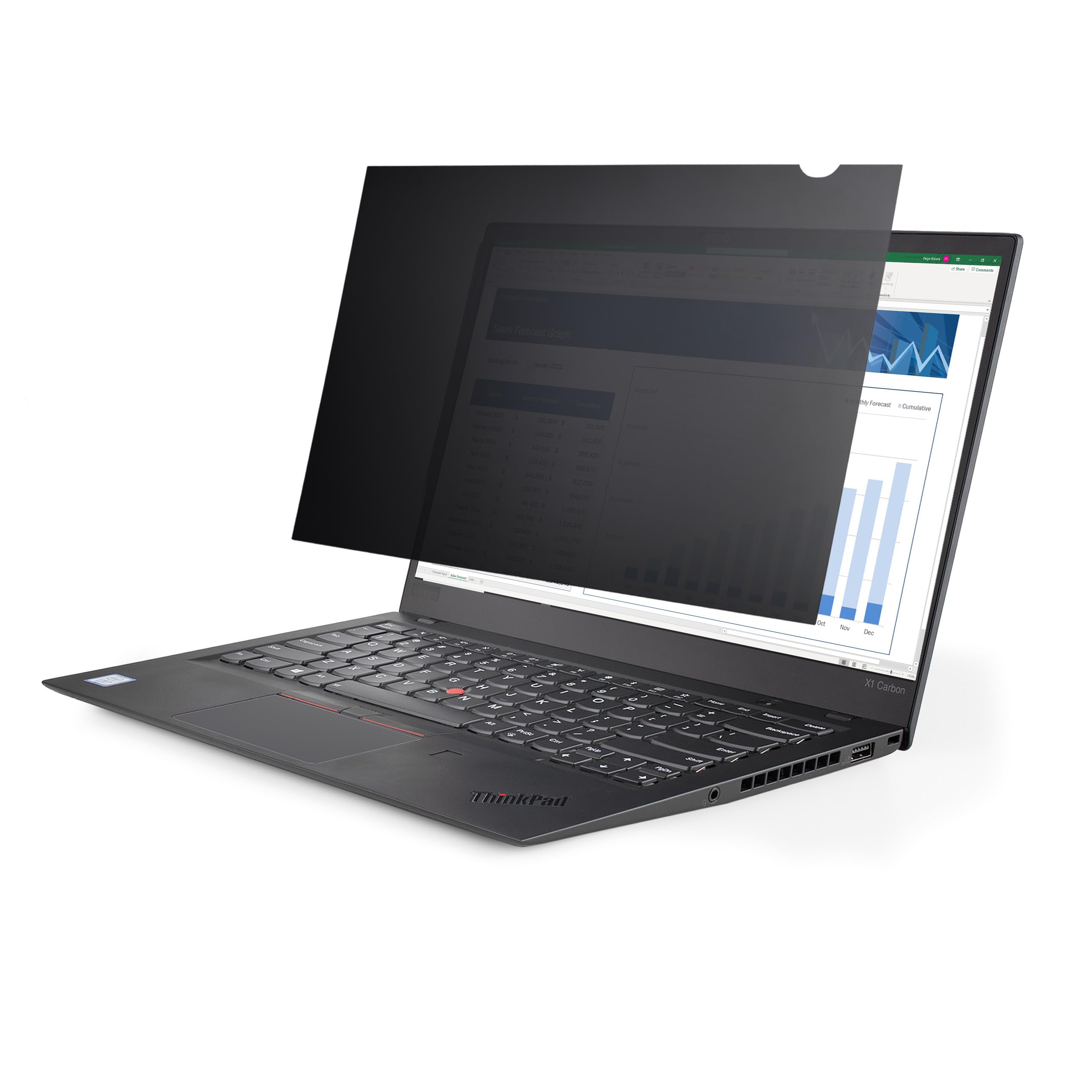
Laptop Privacy Screen Protector Darkens Your Screen From The Sides To Prevent Visual Eavesdropping; Provides Clear Viewing Angle Of 60 (+/-30 ) - For 13.3-Inch Notebooks W/ 16:9 Displays; Filter Won'T Interfere With Webcams/Sensors/Closing The Lid -Reduce Eye Strain By Blocking Up To 51% Of Blue Light; Reversible Laptop Computer Privacy Screen With Anti-Glare Matte And High-Gloss Sides - Attach The Ultrabook Monitor Privacy Screen Using The Transparent Adhesive Strips Or The Slide Mount Tabs
⚠️ WARNING (California Proposition 65): This product may contain chemicals known to the State of California to cause cancer, birth defects, or other reproductive harm. For more information, please visit www.P65Warnings.ca.gov.
Frequently Asked Questions
Q: What is the size of the StarTech.com privacy screen?A: The privacy screen is designed for thirteen point three inch laptops with a sixteen by nine aspect ratio. Its dimensions are eleven point five inches by six point five inches.
Q: What material is the privacy screen made of?A: The privacy screen is primarily made of plastic, though specific material details are not provided. It features a reversible design with an anti-glare matte side and a high-gloss side.
Q: How does the privacy screen reduce blue light?A: The screen blocks forty to fifty-one percent of blue light emitted from displays. This helps alleviate digital eye strain and enhances visual comfort.
Q: How do I install the privacy screen on my laptop?A: To install, use the transparent, residue-free adhesive strips provided. Slide mount tabs can be used for notebooks with bezels.
Q: Is the privacy screen compatible with all thirteen point three inch laptops?A: Yes, it is designed to fit all thirteen point three inch laptops with a sixteen by nine display. Ensure the display size and aspect ratio match before ordering.
Q: Can the privacy screen be removed easily?A: Yes, the privacy screen can be removed without leaving residue. The transparent adhesive strips allow for a hassle-free application and removal process.
Q: How do I clean the privacy screen?A: To clean the screen, use a microfiber cloth to avoid scratches. Avoid using harsh chemicals that could damage the screen.
Q: What is the warranty on the privacy screen?A: The StarTech.com privacy screen comes with a two-year warranty. It also includes free lifetime technical assistance available twenty-four hours a day, five days a week.
Q: Does the privacy screen protect against glare?A: Yes, the anti-glare matte side of the privacy screen is designed for environments prone to glare. It reduces reflections and enhances visibility.
Q: Can I use the privacy screen while closing the laptop lid?A: Yes, the privacy screen is designed not to interfere with top-mounted webcams or sensors, allowing you to close the laptop lid without issues.
Q: Is this privacy screen suitable for travel?A: Yes, the privacy screen is an ideal solution for traveling, as it protects your confidential data from unwanted viewers in public spaces.
Q: What is the viewing angle of the privacy screen?A: The privacy screen provides a clear viewing angle of sixty degrees, with a side darkening effect to prevent visual eavesdropping.
Q: Is the privacy screen reversible?A: Yes, the privacy screen is reversible. One side is matte for anti-glare, and the other is glossy to retain color vibrancy.
Q: Will the privacy screen affect my laptop’s display quality?A: No, the privacy screen is designed to retain color vibrancy while providing privacy. The glossy side helps enhance color quality.
Q: Can I use the privacy screen for gaming or video streaming?A: Yes, the privacy screen can be used for gaming or video streaming, especially with the high-gloss side to enhance color vibrancy.
Q: How does the privacy screen help with eye strain?A: By blocking up to fifty-one percent of blue light, the privacy screen helps reduce digital eye strain, making prolonged use more comfortable.