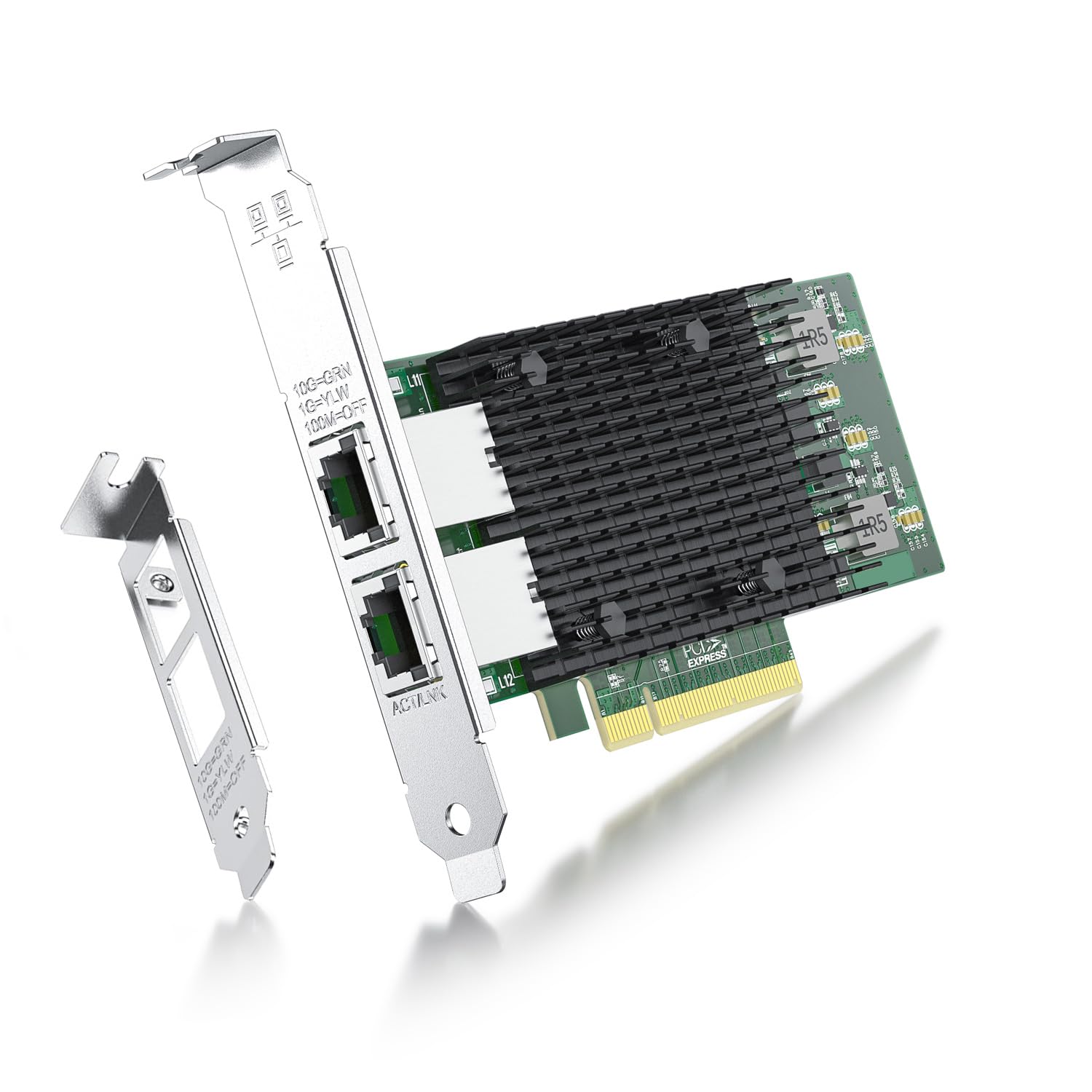
X540-10G-2T-X8 Ipolex'S X540-10G-2T-X8 10 Gigabit Lan Card Is The Latest Innovation In Intel'S Leadership To Drive 10 Gigabit Ethernet Into The Broader Server Market. This Lan Card Hosts Intel'S Latest Ethernet Silicon, The Intel Ethernet Controller X540, Which Is Used By Many Oems As A Single Chip Solution For Lan On Motherboard (Lom) To Deliver 10 Gigabit Ethernet(10 Gbe) On The Latest Server Platforms. Features: 10Gbase-T Simplifies The Transition To 10 Gbe; 10G Performance At Low Cost And Low Power; Exciting New Data Center Usage Models; Unified Networking (Iscsi, Fcoe And Lan); Flexible Port Partitioning (Fpp); Flexible I/O Virtualization (Vmdq And Sr- Iov): 10Gbase-T Network Card Includes Intel Virtualization Technology For Connectivity (Intel Vt-C) To Deliver I/O Virtualization And Quality Of Service (Qos) Features Designed Directly Into The Intel X540 Controller On The Adapter; Flexible Port Partitioning (Fpp); Data Center Bridging (Dcb) Delivers Lossless Ethernet. Techincal Parameters: Vertical Segment: Server # Of Ports: Dual Speed & Slot Width: 5.0 Gt/S, X8 Lane System Interface Type: Pcie V2.1 (5.0Gt/S) Cable Medium: Copper Cabling Type: Rj-45 Category-6 Up To 55 M; Category-6A Up To 100 M Bracket Height: Low Profile And Full Height Ethernet Controller: Intel Ethernet Controller X540-Bt2 Intel Virtualization Technology For Connectivity (Vt-C): Yes Intelligent Offloads: Yes On-Chip Qos And Traffic Management: Yes Flexible Port Partitioning: Yes Virtual Machine Device Queues (Vmdq): Yes Pci-Sig* Sr-Iov Capable: Yes Supported Operating Systems Windows 7/8/10 Windows Server 2008/2012/2016/2019 Centos/Rhel 6/7/8 Ubuntu 16/18/19/20 Debian 9/10/11 Freebsd 10/11/12 Vmware Esxi 6/7 Slse 11/12
⚠️ WARNING (California Proposition 65): This product may contain chemicals known to the State of California to cause cancer, birth defects, or other reproductive harm. For more information, please visit www.P65Warnings.ca.gov.
Frequently Asked Questions
Q: What are the dimensions of the ipolex 10Gb Network Card?A: The dimensions are eight point seventy-four inches in length, five point eighty-three inches in width, and one point thirty-four inches in height.
Q: What type of connector does this network card use?A: This network card uses dual RJ-45 connectors for network connectivity.
Q: What is the maximum data rate supported by this network card?A: The maximum data rate supported is ten gigabits per second.
Q: How do I install the ipolex 10Gb Network Card?A: To install, insert the card into a PCIe slot on your motherboard and follow the provided driver installation instructions.
Q: Is this network card compatible with Windows and Linux?A: Yes, it supports multiple operating systems including Windows, Linux, and VMware.
Q: Can I use this card in both desktop and server environments?A: Yes, the card is designed for both desktop and server environments, supporting various server configurations.
Q: How do I maintain the ipolex 10Gb Network Card?A: Keep the card clean and ensure adequate airflow around it to maintain optimal performance.
Q: Is there any specific cleaning method for this network card?A: Use a soft, dry cloth to gently clean the card; avoid using liquids or abrasive materials.
Q: What should I do if the network card is not recognized by my system?A: Ensure the card is properly seated in the PCIe slot and that the correct drivers are installed.
Q: What is the warranty period for this network card?A: The standard warranty period is typically one year from the date of purchase.
Q: How does this network card compare to others in its category?A: This card offers ten gigabit performance with advanced features like virtualization support, making it suitable for high-demand applications.
Q: Is this network card suitable for gaming?A: Yes, it is suitable for gaming, providing high-speed connectivity that enhances online gaming experiences.
Q: Can this card be used for video streaming?A: Yes, the high-speed capabilities make it ideal for video streaming and other bandwidth-intensive applications.
Q: How do I troubleshoot connection issues with the network card?A: Check the cable connections, verify driver installation, and ensure that the network settings are correctly configured.
Q: Can this network card be used in a virtual machine setup?A: Yes, it supports virtualization technologies, making it compatible with virtual machine environments.
Q: What are the recommended operating systems for this network card?A: Recommended operating systems include Windows seven through ten, various Linux distributions, and VMware ESXi.