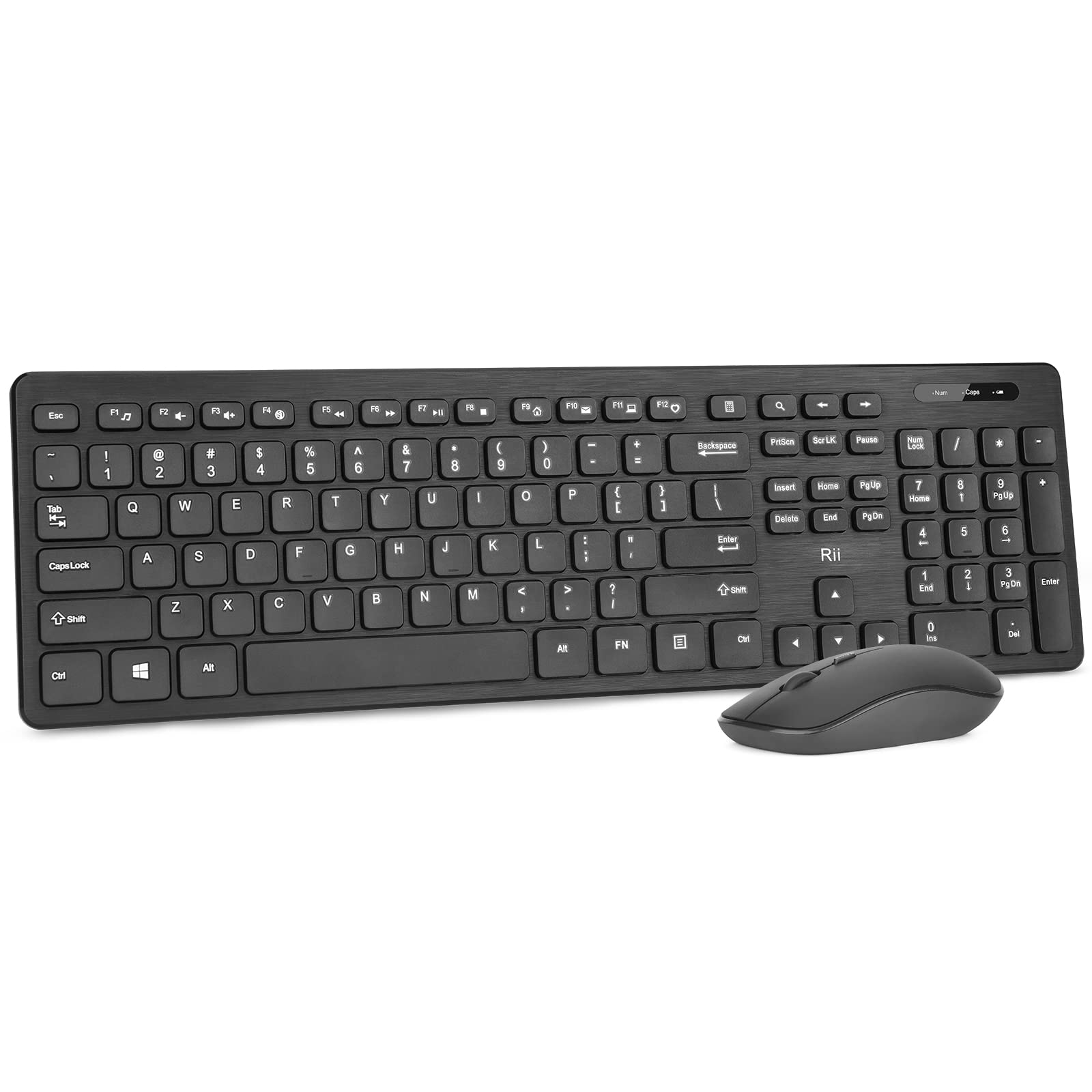
Rii Standard Office Wireless Keyboard And Mouse Combo For Office /Gaming/Travel Quickview The Quiet Wireless Office Keyboard Features 12 Easy-To-Reach Function Keys For Multimedia Control Of Video And Music, Email, And More. Ideal For Entertainment, Teaching, And Office, Saving You Time And Making Work And Life Easier. Rii Wireless Keyboard * Key Life: More Than 10Millions Clicks * Operating Voltage: 2.2V To 3Vdc * Effective Distance (M): 8-10M * Size: 439*125.8*29.5Mm Rii Wireless Mouse * Resolution: 800/1200/1600 Dpi * Operating Voltage: 2.2V To 3Vdc * Size: 60.4*98.5*38.3Mm Package Including 1 * Wireless Keyboard 1 * Wireless Mice 1 * Wireless Receiver 1 * User Manual Note: 1. Wireless Keyboard Needs 1 X Aaa Battery, And Wireless Mouse Needs 1 X Aa Battery (Batteries Are Not Included In Package). 2. The Usb Receiver Stored At The Back Of Keyboard Or Mouse And It Control The Keyboard And Mouse At The Same Time. 3. If You Have Any Problem, Kindly Please Feel Free To Contact Our Service Team, We Will Do Our Best To Help You Solve It.
⚠️ WARNING (California Proposition 65): This product may contain chemicals known to the State of California to cause cancer, birth defects, or other reproductive harm. For more information, please visit www.P65Warnings.ca.gov.
Frequently Asked Questions
Q: What are the dimensions of the wireless keyboard?A: The wireless keyboard measures four hundred thirty-nine millimeters by one hundred twenty-five point eight millimeters by twenty-nine point five millimeters.
Q: How much does the wireless mouse weigh?A: The weight of the wireless mouse is not specified, but its dimensions are sixty point four millimeters by ninety-eight point five millimeters by thirty-eight point three millimeters.
Q: What is the battery requirement for the keyboard and mouse?A: The wireless keyboard requires one AAA battery, and the wireless mouse requires one AA battery, which are not included in the package.
Q: What is the effective distance for the wireless connection?A: The effective wireless connection distance is between eight to ten meters, depending on the environment.
Q: How do I set up the wireless keyboard and mouse?A: To set up, simply plug the USB receiver into your device, and both the keyboard and mouse will connect automatically without needing additional drivers.
Q: Can I use this keyboard and mouse with a gaming console?A: Yes, this wireless keyboard and mouse combo is compatible with PlayStation three and four, as well as PCs and laptops.
Q: How do I clean the wireless keyboard and mouse?A: To clean, use a soft, damp cloth to wipe the surfaces, avoiding any harsh chemicals that could damage the materials.
Q: Is this product safe for children to use?A: Yes, the wireless keyboard and mouse are safe for children, provided they are supervised and the batteries are managed properly.
Q: What should I do if the keyboard or mouse stops working?A: If they stop working, check the battery levels and ensure the USB receiver is properly connected. If issues persist, contact customer service for assistance.
Q: What kind of customer service is provided with this product?A: The product comes with friendly customer service and a worry-free one-year product service warranty for any issues during use.
Q: Are there any recommended surfaces for using the wireless mouse?A: The wireless mouse works smoothly on a variety of surfaces, including wood, plastic, and fabric, ensuring versatility in usage.
Q: Does the wireless mouse have adjustable DPI settings?A: Yes, the wireless mouse features adjustable DPI settings of eight hundred, twelve hundred, and sixteen hundred for customized sensitivity.
Q: How many function keys are available on the keyboard?A: The keyboard has twelve easy-to-reach function keys for multimedia control, making it user-friendly for various tasks.
Q: Is there a warranty for this product?A: Yes, there is a one-year warranty provided with the wireless keyboard and mouse combo for any manufacturing defects.
Q: Can the USB receiver be stored in the keyboard?A: Yes, the USB receiver can be conveniently stored at the back of the keyboard when not in use.
Q: How do I extend the battery life of the keyboard and mouse?A: To extend battery life, turn off both devices when not in use and avoid prolonged exposure to extreme temperatures.