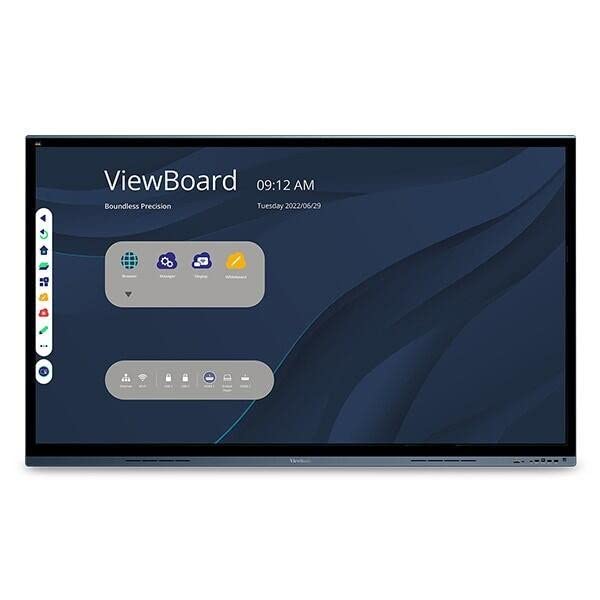
Viewsonic Viewboard Ifp6562 Collaboration Display - 64.5'' Lcd - Arm Cortex A73 1.20 Ghz - 3 Gb - Projected Capacitive - Touchscreen - 16:9 Aspect Ratio - 3840 X 2160 - Led - 350 Nit - 5,000:1 Contrast Ratio - 2160P - Usb - Hdmi - Android 8.0 Oreo From Executive Boardrooms To Interactive Huddle Spaces, The Viewsonic Viewboard Ifp6562 Enables Limitless Collaboration And Endless Innovation. Designed To Help Teams Connect, Collaborate, And Create, This Next-Generation Digital Whiteboard Delivers Exactly What You Need To Move Your Ideas Forward. A Premium, State-Of-The-Art Design Features A Bezel-Less Pcap (Projected Capacitive) Touchscreen With Incredible 4K Ultra Hd Resolution. This Highly Accurate Interactive Screen Provides For An Incredibly Natural And Responsive Handwriting Experience. Using Fingers, Styluses, Or Both, Multiple Users Can Simultaneously Write Or Draw On The Huge 65'' Viewboard Panel. What'S More, Meetings And Presentations Start Fast Thanks To Convenient One-Wire Usb-C Connectivity.
⚠️ WARNING (California Proposition 65): This product may contain chemicals known to the State of California to cause cancer, birth defects, or other reproductive harm. For more information, please visit www.P65Warnings.ca.gov.
Frequently Asked Questions
Q: What are the dimensions of the ViewSonic IFP6562?A: The ViewSonic IFP6562 has a diagonal size of sixty-five inches, offering a viewable area of sixty-four point five inches.
Q: What resolution does the IFP6562 display support?A: The IFP6562 supports a resolution of three thousand eight hundred forty by two thousand one hundred sixty pixels, providing stunning 4K Ultra HD visuals.
Q: What type of touchscreen technology is used in the IFP6562?A: The IFP6562 features projected capacitive touchscreen technology, allowing for smooth and responsive interactions.
Q: How do I connect my device to the IFP6562?A: You can connect your device to the IFP6562 using its USB-C port, which simplifies connectivity with just one cable.
Q: Is the IFP6562 compatible with other devices?A: Yes, the IFP6562 is equipped with multiple connectivity options including HDMI and USB, ensuring compatibility with various devices.
Q: How do I use the IFP6562 for presentations?A: To use the IFP6562 for presentations, simply connect your device via USB-C or HDMI and start presenting on the interactive screen.
Q: Can I write on the IFP6562 screen with a stylus?A: Yes, you can write on the IFP6562 screen using a stylus, as well as your fingers, allowing for collaborative interactions.
Q: Is the IFP6562 suitable for classroom use?A: Yes, the IFP6562 is ideal for classroom use due to its interactive features and large display, facilitating group learning and engagement.
Q: How do I clean the IFP6562 screen?A: To clean the IFP6562 screen, use a microfiber cloth and a gentle screen cleaner to avoid damaging the touchscreen.
Q: What is the warranty period for the IFP6562?A: The warranty period for the IFP6562 is typically three years, covering manufacturing defects and hardware issues.
Q: What should I do if the IFP6562 arrives damaged?A: If the IFP6562 arrives damaged, contact customer support immediately to initiate a return or exchange.
Q: Can I use the IFP6562 for video conferencing?A: Yes, the IFP6562 is suitable for video conferencing with its high-resolution display and multiple connectivity options.
Q: How does the IFP6562 compare to other interactive displays?A: The IFP6562 stands out with its superior four thousand pixel resolution and responsive touchscreen technology, making it a top choice for collaboration.
Q: Is the IFP6562 energy efficient?A: Yes, the IFP6562 is energy efficient due to its LED-backlit LCD technology, offering vibrant colors while consuming less power.
Q: What is the contrast ratio of the IFP6562?A: The contrast ratio of the IFP6562 is five thousand to one, ensuring deep blacks and bright colors for an enhanced viewing experience.