

Cart
0


Viewsonic Ifp6550 65'' 2160P 4K Interactive Display, 20 Point Touch, Vga, Hdmi
Vendor: Viewsonic
Type: Monitors & Displays
Sku: WBEEAB072KK2QTY
Availability: In Stock
Couldn't load pickup availability
Guarantee safe checkout

Sold by Electroeshop, an authorized reseller.
Returns accepted within 30 days | support@electroeshop.com
Shipping Information
- Free Standard Shipping — United States only
- Processing Time: 1–3 business days
- Estimated Delivery: 3–5 business days after dispatch
- Double-boxed, fully insured & discreetly packaged
- Tracking number sent via email once dispatched
- Orders over $250 require signature upon delivery. Taxes calculated at checkout.
Returns & Refund
Returns accepted within 30 days of delivery.
Damaged or Defective Item
Free return shipping + replacement or full refund
Wrong Item Received
Free return shipping + replacement or full refund
Change of Mind
Return shipping at customer's expense · 25% restocking fee applies
All returns require a Return Authorization (RA) number before sending.
View Full Return & Refund Policy
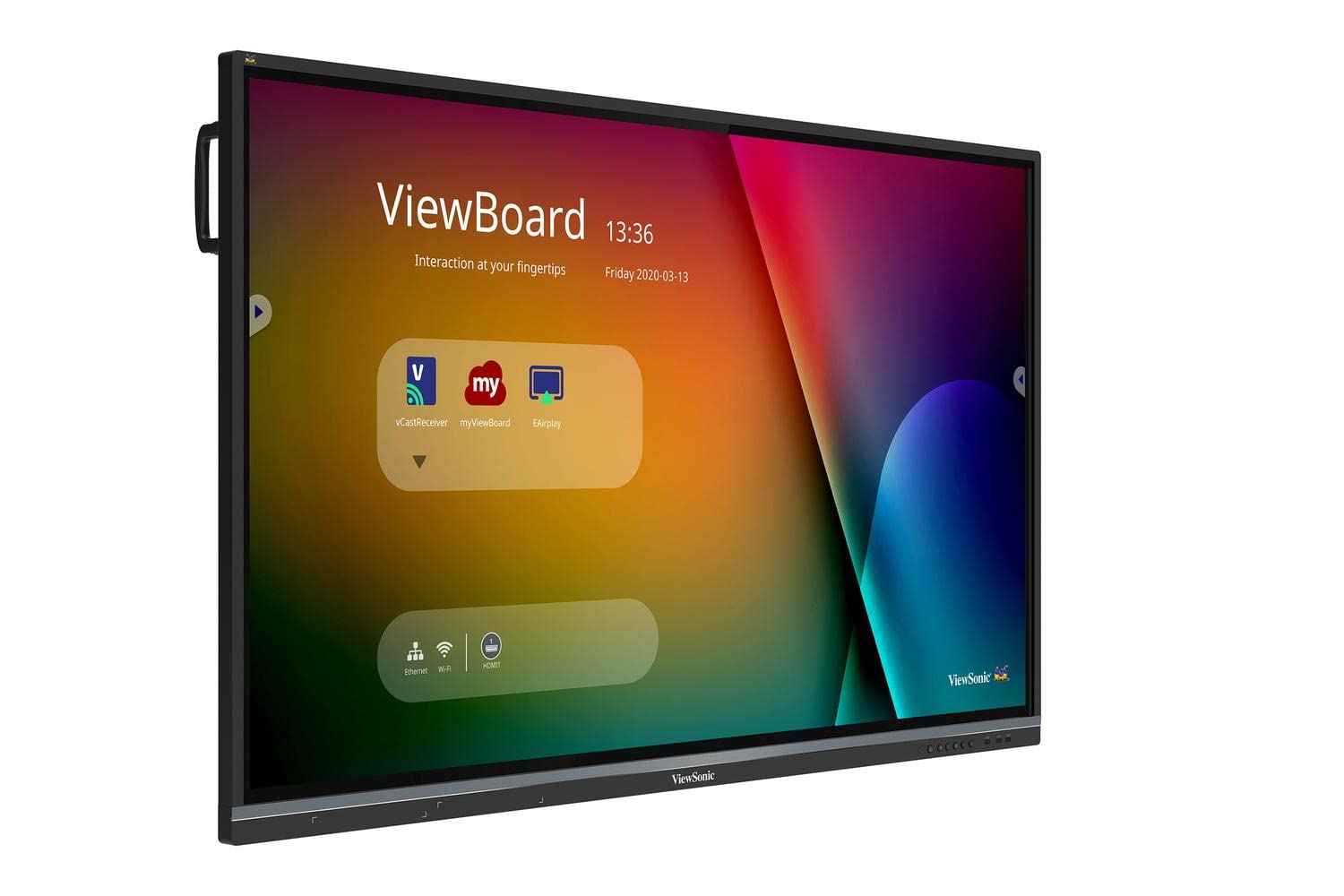
Viewsonic Ifp6550 65'' 2160P 4K Interactive Display, 20 Point Touch, Vga, Hdmi
$3,950.62

Frequently Asked Questions
- Q: What are the dimensions of the ViewSonic IFP6550? A: The ViewSonic IFP6550 measures fifty-eight point six inches in width, thirty-five point three inches in height, and three point five inches in depth.
- Q: What is the resolution of the ViewSonic IFP6550? A: The ViewSonic IFP6550 features a four thousand by two thousand one hundred sixty pixels resolution, delivering stunning four K Ultra HD quality.
- Q: How many touch points does the ViewSonic IFP6550 support? A: The display supports twenty simultaneous touch points, allowing multiple users to interact at once.
- Q: How do I connect devices to the ViewSonic IFP6550? A: You can connect devices using multiple HDMI, VGA, RS232, RJ45, and USB ports available on the display.
- Q: What software is pre-installed on the ViewSonic IFP6550? A: The display comes pre-installed with ViewSonic vBoard annotation software for enhanced collaborative features.
- Q: Is the ViewSonic IFP6550 suitable for a classroom? A: Yes, it is ideal for classrooms, offering collaborative capabilities and interactive features that enhance learning.
- Q: Can I use the ViewSonic IFP6550 without a PC? A: Yes, the built-in quad-core processor allows for annotation and multimedia playback without needing an external PC.
- Q: How do I install the ViewSonic IFP6550? A: The display is VESA-compatible, allowing for wall mounting or placement on an optional trolley cart for flexibility.
- Q: What is the weight of the ViewSonic IFP6550? A: The weight of the ViewSonic IFP6550 is approximately seventy-one pounds, making it substantial yet manageable for installation.
- Q: How do I clean the ViewSonic IFP6550? A: To clean the display, use a soft, lint-free cloth and a mild cleaning solution to avoid damaging the screen.
- Q: Is the ViewSonic IFP6550 Energy Star certified? A: Yes, the ViewSonic IFP6550 is Energy Star certified, promoting energy efficiency and lower operational costs.
- Q: What warranty does the ViewSonic IFP6550 come with? A: The ViewSonic IFP6550 typically includes a three-year limited warranty, ensuring peace of mind for your purchase.
- Q: What do I do if the ViewSonic IFP6550 arrives damaged? A: If the display arrives damaged, contact customer support immediately to initiate a return or exchange process.
- Q: Can the ViewSonic IFP6550 be used for presentations? A: Yes, it is excellent for presentations, offering high-quality visuals and interactive features for effective communication.
- Q: Is the ViewSonic IFP6550 compatible with third-party software? A: Yes, the display supports various third-party software applications, enhancing its versatility for different uses.