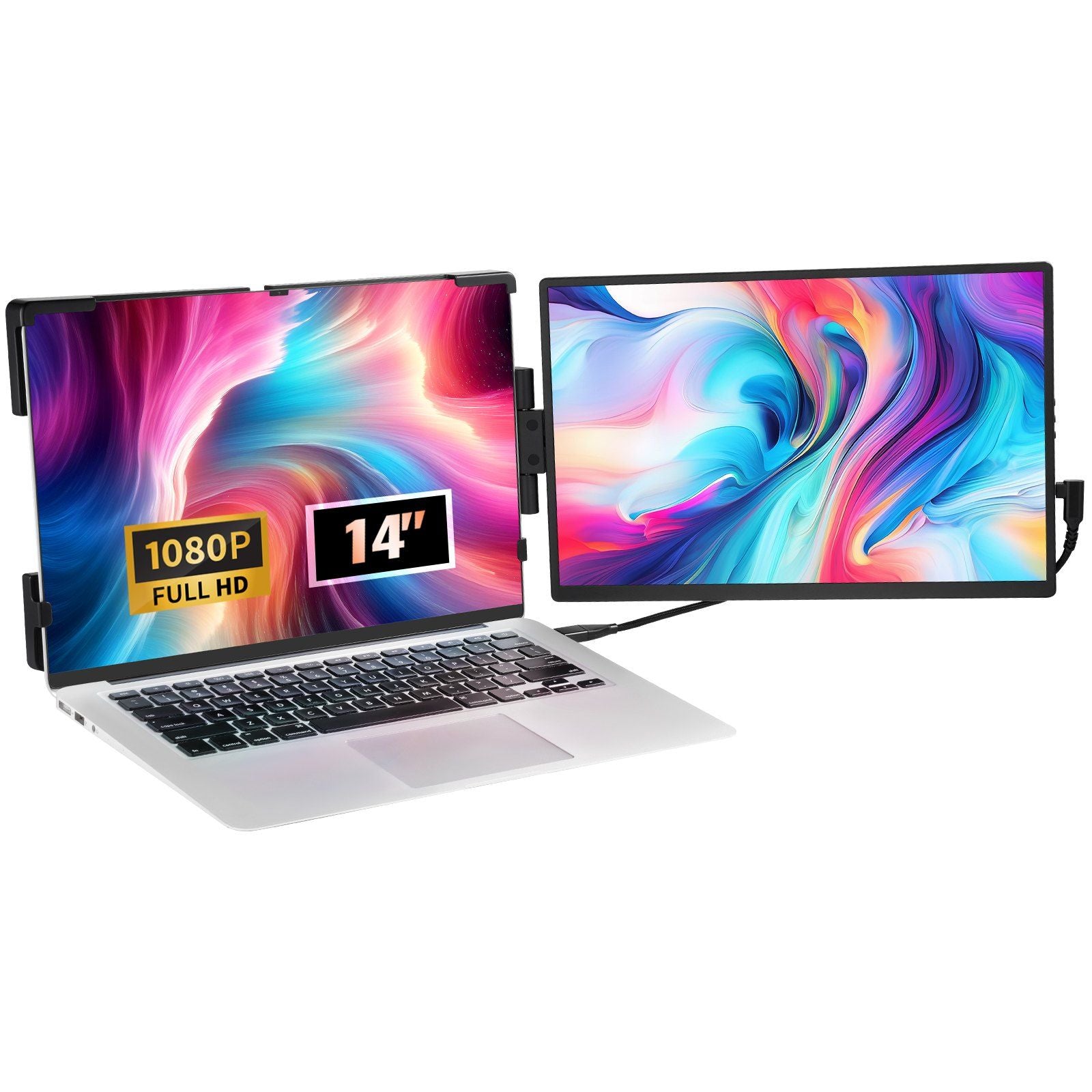
Highlights:1.Improve Work Efficiency: This Dual Laptop Screen Extender Can Be Placed On Either The Left Or Right Side, Supporting Both Extended And Mirror Modes. Simplify Managing Multiple Applications And Windows On One Laptop, Doubling Your Productivity And Providing An Exceptional Experience For Professionals, Gamers, And Stock Traders.2.14-Inch Large Screen: The 14-Inch Ips Monitor Screen Offers 300Cd/M Brightness, 72% Ntsc Color Gamut, 1920X1200 Resolution, And A 1000:1 Contrast Ratio. Enjoy A Broader View, Clearer Images, And Accurate Colors. Adjust Settings With The Multifunction Button.3.Widely Compatible: Compatible With 13'' To 17'' Laptops, This Portable Monitor Extender Requires No Driver Installation And Works With Android, Windows, Harmony Os, And Mac Os. It Connects Easily To Laptops, And Smartphones With Type-C Ports, Switch, Ps4, Xbox, And Other Gaming Devices. Plug And Play With Usb-C, Usb-A, Or Hdmi Connections; Each Screen Requires Just One Type-C Or Hdmi+Usb Cable.4.Customizable Settings: Adjust Brightness, Contrast, Sharpness, And More To Suit Your Needs With The Monitor Panel Button. Advanced Ips Technology And Blue Light Protection Provide Bright, Vivid, And Immersive Viewing For Gaming And Multimedia While Reducing Eye Strain. Our Monitor For Laptop Screens With Built-In Speakers Provides Unmatched Visual And Audio Multimedia Experiences.5.Versatile Applications: This Lightweight Screen Extender Attaches Directly To Your Laptop, Enabling Dual-Screen Work Setups Anywhere.The Screen Rotates Freely Up To 210, Ideal For Business Meetings, Travel, Office Work, Remote Education, And Entertainment. Weighing Just 2.6 Lbs, It Is Easy To Carry In A Bag, Perfect For Video Conferences, Office Presentations, Homework, Or Business Trips.Details: Boost Your Work Efficiency With Our 14&Quot; Laptop Screen Extender This Monitor Screen Boasts 300Cd/M&Sup2; Brightness, A 72% Ntsc Color Gamut, 1920X1200 Resolution, And A 1000:1 Contrast Ratio. Enhance Your Work Efficiency And Presentation Quality With Clear, Realistic Visuals And Accurate, Natural Colors. Our Portable Monitor Extender Supports Both Extended And Mirror Modes, Transforming Your Laptop Into A Multi-Screen Workstation. Eliminate Frequent Window Switching, Making It Ideal For Busy Professionals. Compatible With Various Devices, Including Android, Windows, Harmony Os, And Mac Os. Each Screen Connects With A Single Type-C Or Hdmi+Usb Cable, Making Setup Quick And Easy. This Screen Extender Can Be Directly Attached To Laptops For Multi-Screen Use, With 210&Deg; Rotation. Place It On The Left Or Right Side As Needed, Ideal For Video Conferences, Office Presentations, Or Travel. Includes All Necessary Accessories: 1 Mini Hdmi Cable, 1 Multifunctional Usb Type-C Cable, And 1 Type-C Direct Connection Cable. Weighing Just 2.6 Lbs, Vevor Monitor For Laptop Screen Ensures Efficient Work Anywhere.
⚠️ WARNING (California Proposition 65): This product may contain chemicals known to the State of California to cause cancer, birth defects, or other reproductive harm. For more information, please visit www.P65Warnings.ca.gov.
Frequently Asked Questions
Q: What is the size of the VEVOR Portable Laptop Screen Extender?A: The screen extender measures fourteen inches diagonally. It is designed for laptops ranging from thirteen to seventeen inches.
Q: What materials are used in the construction of this monitor?A: The monitor is made from Acrylonitrile Butadiene Styrene, commonly known as ABS. This material provides durability while keeping the device lightweight.
Q: What is the resolution of the VEVOR Portable Laptop Screen Extender?A: The resolution is nineteen hundred twenty by twelve hundred pixels. This high definition ensures clear and vibrant images for various applications.
Q: How do I connect the VEVOR Portable Laptop Screen Extender to my laptop?A: You can connect it using USB-C, USB-A, or HDMI cables. The monitor is plug and play and requires no driver installation.
Q: Is the VEVOR Portable Laptop Screen Extender suitable for gaming?A: Yes, it is suitable for gaming. The monitor features advanced IPS technology and provides a vivid visual experience, reducing eye strain.
Q: Can I adjust the settings on the VEVOR Portable Laptop Screen Extender?A: Yes, you can customize settings such as brightness, contrast, and sharpness. This allows for a personalized viewing experience.
Q: What is the weight of the VEVOR Portable Laptop Screen Extender?A: The screen extender weighs just two point six pounds. Its lightweight design makes it easy to carry in a bag.
Q: How do I care for the VEVOR Portable Laptop Screen Extender?A: To clean the monitor, use a soft cloth and avoid abrasive cleaners. Proper care will help maintain its performance and longevity.
Q: Is the VEVOR Portable Laptop Screen Extender compatible with Mac?A: Yes, it is compatible with Mac OS. The device also works seamlessly with Windows, Android, and Harmony OS.
Q: What is the contrast ratio of the VEVOR Portable Laptop Screen Extender?A: The contrast ratio is one thousand to one. This feature enhances image clarity and color accuracy.
Q: Can I use the VEVOR Portable Laptop Screen Extender for video conferencing?A: Yes, it is ideal for video conferencing. The dual-screen setup enhances productivity and allows for better multitasking.
Q: What if my VEVOR Portable Laptop Screen Extender arrives damaged?A: If it arrives damaged, contact customer support for assistance. They will guide you through the return process for a replacement.
Q: Is there a warranty for the VEVOR Portable Laptop Screen Extender?A: Yes, the product typically comes with a warranty. Check the manufacturer's details for specific coverage terms.
Q: Can I use the VEVOR Portable Laptop Screen Extender while traveling?A: Yes, it is designed for portability and can be used for travel, business meetings, or remote education. Its lightweight design makes it easy to transport.
Q: Does the VEVOR Portable Laptop Screen Extender have built-in speakers?A: Yes, it features built-in speakers. This allows for enhanced audio experiences during multimedia use.