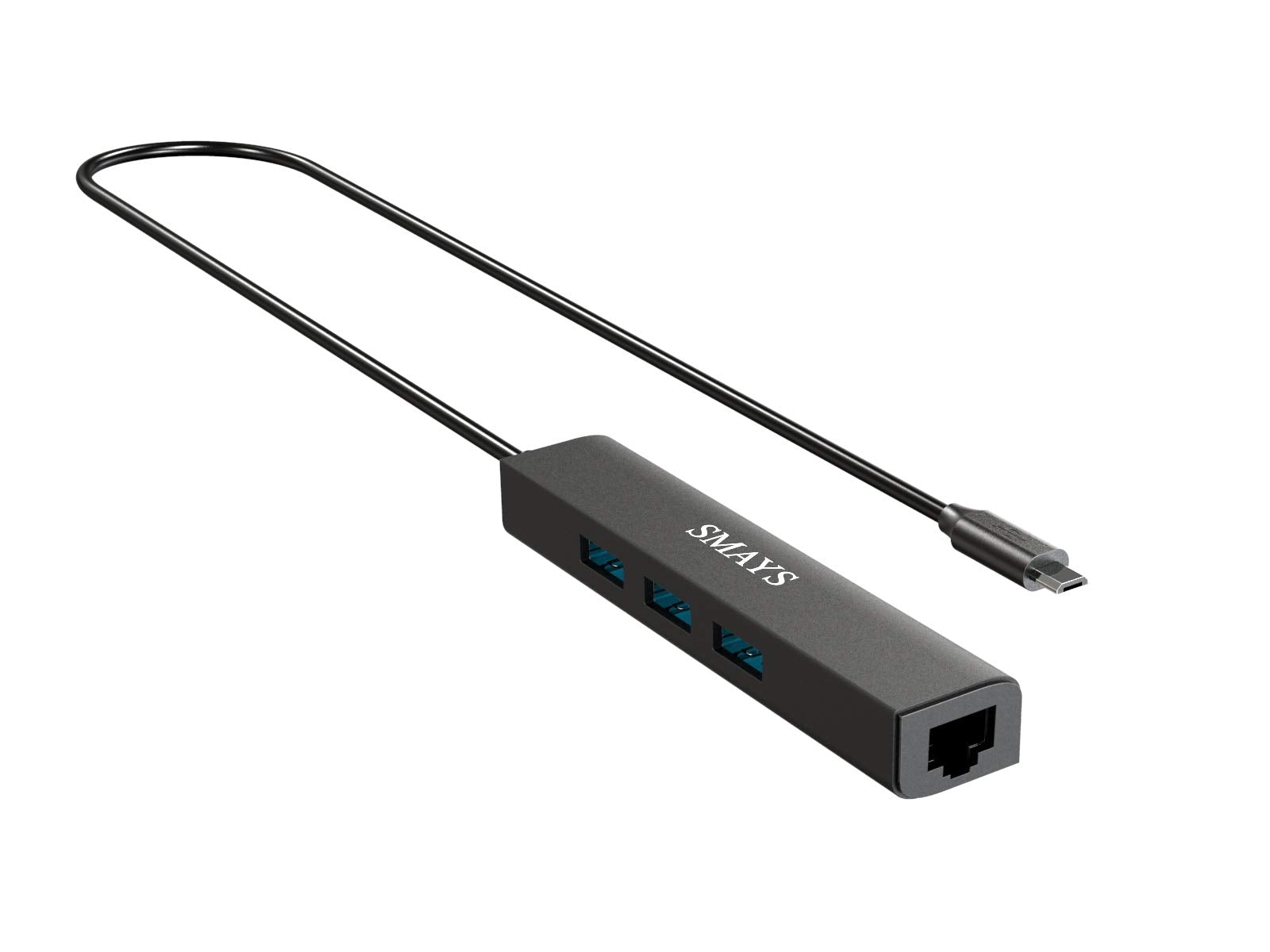
How To Add Wired Internet To Your Streaming Device For Buffer-Free, No Lag, And To Add External Memory For Your Host Device?This 3-In-1 Adapter Solves This Problem For You.1, Powered Otg Cable - Connect With 5V Dc-In Cable With Your 5V2A Wall Charger Which Supplies Power To Firestick And 3 Usb Ports2, Powered Otg Hub - It'S A Micro Usb To 3 Usb Port Expander, To Add Storage For Your Host Devices. Such As A Gamepad, Mouse, Game Controller, Usb Flash Disk, Camera, Printer Etc3, Rj45 Lan Port - Add Wired Internet Connection, Support 10/100Mbps Stable Network Package Included:1 X Ethernet Adapter1 X Dc Cable
⚠️ WARNING (California Proposition 65): This product may contain chemicals known to the State of California to cause cancer, birth defects, or other reproductive harm. For more information, please visit www.P65Warnings.ca.gov.
Frequently Asked Questions
Q: What are the dimensions of the Micro USB to Ethernet Adapter?A: The dimensions are approximately twenty-three point twenty-three centimeters long, zero point ninety-eight centimeters wide, and zero point fifty-nine centimeters high.
Q: What materials is the Ethernet Adapter made from?A: The adapter is primarily made of durable plastic, ensuring longevity and reliable performance during use.
Q: What is the voltage requirement for the powered OTG cable?A: The powered OTG cable requires a five volt direct current for operation, typically provided by a five volt two amp wall charger.
Q: How do I connect the Micro USB to Ethernet Adapter?A: To connect, plug the adapter into your Fire TV stick, connect the Ethernet cable to the adapter, and attach the USB DC cable to a wall charger.
Q: Is this adapter compatible with other devices?A: Yes, it is compatible with various devices including Amazon Fire TV Stick Lite, 4K Max, TV Cube, Echo Show models, and Chromecast.
Q: Can I use this adapter for gaming devices?A: Yes, the adapter supports various peripherals like gamepads and controllers, enhancing your gaming experience.
Q: How do I ensure the adapter stays in good condition?A: To maintain the adapter, store it in a cool, dry place and avoid exposure to extreme temperatures or moisture.
Q: What should I do if the adapter is not working?A: If the adapter is not functioning, check all connections, ensure the power supply is adequate, and try using a different Ethernet cable.
Q: Does this adapter support fast data transfer?A: Yes, it supports data transfer speeds of up to four hundred eighty megabits per second, ensuring efficient connectivity.
Q: What accessories can I connect to the USB ports?A: You can connect various accessories such as USB flash drives, keyboards, mice, printers, and cameras through the USB ports.
Q: Is this adapter suitable for streaming in high definition?A: Yes, the adapter provides a stable wired internet connection, ensuring smooth streaming of high definition content.
Q: How many USB ports does the adapter have?A: The adapter features three USB ports, allowing multiple devices to be connected simultaneously.
Q: What Ethernet speed can I expect from this adapter?A: You can expect a stable Ethernet connection with speeds of ten to one hundred megabits per second.
Q: Is there a warranty with the Micro USB to Ethernet Adapter?A: Yes, the adapter typically comes with a limited warranty from the manufacturer, covering defects in materials and workmanship.
Q: How can I return the adapter if I am not satisfied?A: You can return the adapter by following the retailer's return policy, which usually requires original packaging and a receipt.