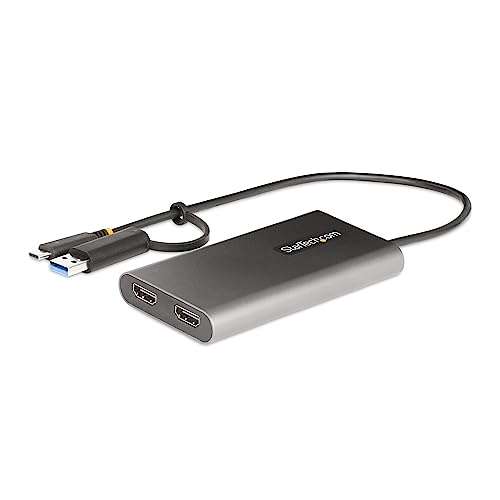
Usb-C To Dual-Monitor Adapter Adds Up To 2X 4K 60Hz Hdmi Monitors To A Computer Using A Single Usb-C/Usb-A Port; 100W Pd Pass-Through With Up To 90W Host Charging - Enables Dual Extended Displays On M1/M2 Macbooks; Requires Driver For Macos - External Video Graphics Adapter Features A 1Ft (30Cm) Built-In Cable To Reduce Port/Connector Strain - Displaylink Certified Universal Adapter Works With Windows/Macos/Ubuntu/Chromeos - Aluminum Enclosure Provides Emi Shielding And Helps With Heat Dissipation
⚠️ WARNING (California Proposition 65): This product may contain chemicals known to the State of California to cause cancer, birth defects, or other reproductive harm. For more information, please visit www.P65Warnings.ca.gov.
Frequently Asked Questions
Q: What is the length of the StarTech.com USB-C to Dual-HDMI Adapter?A: The adapter is one foot long, or thirty centimeters. This built-in cable length is ideal for portability.
Q: What materials are used in the StarTech.com USB-C to Dual-HDMI Adapter?A: The adapter is made of aluminum. This material provides durability and effective heat dissipation.
Q: Is the StarTech.com USB-C to Dual-HDMI Adapter compatible with all operating systems?A: Yes, it works with Windows, macOS, Ubuntu, and Chrome OS. This wide compatibility makes it versatile for various users.
Q: How do I connect the StarTech.com USB-C to Dual-HDMI Adapter?A: Simply plug the USB-C or USB-A end into your laptop and connect the HDMI cables to your monitors. It's user-friendly and requires no special setup.
Q: Can I use the StarTech.com USB-C to Dual-HDMI Adapter with a MacBook?A: Yes, it is compatible with MacBook models, including those with Apple M1 and M2 chips. However, you may need to download a driver for macOS.
Q: How many monitors can I connect with the StarTech.com USB-C to Dual-HDMI Adapter?A: You can connect up to two HDMI monitors. This allows for dual-display setups, enhancing productivity.
Q: What should I do if the StarTech.com USB-C to Dual-HDMI Adapter gets dirty?A: Wipe it gently with a soft, dry cloth. Avoid using any abrasive cleaners that could damage the surface.
Q: Is the StarTech.com USB-C to Dual-HDMI Adapter safe for travel?A: Yes, its compact size and built-in cable make it travel-friendly. The strain reliefs help reduce wear and tear during transport.
Q: What is the maximum power delivery of the StarTech.com USB-C to Dual-HDMI Adapter?A: The adapter supports power delivery up to one hundred watts. This allows for charging your laptop while using the adapter.
Q: Does the StarTech.com USB-C to Dual-HDMI Adapter support audio?A: Yes, it supports five point one channel HDMI audio. This feature enhances your multimedia experience when using external displays.
Q: Can I use the StarTech.com USB-C to Dual-HDMI Adapter for gaming?A: It's not ideal for gaming. The adapter is designed for business productivity applications rather than high-performance gaming.
Q: What is the weight of the StarTech.com USB-C to Dual-HDMI Adapter?A: The weight is approximately one hundred grams. This lightweight design makes it easy to carry around.
Q: How does the StarTech.com USB-C to Dual-HDMI Adapter prevent data disruption?A: It features Fast Role Swap technology, which prevents disruptions when switching power sources. This ensures a smooth user experience.
Q: Is there a warranty for the StarTech.com USB-C to Dual-HDMI Adapter?A: Yes, it typically comes with a limited warranty. Check with the manufacturer for specific warranty details.
Q: What kind of video resolutions does the StarTech.com USB-C to Dual-HDMI Adapter support?A: It supports dual-monitor resolutions of up to four K at sixty hertz. This allows for crisp and clear visuals on external displays.