

Cart
0


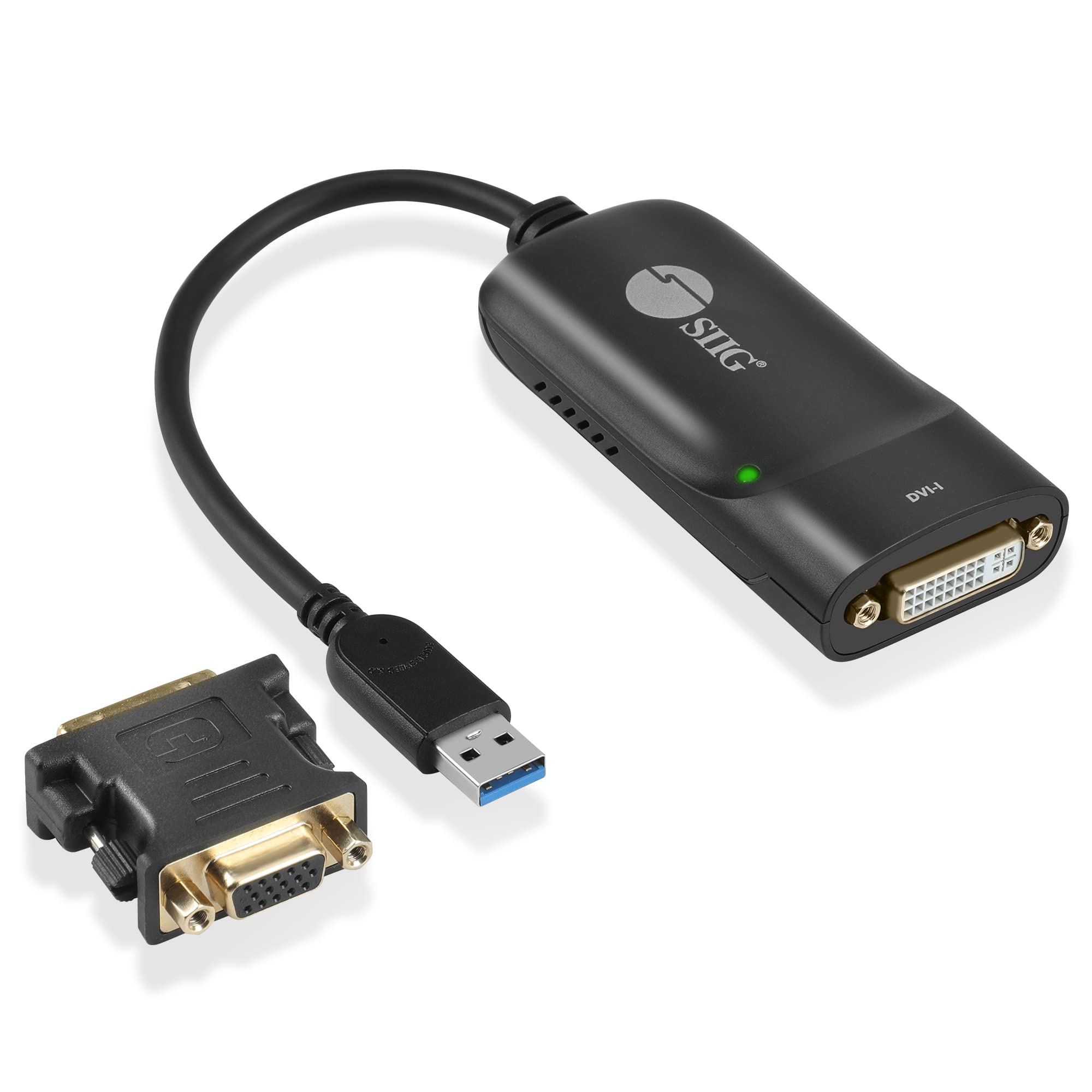
Usb 3.0 To Dvi/Vga Pro Adapter
Free Standard Shipping Across USA
Vendor: Siig
Type: HDMI & Display Cables
Sku: WBEEAB0C1NGHD52
Availability: Sold Out
Couldn't load pickup availability
Guarantee safe checkout

Sold by Electroeshop, an authorized reseller.
Returns accepted within 30 days | support@electroeshop.com
Shipping Information
- Free Standard Shipping — United States only
- Processing Time: 3–5 business days
- Estimated Delivery: 6–10 business days after dispatch
- Double-boxed, fully insured & discreetly packaged
- Tracking number sent via email once dispatched
Returns & Refund
Returns accepted within 30 days of delivery.
Damaged or Defective Item
Free return shipping + replacement or full refund
Wrong Item Received
Free return shipping + replacement or full refund
Change of Mind
Return shipping at customer's expense · 25% restocking fee applies
All returns require a Return Authorization (RA) number before sending.
View Full Return & Refund Policy
Usb 3.0 To Dvi/Vga Pro Adapter
$91.28

Frequently Asked Questions
- Q: What is the maximum resolution supported by the SIIG USB 3.0 to DVI Video Adapter? A: The maximum resolution supported is two thousand forty-eight by one thousand one hundred fifty-two pixels. This allows for high-definition displays and clear image quality.
- Q: What are the dimensions of the SIIG USB 3.0 to DVI Video Adapter? A: The dimensions are one point seventy-seven inches in length, three point eighty-six inches in width, and zero point seventy-nine inches in height. This compact size makes it easy to store and transport.
- Q: What type of connection does the SIIG USB 3.0 to DVI Video Adapter use? A: It utilizes a USB three point zero connection. This ensures fast data transfer rates and efficient performance.
- Q: How do I install the SIIG USB 3.0 to DVI Video Adapter? A: Simply plug it into a USB port on your computer and connect your monitor using a DVI or VGA cable. It is designed for quick and easy setup with no additional drivers required.
- Q: Is the SIIG USB 3.0 to DVI Video Adapter compatible with Mac systems? A: Yes, it is compatible with Mac M1 and M2 systems. You can easily use it with both Windows and Mac operating systems.
- Q: Can I connect multiple monitors using the SIIG USB 3.0 to DVI Video Adapter? A: Yes, you can connect up to six adapters per system. This allows you to expand your display setup significantly.
- Q: How do I keep the SIIG USB 3.0 to DVI Video Adapter in good condition? A: Store it in a dry place and avoid exposing it to extreme temperatures. Regularly check the connections for dust or debris to ensure optimal performance.
- Q: Is the SIIG USB 3.0 to DVI Video Adapter hot pluggable? A: Yes, it is hot pluggable. This means you can connect and disconnect it without needing to restart your computer.
- Q: What power source does the SIIG USB 3.0 to DVI Video Adapter require? A: No external power adapter is needed. It draws power directly from the USB port of your computer.
- Q: What operating systems does the SIIG USB 3.0 to DVI Video Adapter support? A: It supports Windows eleven, ten, and Mac operating systems. This wide compatibility makes it versatile for different users.
- Q: Can I use the SIIG USB 3.0 to DVI Video Adapter with older monitors? A: Yes, you can connect older DVI or VGA monitors. This helps repurpose older equipment and enhance productivity.
- Q: What features does the DisplayLink Manager provide with this adapter? A: The DisplayLink Manager allows customization of audio and video settings, image rotation, and Multi-Streaming mode. This enhances your viewing experience significantly.
- Q: What types of monitors can I connect to the SIIG USB 3.0 to DVI Video Adapter? A: You can connect both DVI and VGA monitors. This flexibility is ideal for various display setups.
- Q: What are the benefits of using the SIIG USB 3.0 to DVI Video Adapter? A: It provides a reliable and cost-effective solution for connecting multiple monitors, enhancing productivity and workspace efficiency.
- Q: What should I do if I encounter issues with the SIIG USB 3.0 to DVI Video Adapter? A: First, check the connections and ensure compatibility with your system. If problems persist, refer to the manufacturer’s support for troubleshooting assistance.