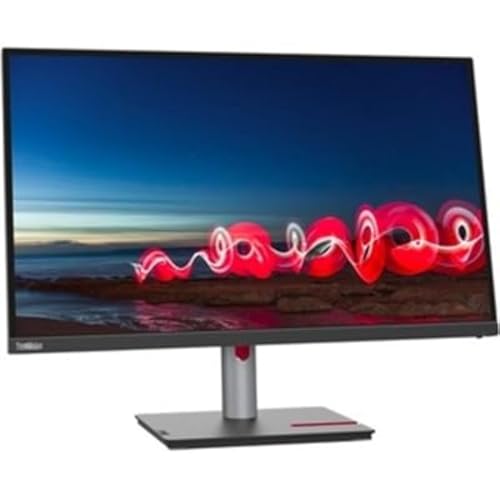
27'' Fhd (1920 X 1090) 3-Side Near-Edgeless Display|314|0|Both|Long|Warning: This Product Can Expose You To Chemicals Including Lead, Which Is Known To The State Of California To Cause Cancer And Birth Defects Or Other Reproductive Harm. For More Information Go To Www.P65Warnings.Ca.Gov.
⚠️ WARNING (California Proposition 65): This product may contain chemicals known to the State of California to cause cancer, birth defects, or other reproductive harm. For more information, please visit www.P65Warnings.ca.gov.
Frequently Asked Questions
Q: What is the screen size of the Lenovo ThinkVision T27i-30?A: The screen size is twenty-seven inches. This monitor offers a Full HD resolution of one thousand nine hundred twenty by one thousand ninety pixels.
Q: What panel technology does the Lenovo ThinkVision T27i-30 use?A: It uses In-plane Switching (IPS) technology. This type of panel provides better color accuracy and wider viewing angles compared to other technologies.
Q: What are the dimensions of the Lenovo ThinkVision T27i-30 monitor?A: The dimensions are fourteen point three inches in height, twenty-four point one inches in width, and two inches in depth. This size makes it suitable for various desk setups.
Q: How many screens does the Lenovo ThinkVision T27i-30 have?A: It has one screen. This single screen setup is ideal for focused work or entertainment.
Q: Is the Lenovo ThinkVision T27i-30 suitable for gaming?A: Yes, it is suitable for casual gaming. The Full HD resolution and IPS technology enhance the gaming experience with clear visuals.
Q: Can I use the Lenovo ThinkVision T27i-30 for office work?A: Yes, it is excellent for office work. The large screen size and high resolution facilitate multitasking and improve productivity.
Q: How do I adjust the settings on the Lenovo ThinkVision T27i-30?A: You can adjust the settings using the on-screen display menu. This menu allows you to customize brightness, contrast, and color settings easily.
Q: Does the Lenovo ThinkVision T27i-30 come with a stand?A: Yes, it comes with a stand. The stand allows for tilt adjustments, enhancing ergonomic comfort during use.
Q: What is the weight of the Lenovo ThinkVision T27i-30 monitor?A: The monitor weighs approximately eight point five kilograms. This weight provides stability while remaining manageable for setups.
Q: How do I clean the Lenovo ThinkVision T27i-30 monitor?A: You should use a soft, lint-free cloth to clean the screen. Avoid using harsh chemicals, as they can damage the screen's coating.
Q: What is the warranty for the Lenovo ThinkVision T27i-30?A: The monitor typically comes with a three-year warranty. This warranty covers manufacturing defects and provides peace of mind for users.
Q: Is the Lenovo ThinkVision T27i-30 compatible with VESA mounts?A: Yes, it is compatible with VESA mounts. The mounting pattern allows for easy wall mounting or arm attachment.
Q: What color is the Lenovo ThinkVision T27i-30 monitor?A: The monitor is black. This classic color fits well with most home or office environments.
Q: Does the Lenovo ThinkVision T27i-30 have built-in speakers?A: No, it does not have built-in speakers. You will need external speakers or headphones for audio.
Q: Can I connect multiple devices to the Lenovo ThinkVision T27i-30?A: Yes, you can connect multiple devices. The monitor typically includes several input options like HDMI and DisplayPort for versatility.