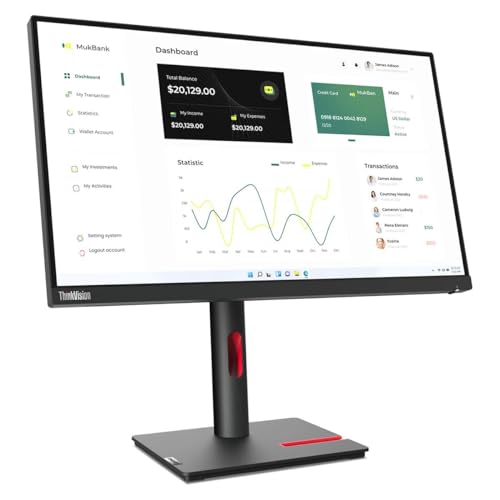
23.8'' Qhd (2560 X 1440) 3-Side Near-Edgeless Display; Eye-Caring Display With Natural Low Blue Light; 99% Srgb With Factory Calibrated Accuracy; Daisy Chain Capability; Built-In Rj45; Ergonomic Stand|424|0|Both|Long|Warning: This Product Can Expose You To Chemicals Including Lead, Which Is Known To The State Of California To Cause Cancer And Birth Defects Or Other Reproductive Harm. For More Information Go To Www.P65Warnings.Ca.Gov.
⚠️ WARNING (California Proposition 65): This product may contain chemicals known to the State of California to cause cancer, birth defects, or other reproductive harm. For more information, please visit www.P65Warnings.ca.gov.
Frequently Asked Questions
Q: What is the screen size of the Lenovo ThinkVision P24H-30?A: The screen size is twenty-three point eight inches. This monitor features an IPS panel with a resolution of two thousand five hundred sixty by one thousand four hundred forty.
Q: What are the dimensions of the Lenovo ThinkVision P24H-30?A: The dimensions are twelve point seven inches by twenty-one point two inches by one point eight inches. This compact size makes it suitable for various workspaces.
Q: What resolution does the Lenovo ThinkVision P24H-30 support?A: The resolution supported is two thousand five hundred sixty by one thousand four hundred forty pixels. This high resolution ensures clear and sharp images for professional use.
Q: How much does the Lenovo ThinkVision P24H-30 weigh?A: The monitor weighs eighteen point three hundred pounds. This weight is manageable for most users when setting it up.
Q: What type of panel does the Lenovo ThinkVision P24H-30 use?A: It uses an IPS panel. IPS technology provides better color accuracy and wider viewing angles compared to traditional panels.
Q: What is the aspect ratio of the Lenovo ThinkVision P24H-30?A: The aspect ratio is sixteen to nine. This standard ratio is ideal for both work and entertainment.
Q: How do I connect the Lenovo ThinkVision P24H-30 to my computer?A: You can connect it via HDMI or DisplayPort. These connections allow for high-quality video and audio signals.
Q: Is the Lenovo ThinkVision P24H-30 suitable for gaming?A: Yes, it is suitable for casual gaming. Its high resolution and IPS panel provide a decent gaming experience, though it may not be optimized for competitive gaming.
Q: Can I adjust the height of the Lenovo ThinkVision P24H-30 monitor?A: Yes, the monitor features height adjustment. This allows you to customize the viewing height for better ergonomic comfort.
Q: How do I clean the Lenovo ThinkVision P24H-30?A: Use a soft, lint-free cloth. Avoid using harsh chemicals that can damage the screen's coating.
Q: What is the warranty period for the Lenovo ThinkVision P24H-30?A: The warranty period is typically three years. This covers defects in materials and workmanship.
Q: How should I store the Lenovo ThinkVision P24H-30 when not in use?A: Store it in a dry, cool place. Ensure the monitor is turned off and unplugged to prevent any damage.
Q: Is the Lenovo ThinkVision P24H-30 compatible with VESA mounts?A: Yes, it is compatible with VESA mounts. This allows you to mount the monitor on a wall or adjustable arm.
Q: What should I do if the monitor arrives damaged?A: Contact customer support immediately. They will assist you with the return process and provide a replacement if necessary.
Q: Does the Lenovo ThinkVision P24H-30 have built-in speakers?A: No, it does not have built-in speakers. You will need external speakers or headphones for audio.