

Cart
0


Tinytv Diy Kit
Free Standard Shipping Across USA
Vendor: Tinycircuits
Type: Bluetooth Speakers
Sku: WBEEAB086K4VLX2
Availability: Sold Out
Couldn't load pickup availability
Guarantee safe checkout

Sold by Electroeshop, an authorized reseller.
Returns accepted within 30 days | support@electroeshop.com
Shipping Information
- Free Standard Shipping — United States only
- Processing Time: 3–5 business days
- Estimated Delivery: 6–10 business days after dispatch
- Double-boxed, fully insured & discreetly packaged
- Tracking number sent via email once dispatched
Returns & Refund
Returns accepted within 30 days of delivery.
Damaged or Defective Item
Free return shipping + replacement or full refund
Wrong Item Received
Free return shipping + replacement or full refund
Change of Mind
Return shipping at customer's expense · 25% restocking fee applies
All returns require a Return Authorization (RA) number before sending.
View Full Return & Refund Policy
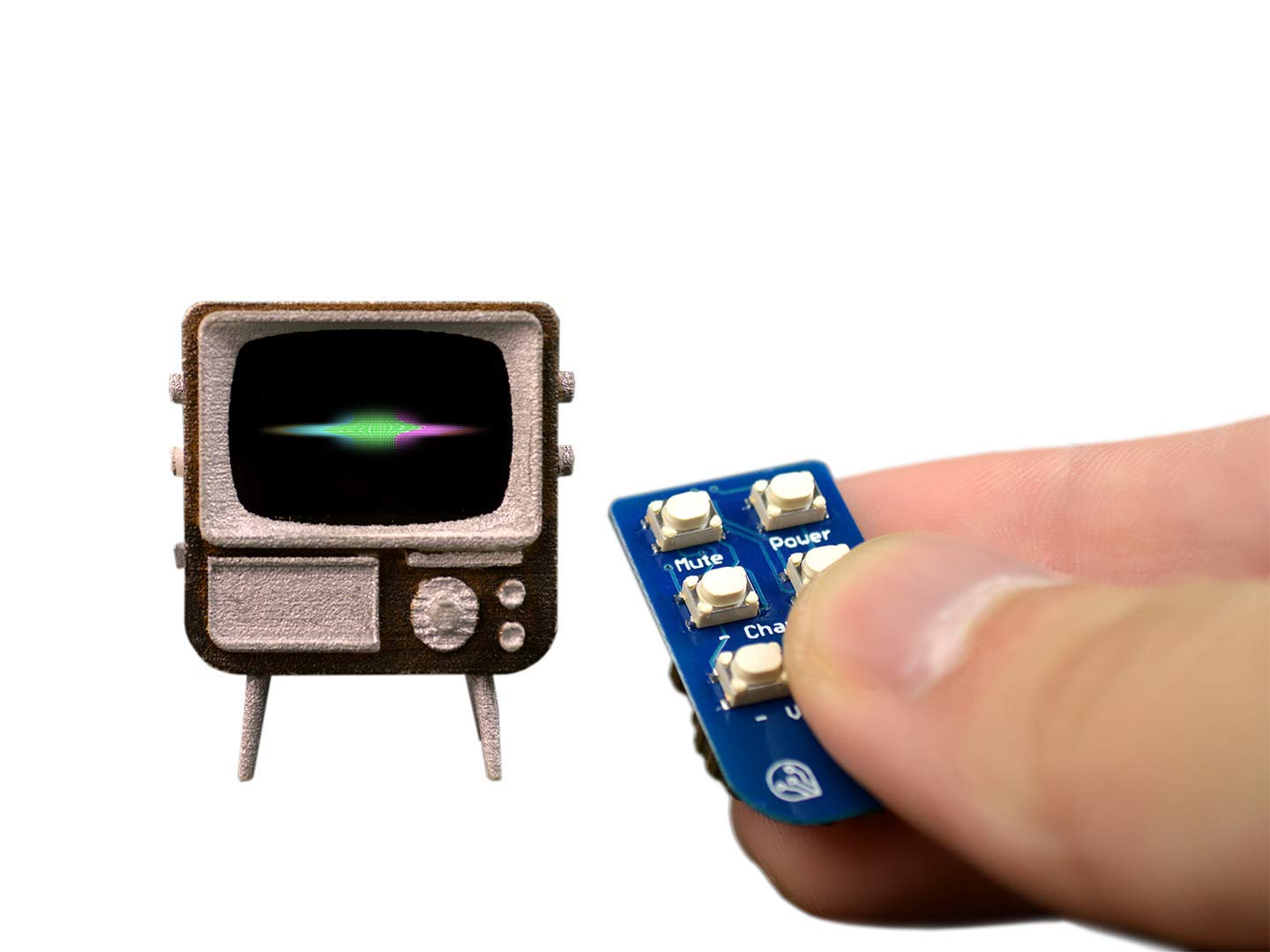
Tinytv Diy Kit
$99.93

Frequently Asked Questions
- Q: What materials are used in the TinyTV DIY Kit? A: The TinyTV DIY Kit is made primarily of acrylic, which is used for the body. It also features electronic components including a powerful thirty-two bit ARM processor.
- Q: What are the dimensions of the TinyTV? A: The TinyTV is designed to fit in the palm of your hand, making it a highly portable device. Exact dimensions are not specified, but it is compact and easy to carry.
- Q: How long does the battery last on the TinyTV? A: The TinyTV has a rechargeable lithium battery that provides hours of entertainment. Exact battery life will vary based on usage, but it is designed for extended play.
- Q: How do I load videos onto the TinyTV? A: You can easily load videos by inserting a MicroSD card into the device. The kit includes a MicroSD card that can hold up to five hours of video content.
- Q: Is the TinyTV DIY Kit easy to assemble? A: Yes, the TinyTV DIY Kit assembles easily in under five minutes. No soldering or special tools are required for assembly.
- Q: Can I customize the appearance of the TinyTV? A: Yes, the TinyTV comes in white and is highly customizable. You can use acrylic paint or metallic sharpies to personalize its look.
- Q: How do I care for the TinyTV? A: To keep the TinyTV in good condition, avoid exposing it to moisture and clean it with a dry cloth. Ensure the MicroSD card is properly inserted and stored safely.
- Q: What safety precautions should I take with the lithium battery? A: Ensure that the lithium battery is not exposed to extreme temperatures or punctured. Always charge the TinyTV using the included USB port to prevent damage.
- Q: How should I store the TinyTV when not in use? A: Store the TinyTV in a cool, dry place away from direct sunlight to maintain its condition. Ensure that it is powered off to save battery life.
- Q: Is the TinyTV suitable for all ages? A: Yes, the TinyTV is designed for a broad audience, though adult supervision is recommended for younger children due to small parts.
- Q: How does the settings menu work on the TinyTV? A: The settings menu allows you to change the TV mode to loop videos and adjust button values. This makes it easy to customize how you use the device.
- Q: What type of videos can I play on the TinyTV? A: You can load various video formats onto the TinyTV, including movies and TV shows. The device supports content preloaded on the MicroSD card.
- Q: Does the TinyTV come with a remote? A: Yes, the TinyTV DIY Kit includes a Tiny Remote that allows you to change channels, adjust volume, and power the device on or off.
- Q: What should I do if my TinyTV arrives damaged? A: If the TinyTV arrives damaged, contact the manufacturer for warranty support. They will provide instructions for returns or exchanges.
- Q: Are there any specific care instructions for the Tiny Remote? A: Keep the Tiny Remote free of moisture and store it in a safe place. Replace the battery as needed for optimal performance.
- Q: Is the TinyTV compatible with other remotes? A: Yes, you can change button values in the settings menu, allowing it to work with different remotes if desired.