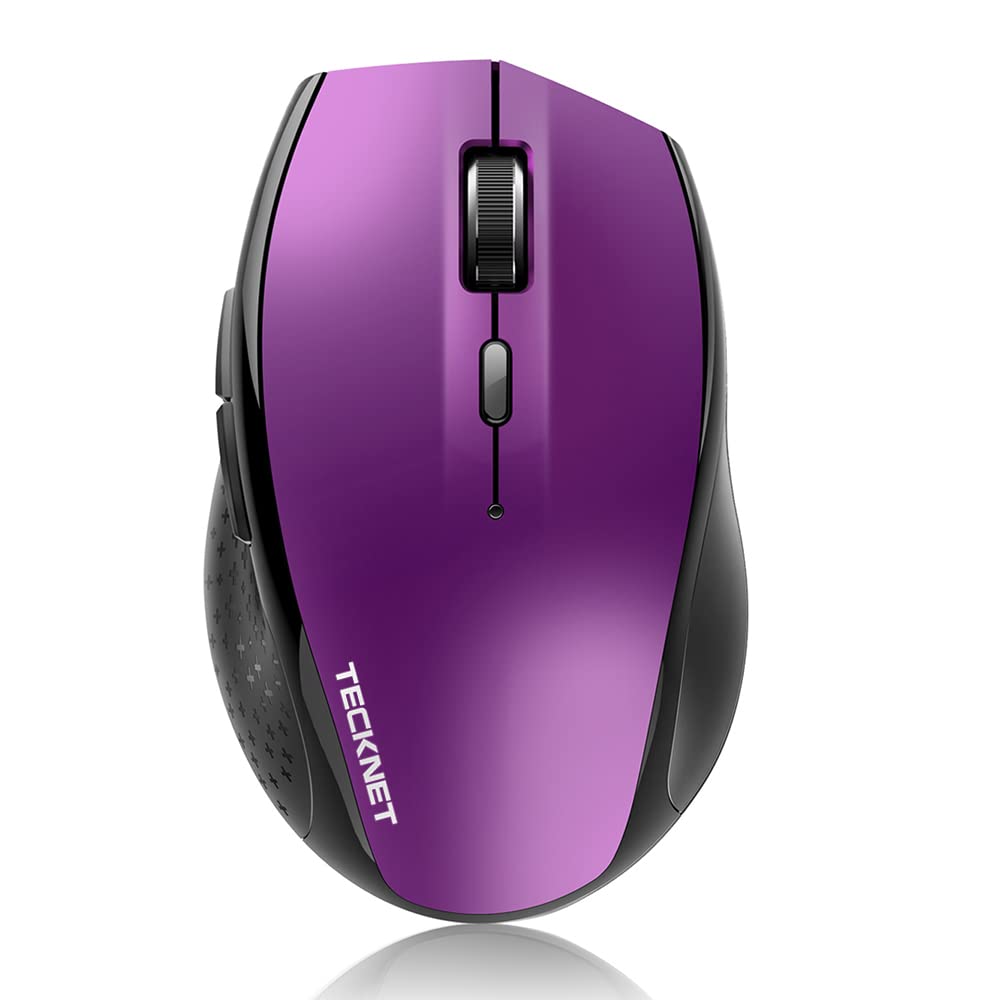
Tecknet Bm308 Bluetooth Mouse:Tecknet Bluetooth Mouse Is A Mouse You Can Really Rely On To Work With Your Bluetooth-Enabled Pc - No Receiver Required. Whether You Use A Laptop, Desktop Or Windows 8 Tablet, This Is The Only Wireless Mouse You Need Truwave Precision: Truwave Precision Means You Will Enjoy Smoother Tracking On Just About Any Surface. Bluetooth Wireless: With Wireless Bluetooth Connectivity And True Technology, It Works Almost Anywhere With No Dongle Or Transceiver To Lose From The Coffee Shop To The Park Bench. Up To 24-Month Battery Life: Energy Efficiency Features Such As An On/Off Switch And Smart Sleep Mode Help Reduce Power Consumption Enabling You To Keep Going For Longer, In Fact, You Can Use This Mouse For Up To 24 Months On Just 2 Aa Battery! There Is A Handy Indicator Light To Let You Know When It Is Almost Time To Change The Battery. 2 Additional Buttons: Want To Quickly Switch Between Programs Or Move From Page To Page On The Web In An Instant? You Will Save Time With The App-Switching Button And Forward/Backward Buttons. Tecknet 18 Months Warranty: At Tecknet , We Believe In Our Products. That'S Why We Back Them All With An 18-Month Warranty And Provide Friendly, Easy-To-Reach Support. Specifications: - Polling Rate: 2.4Ghz - Lifelong Clicks: 10 Million- Working Current: 5.5Ma - Battery Type: 2 Aa Battery (Not Included)- Product Size: 112 X 71 X 41Mm - Support: Windows 98 / Me / 2000 / Xp / Vista / 7 / 8 / 10 Box Contains: 1 X Wireless Bluetooth Mouse1 X User Manual1 X Warranty Cardnote:Not Fit For Left Hand Use. This Mouse May Not Work For Mac Os Due To The Compatibility.Don'T Support Ipad Bluetooth Connection. (For Ipad All Series)For Mac Os Device The Side Buttons Can'T Work, While Other Buttons Can Work Good.
⚠️ WARNING (California Proposition 65): This product may contain chemicals known to the State of California to cause cancer, birth defects, or other reproductive harm. For more information, please visit www.P65Warnings.ca.gov.
Frequently Asked Questions
Q: What are the dimensions of the TECKNET Bluetooth mouse?A: The TECKNET Bluetooth mouse measures approximately four point four one inches in length, one point six nine inches in width, and two point eight inches in height.
Q: What materials is the TECKNET Bluetooth mouse made of?A: The TECKNET Bluetooth mouse is constructed from durable plastic, designed to withstand everyday use while providing a comfortable grip.
Q: How many buttons does the TECKNET Bluetooth mouse have?A: The TECKNET Bluetooth mouse features six buttons, offering versatile functionality including app-switching and navigation.
Q: How do I connect the TECKNET Bluetooth mouse to my device?A: To connect the TECKNET Bluetooth mouse, simply enable Bluetooth on your device, then select the mouse from the list of available devices to pair.
Q: Is the TECKNET Bluetooth mouse suitable for gaming?A: Yes, the TECKNET Bluetooth mouse is suitable for casual gaming. Its adjustable DPI settings allow for precise control during gameplay.
Q: Can I use the TECKNET Bluetooth mouse with a Mac?A: Yes, but please note that the side buttons may not function on Mac OS devices due to compatibility issues; other buttons work normally.
Q: How do I care for the TECKNET Bluetooth mouse?A: To care for the TECKNET Bluetooth mouse, clean it with a soft, dry cloth and store it in a cool, dry place when not in use.
Q: What is the battery life of the TECKNET Bluetooth mouse?A: The TECKNET Bluetooth mouse has an impressive battery life of up to twenty-four months with two AA batteries, not included.
Q: Does the TECKNET Bluetooth mouse come with a warranty?A: Yes, the TECKNET Bluetooth mouse comes with an eighteen-month warranty, ensuring support and assistance for any issues that may arise.
Q: What should I do if my TECKNET Bluetooth mouse isn't connecting?A: If your TECKNET Bluetooth mouse isn't connecting, ensure Bluetooth is enabled on your device and that the mouse is in pairing mode.
Q: Is the TECKNET Bluetooth mouse suitable for left-handed users?A: No, the TECKNET Bluetooth mouse is not designed for left-handed use, as its ergonomic shape caters primarily to right-handed users.
Q: Can I use the TECKNET Bluetooth mouse on any surface?A: Yes, the TECKNET Bluetooth mouse utilizes TruWave technology, allowing it to track smoothly on various surfaces, including wood and fabric.
Q: How many DPI settings does the TECKNET Bluetooth mouse have?A: The TECKNET Bluetooth mouse has six adjustable DPI settings, ranging from eight hundred to four thousand eight hundred DPI for customizable speed.
Q: What devices is the TECKNET Bluetooth mouse compatible with?A: The TECKNET Bluetooth mouse is compatible with various devices, including laptops, desktops, and Windows tablets, but not with iPads.
Q: How do I replace the battery in the TECKNET Bluetooth mouse?A: To replace the battery in the TECKNET Bluetooth mouse, open the battery compartment, remove the old batteries, and insert two new AA batteries.
Q: Does the TECKNET Bluetooth mouse have any energy-saving features?A: Yes, the TECKNET Bluetooth mouse includes an on/off switch and smart sleep mode to help conserve battery life and reduce power consumption.