

Cart
0

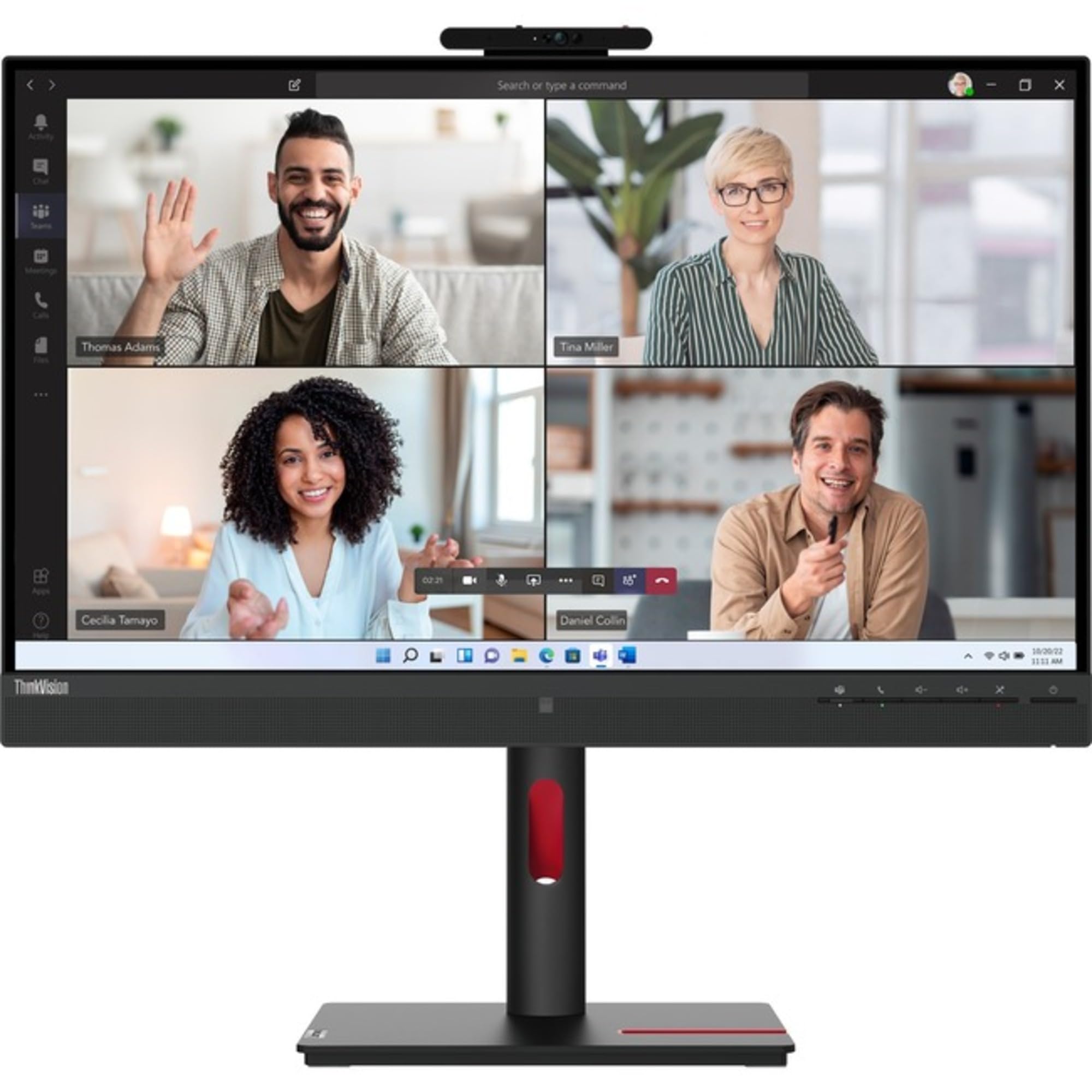
T27Hv30 27'' Monitorhdmi|27 Qhd Ips Panel With Natural Low Blue Light; 5Mp Ir+Rgb Camera With Windows Hello Facial Recognition F
Vendor: Lenovo
Type: Monitors & Displays
Sku: WBEEAB0CS6Z1QLK
Availability: In Stock
Couldn't load pickup availability
Guarantee safe checkout

Sold by Electroeshop, an authorized reseller.
Returns accepted within 30 days | support@electroeshop.com
Shipping Information
- Free Standard Shipping — United States only
- Processing Time: 1–3 business days
- Estimated Delivery: 3–5 business days after dispatch
- Double-boxed, fully insured & discreetly packaged
- Tracking number sent via email once dispatched
- Orders over $250 require signature upon delivery. Taxes calculated at checkout.
Returns & Refund
Returns accepted within 30 days of delivery.
Damaged or Defective Item
Free return shipping + replacement or full refund
Wrong Item Received
Free return shipping + replacement or full refund
Change of Mind
Return shipping at customer's expense · 25% restocking fee applies
All returns require a Return Authorization (RA) number before sending.
View Full Return & Refund Policy
T27Hv30 27'' Monitorhdmi|27 Qhd Ips Panel With Natural Low Blue Light; 5Mp Ir+Rgb Camera With Windows Hello Facial Recognition F
$741.96

Frequently Asked Questions
- Q: What is the resolution of the Lenovo ThinkVision T27hv-30 monitor? A: The resolution is two thousand five hundred sixty by one thousand four hundred forty. This WQHD display provides high clarity and detail for various tasks.
- Q: What are the dimensions of the Lenovo ThinkVision T27hv-30 monitor? A: The monitor measures twenty-three inches in height with the stand, twenty-four inches in width, and seven point eight inches in depth. It is designed to fit comfortably on most desks.
- Q: What is the refresh rate of this monitor? A: The standard refresh rate is seventy-five hertz. This allows for smooth visuals, especially during fast-paced activities.
- Q: How many USB ports does the Lenovo ThinkVision T27hv-30 have? A: This monitor features five USB ports. It includes one USB Type-C port for versatile connectivity options.
- Q: What panel technology does the Lenovo ThinkVision T27hv-30 use? A: It uses In-plane Switching (IPS) technology. This provides excellent color accuracy and wide viewing angles.
- Q: Is the Lenovo ThinkVision T27hv-30 monitor suitable for gaming? A: Yes, it is suitable for casual gaming. The four milliseconds response time and seventy-five hertz refresh rate provide decent performance for gaming.
- Q: How do I adjust the height of the Lenovo ThinkVision T27hv-30 monitor? A: You can adjust the height using the built-in height adjustment feature. This allows for ergonomic positioning for comfort during use.
- Q: Can I use the Lenovo ThinkVision T27hv-30 for video conferencing? A: Yes, it includes a built-in five-megapixel webcam and microphone. This makes it an excellent choice for video calls and conferences.
- Q: What is the weight of the Lenovo ThinkVision T27hv-30 monitor? A: The monitor weighs approximately seventeen point four two pounds with the stand. This weight ensures stability on your desk.
- Q: How do I clean the screen of the Lenovo ThinkVision T27hv-30 monitor? A: Use a soft, lint-free cloth dampened with water or a screen-safe cleaner. Avoid using harsh chemicals that could damage the screen.
- Q: Is the Lenovo ThinkVision T27hv-30 monitor energy efficient? A: Yes, it is Energy Star certified. This indicates that it meets energy efficiency guidelines, helping to reduce electricity consumption.
- Q: What certifications does the Lenovo ThinkVision T27hv-30 have? A: It is TCO Certified and EPEAT Gold certified. These certifications ensure environmental sustainability and safety standards.
- Q: What types of ports are available on the Lenovo ThinkVision T27hv-30? A: The monitor includes HDMI, DisplayPort, USB, and USB Type-C ports. This variety allows for multiple connection options with different devices.
- Q: Can I mount the Lenovo ThinkVision T27hv-30 on a wall? A: Yes, it is VESA mount compatible. This allows you to mount it on a wall or an adjustable arm for a flexible setup.
- Q: What color is the Lenovo ThinkVision T27hv-30 monitor? A: The monitor is available in Raven Black. This sleek color adds a modern touch to any workspace.