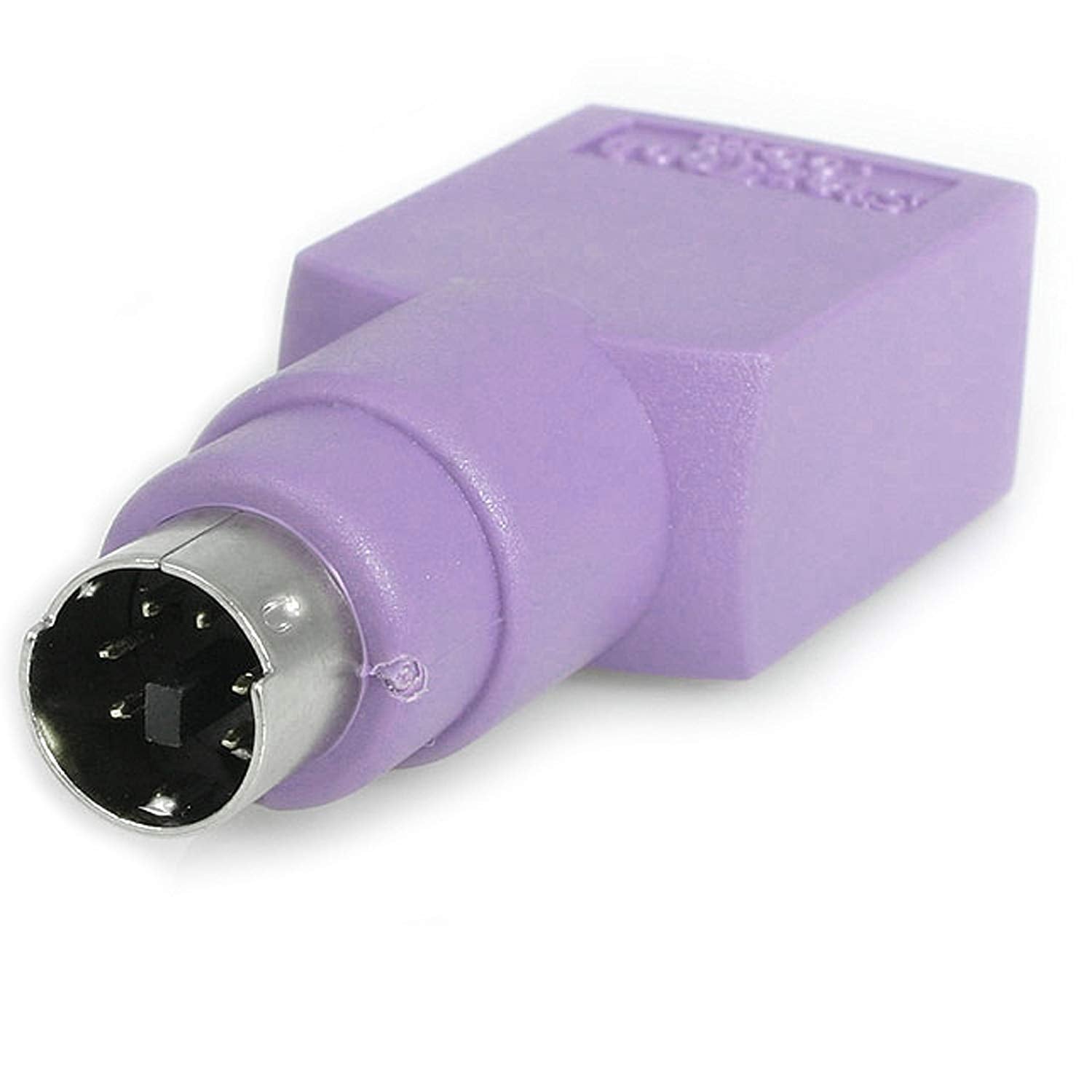
Do You Need To Use Your Usb Keyboard In A Ps/2 Port? Keep Your Keyboard And Convert The Connector To Meet Your Needs With This Keyboard Adapter.Primary Informationcable Type&Nbsp;:&Nbsp;&Nbsp;Keyboard Adapter&Nbsp;Left Connector Gender&Nbsp;:&Nbsp;&Nbsp;Female&Nbsp;Right Connector Gender&Nbsp;:&Nbsp;&Nbsp;Male&Nbsp;Right Connector Type&Nbsp;:&Nbsp;&Nbsp;6 Pin Mini-Din (Ps/2 Style)&Nbsp;Left Connector Type&Nbsp;:&Nbsp;&Nbsp;4 Pin Usb Type A&Nbsp;Dimensions&Miscellaneouslength&Nbsp;:&Nbsp;&Nbsp;N/A&Nbsp;Service&Supportservice & Support Type&Nbsp;:&Nbsp;&Nbsp;Limited Lifetime Warranty&Nbsp;Special Featurerohs&Nbsp;:&Nbsp;&Nbsp;Yes&Nbsp;Unspsc Codeunspsc Code&Nbsp;:&Nbsp;&Nbsp;26121620&Nbsp;
⚠️ WARNING (California Proposition 65): This product may contain chemicals known to the State of California to cause cancer, birth defects, or other reproductive harm. For more information, please visit www.P65Warnings.ca.gov.
Frequently Asked Questions
Q: What is the length of the StarTech PS/2 to USB Keyboard Adapter?A: The length of the adapter is three point two three inches. This compact size makes it easy to use without taking up much space.
Q: What type of connectors does the StarTech adapter have?A: The adapter features a female USB connector and a male PS/2 connector. This allows you to connect a USB keyboard to a PS/2 port.
Q: What is the item width and height of the adapter?A: The item width is zero point seven nine inches and the height is five point nine one inches. These dimensions help ensure a snug fit in any setup.
Q: How do I connect my USB keyboard using this adapter?A: Simply plug the female USB end of the adapter into your keyboard and the male PS/2 end into the PS/2 port of your computer. It’s a straightforward process without any additional software.
Q: Is this keyboard adapter compatible with all USB keyboards?A: Yes, the adapter is compatible with most USB keyboards. However, check your keyboard specifications to ensure full functionality.
Q: Can this adapter be used with laptops?A: Yes, it can be used with laptops that have a PS/2 port available. Just connect it as you would with a desktop computer.
Q: How should I store the StarTech PS/2 to USB Keyboard Adapter?A: Store the adapter in a cool, dry place to avoid damage. Keeping it in a protective pouch can also prevent wear and tear.
Q: What kind of warranty does this adapter come with?A: The StarTech adapter comes with a limited lifetime warranty. This ensures you are covered for any manufacturing defects.
Q: How do I clean the StarTech adapter?A: To clean the adapter, use a soft, dry cloth. Avoid using any harsh chemicals or liquids that could damage the components.
Q: What if the adapter doesn't work after connecting?A: If the adapter doesn’t work, check the connections to ensure they are secure. If issues persist, consult the warranty or contact customer support.
Q: Is this adapter RoHS compliant?A: Yes, this adapter is RoHS compliant, which means it meets strict environmental standards for hazardous materials.
Q: Does this adapter require any software installation?A: No, the adapter does not require any software installation. It is plug-and-play, making it easy to use.
Q: Can I use this adapter with gaming keyboards?A: Yes, you can use the adapter with most gaming keyboards as long as they have a USB connection. Ensure your gaming keyboard is compatible.
Q: Is the adapter suitable for use with older computers?A: Yes, the adapter is suitable for older computers that only have PS/2 ports. It allows you to use modern USB keyboards.
Q: What is the product type of this adapter?A: The product type is a data transfer adapter specifically designed for keyboard connections. It facilitates connection between different connector types.
Q: What is the UNSPSC code for this product?A: The UNSPSC code for this adapter is two six one two one six two zero. This code is used for product classification purposes.