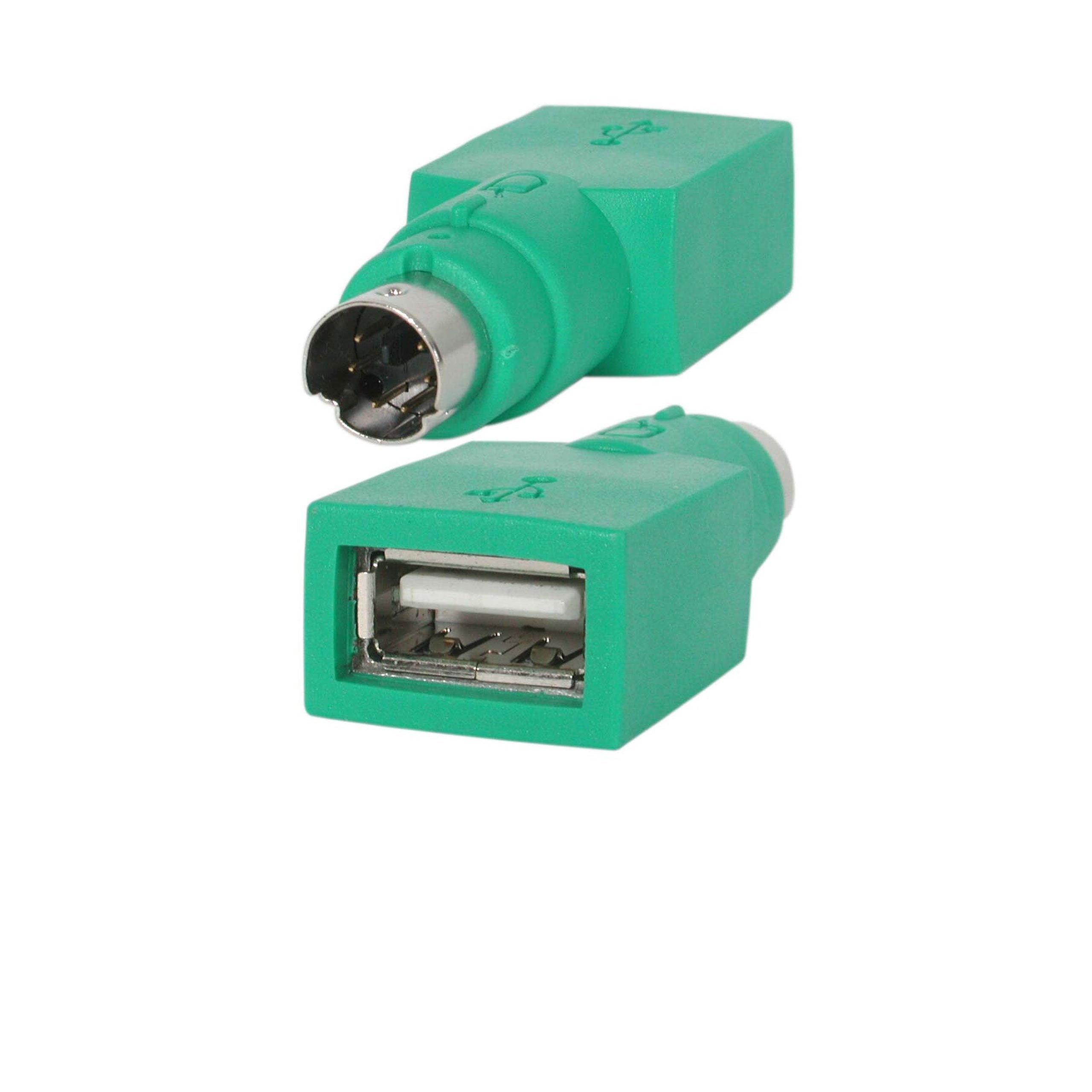
Converts A Usb Type A Male Connector To A Ps/2 Male Connector, Letting Your Plug Your Usb Mouse Into A Ps/2 Port
⚠️ WARNING (California Proposition 65): This product may contain chemicals known to the State of California to cause cancer, birth defects, or other reproductive harm. For more information, please visit www.P65Warnings.ca.gov.
Frequently Asked Questions
Q: What is the size of the StarTech.com Replacement USB Mouse to PS/2 Adapter?A: The adapter measures three point twenty-three inches in length, zero point seventy-nine inches in width, and five point ninety-eight inches in height. This compact design makes it easy to carry and store.
Q: What material is the StarTech.com USB to PS/2 Adapter made of?A: The adapter is primarily made of plastic. This ensures durability while keeping the weight light for portability.
Q: What type of connector does this adapter use?A: This adapter features a USB type A Male connector and a PS/2 Male connector. It allows seamless conversion between USB and PS/2 connections.
Q: How do I use the StarTech.com USB to PS/2 Adapter?A: To use the adapter, simply plug the USB connector into your USB mouse and the PS/2 connector into the PS/2 port of your computer. It's a straightforward plug-and-play solution.
Q: Is this adapter compatible with all USB mice?A: Yes, this adapter is compatible with most USB mice. However, always check your mouse specifications for any specific requirements.
Q: Can I use this adapter for other USB devices?A: No, this adapter is specifically designed for USB mice. It does not support other USB devices.
Q: How should I store the StarTech.com USB to PS/2 Adapter?A: Store the adapter in a dry, cool place when not in use. Avoid exposing it to extreme temperatures or moisture to maintain its functionality.
Q: What precautions should I take with this adapter?A: Avoid bending or twisting the connectors, as this can damage the internal wiring. Handle it gently to ensure longevity.
Q: Is the StarTech.com USB to PS/2 Adapter safe to use?A: Yes, it is safe to use with devices that support PS/2 connections. Ensure that your computer's PS/2 port is functional before connecting.
Q: What if the adapter does not work after I connect it?A: If the adapter does not work, check the connections to ensure they are secure. If issues persist, try using a different USB mouse or test the adapter on another computer.
Q: Does the StarTech.com USB to PS/2 Adapter come with a warranty?A: Yes, the adapter typically comes with a manufacturer's warranty. Check the product packaging or the manufacturer's website for specific warranty details.
Q: Can I return the StarTech.com USB to PS/2 Adapter if it doesn't meet my needs?A: Yes, you can return the adapter if it doesn't meet your needs, provided you follow the retailer's return policy. Keep the original packaging for easier returns.
Q: Is this adapter suitable for gaming mice?A: Yes, it can be used with gaming mice that have USB connections. However, advanced features may not be supported through the PS/2 connection.
Q: Can I use multiple adapters for different devices?A: Yes, you can use multiple adapters for different USB mice. Just keep in mind that each adapter connects to a single device at a time.
Q: What color is the StarTech.com USB to PS/2 Adapter?A: The adapter is green in color. This distinctive color helps in easily identifying it among other cables and adapters.