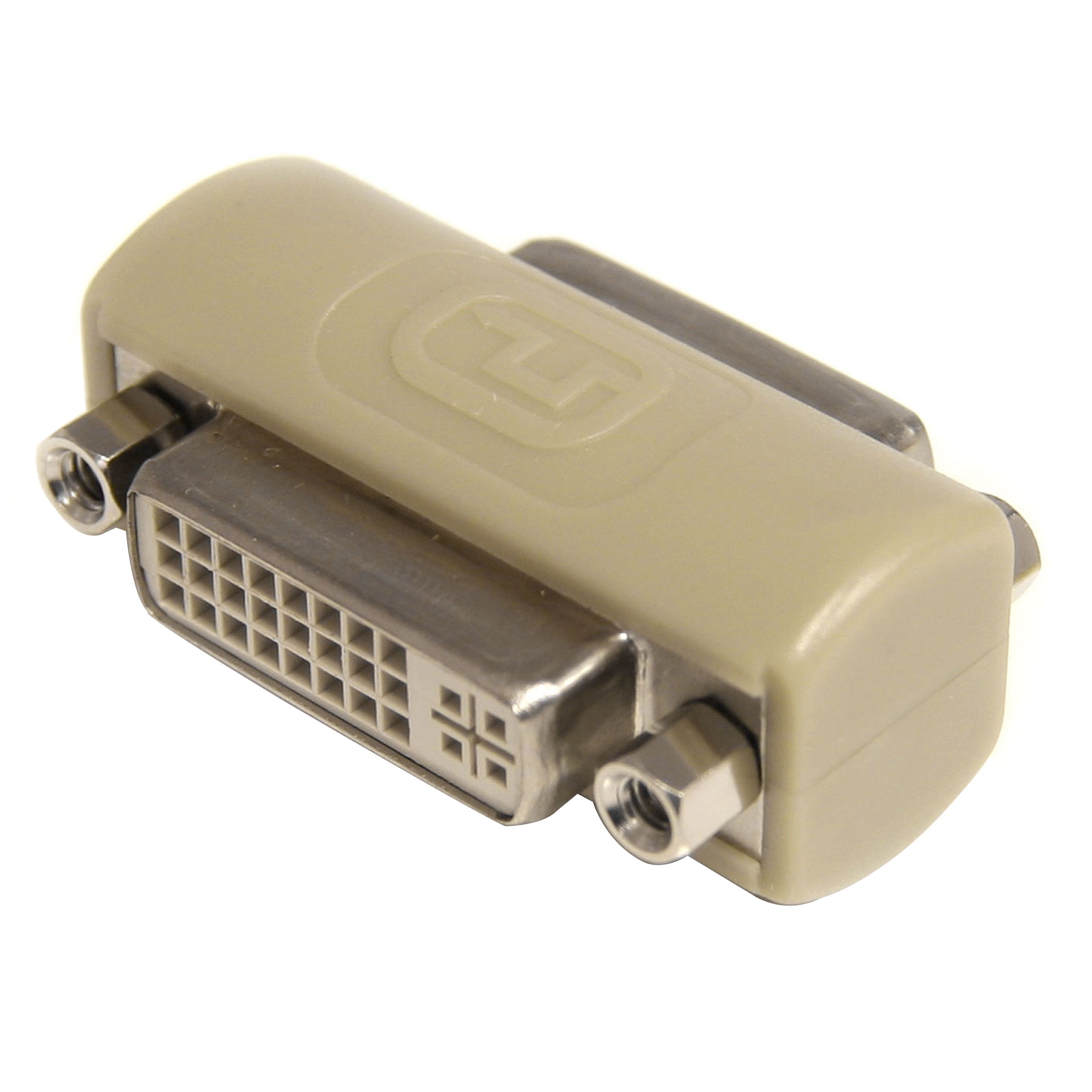
Gcdviiff Beige Dvi-I Coupler/Gender Changer Connects Two Analog Or Digital Short Dvi Cables To Extend Their Length. Easy To Use And Install. Coupler/Gender Changer In Beige Color Helps You To Extend The Length Of The Exciting Dvi Analog Or Digital Cables. Eliminates The Need Of Replacing Existing Cables. Dvi-I Female Connectors At Both The Ends Of Cable Offers Reliable Connection Without Any Data Loss. Dvi-I (29 Pin) Female And 1 - Dvi-I (29 Pin) Female Connectors For Reliable Connection. Comes In Beige Color For A New Look. Easy To Use And Install. Meets All Requirements And Standards Of Rohs. Includes Dvi-I Coupler / Gender Changer - F/F. Comes With Limited Lifetime Warranty.
⚠️ WARNING (California Proposition 65): This product may contain chemicals known to the State of California to cause cancer, birth defects, or other reproductive harm. For more information, please visit www.P65Warnings.ca.gov.
Frequently Asked Questions
Q: What type of adapter is the StarTech.com GCDVIIFF?A: The StarTech.com GCDVIIFF is a DVI-I gender changer. It allows you to connect two DVI-I cables with female connectors.
Q: What are the dimensions of the StarTech.com GCDVIIFF?A: The dimensions are three point thirty-nine inches in length, zero point eighty-seven inches in width, and six point zero six inches in height.
Q: What is the color of the DVI-I coupler?A: The color of the DVI-I coupler is beige. This neutral color blends well with various setups.
Q: How do I use the StarTech.com GCDVIIFF adapter?A: To use the adapter, simply connect two DVI-I female cables into the adapter. It extends your DVI cable reach efficiently.
Q: Is the StarTech.com GCDVIIFF compatible with digital DVI signals?A: Yes, the GCDVIIFF is compatible with both analog and digital DVI signals. This versatility makes it useful for various applications.
Q: Can I use the StarTech.com GCDVIIFF to connect projectors?A: Yes, you can use it to connect projectors that have DVI-I ports. It is ideal for extending connections.
Q: How do I clean the StarTech.com GCDVIIFF adapter?A: To clean the adapter, use a soft, dry cloth to wipe it down. Avoid using liquids or abrasive materials.
Q: Does the StarTech.com GCDVIIFF come with a warranty?A: Yes, it comes with a lifetime warranty. This ensures you receive support and replacements for any manufacturing defects.
Q: Is the StarTech.com GCDVIIFF safe for high-resolution displays?A: Yes, it is safe for high-resolution displays as it supports DVI-I Dual Link. This provides excellent video quality.
Q: What materials are used in the StarTech.com GCDVIIFF?A: The primary materials include high-quality plastic for the housing and metal for the connectors. This ensures durability.
Q: Is the StarTech.com GCDVIIFF suitable for gaming setups?A: Yes, it is suitable for gaming setups, especially if you're using DVI-I connections. It maintains signal integrity.
Q: Can I use the StarTech.com GCDVIIFF with older computers?A: Yes, it works with older computers that have DVI-I outputs. This makes it a versatile choice for various systems.
Q: How does the StarTech.com GCDVIIFF compare to HDMI adapters?A: The GCDVIIFF is designed specifically for DVI connections, while HDMI adapters offer additional audio support. Choose based on your needs.
Q: What if my StarTech.com GCDVIIFF arrives damaged?A: If it arrives damaged, you can return it under the warranty policy. Contact customer support for assistance with your return.
Q: Does the StarTech.com GCDVIIFF support resolutions up to 1080p?A: Yes, it supports resolutions up to one thousand eighty p. This makes it ideal for most display setups.