

Cart
0


Startech.Com Displayport To Hdmi Adapter 4K 30Hz Compact Dp 1.2 To Hdmi 1.4 Video Converter Dp++ To Hdmi Monitor/Tv Passiv
Free Standard Shipping Across USA
Vendor: Startech.Com
Type: HDMI & Display Cables
Sku: WBEEAB01273KVHE
Availability: Sold Out
Couldn't load pickup availability
Guarantee safe checkout

Sold by Electroeshop, an authorized reseller.
Returns accepted within 30 days | support@electroeshop.com
Shipping Information
- Free Standard Shipping — United States only
- Processing Time: 3–5 business days
- Estimated Delivery: 6–10 business days after dispatch
- Double-boxed, fully insured & discreetly packaged
- Tracking number sent via email once dispatched
Returns & Refund
Returns accepted within 30 days of delivery.
Damaged or Defective Item
Free return shipping + replacement or full refund
Wrong Item Received
Free return shipping + replacement or full refund
Change of Mind
Return shipping at customer's expense · 25% restocking fee applies
All returns require a Return Authorization (RA) number before sending.
View Full Return & Refund Policy
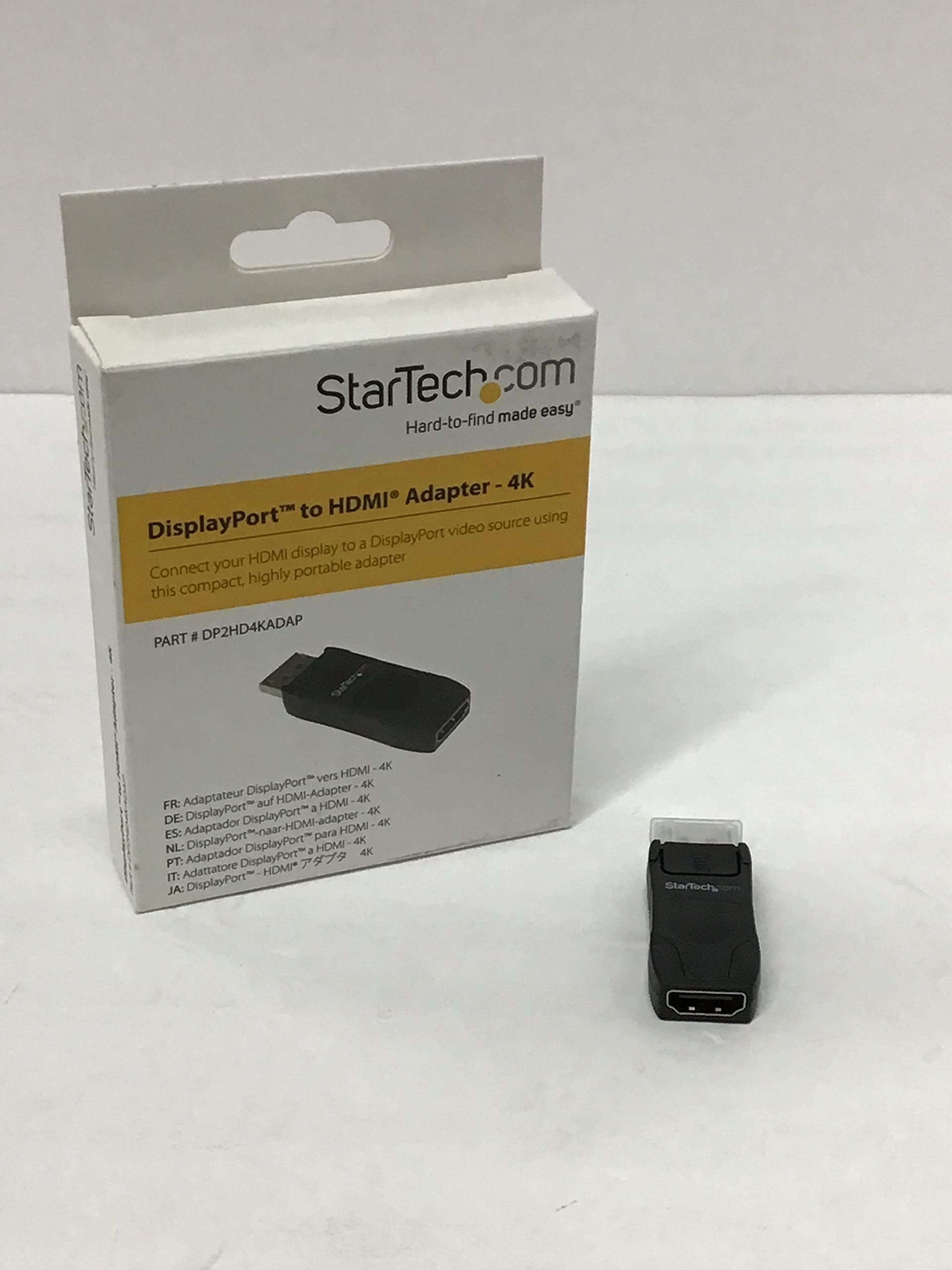
Startech.Com Displayport To Hdmi Adapter 4K 30Hz Compact Dp 1.2 To Hdmi 1.4 Video Converter Dp++ To Hdmi Monitor/Tv Passiv
$28.55

Frequently Asked Questions
- Q: What materials are used in the StarTech.com DisplayPort to HDMI Adapter? A: The adapter is made of copper, ensuring high-quality signal transmission. Its compact design enhances portability without sacrificing performance.
- Q: What are the dimensions of the StarTech.com DisplayPort to HDMI Adapter? A: The adapter measures two point five inches in length, zero point eight inches in width, and zero point four inches in height. This small form factor makes it easy to carry.
- Q: What video resolutions does the StarTech.com DisplayPort to HDMI Adapter support? A: It supports ultra-high-definition four K at thirty hertz and one thousand nine hundred twenty by twelve hundred for high-definition. This ensures stunning picture quality for graphics-intensive applications.
- Q: How do I connect the StarTech.com DisplayPort to HDMI Adapter? A: To connect, plug the DisplayPort end into your device and the HDMI end into the display. The adapter is compatible with various devices, including laptops and desktop computers.
- Q: Is the StarTech.com DisplayPort to HDMI Adapter suitable for gaming? A: Yes, it is suitable for gaming as it supports ultra-high-definition resolutions and offers low latency. This makes it ideal for both casual and competitive gaming experiences.
- Q: Can I use the StarTech.com DisplayPort to HDMI Adapter with a Mac? A: Yes, the adapter works with macOS and other operating systems. It requires no additional software or drivers for installation.
- Q: How do I clean the StarTech.com DisplayPort to HDMI Adapter? A: To clean, use a soft, dry cloth to wipe the adapter. Avoid using liquids or harsh chemicals to prevent damage.
- Q: What precautions should I take when using the StarTech.com DisplayPort to HDMI Adapter? A: Ensure the connections are secure to minimize signal loss. Avoid excessive bending of the cables to maintain performance.
- Q: What is the warranty on the StarTech.com DisplayPort to HDMI Adapter? A: The adapter comes with a three-year warranty from StarTech.com. This warranty covers defects in materials and workmanship.
- Q: How do I return the StarTech.com DisplayPort to HDMI Adapter if I have an issue? A: To return the adapter, contact the retailer or StarTech.com customer support for instructions. Ensure you have your purchase receipt for a smooth process.
- Q: What if the StarTech.com DisplayPort to HDMI Adapter does not work? A: If the adapter does not work, check the connections and ensure compatibility with your devices. If issues persist, consult the manufacturer's troubleshooting guide.
- Q: Is the StarTech.com DisplayPort to HDMI Adapter compatible with all HDMI displays? A: Yes, it is compatible with all HDMI displays that support one thousand four hundred HDMI versions. This includes most modern TVs and monitors.
- Q: Can I use the StarTech.com DisplayPort to HDMI Adapter for presentations? A: Yes, the adapter is ideal for presentations, allowing you to connect laptops to HDMI projectors or displays easily. Its compact design enhances portability.
- Q: Does the StarTech.com DisplayPort to HDMI Adapter support audio transmission? A: Yes, it supports seven point one channel audio, ensuring high-quality sound transmission along with video. This makes it great for multimedia applications.
- Q: What types of devices can I use with the StarTech.com DisplayPort to HDMI Adapter? A: You can use it with devices that have a DisplayPort output, including Ultrabooks, desktops, and docking stations. Ensure your device has a DP++ connector.