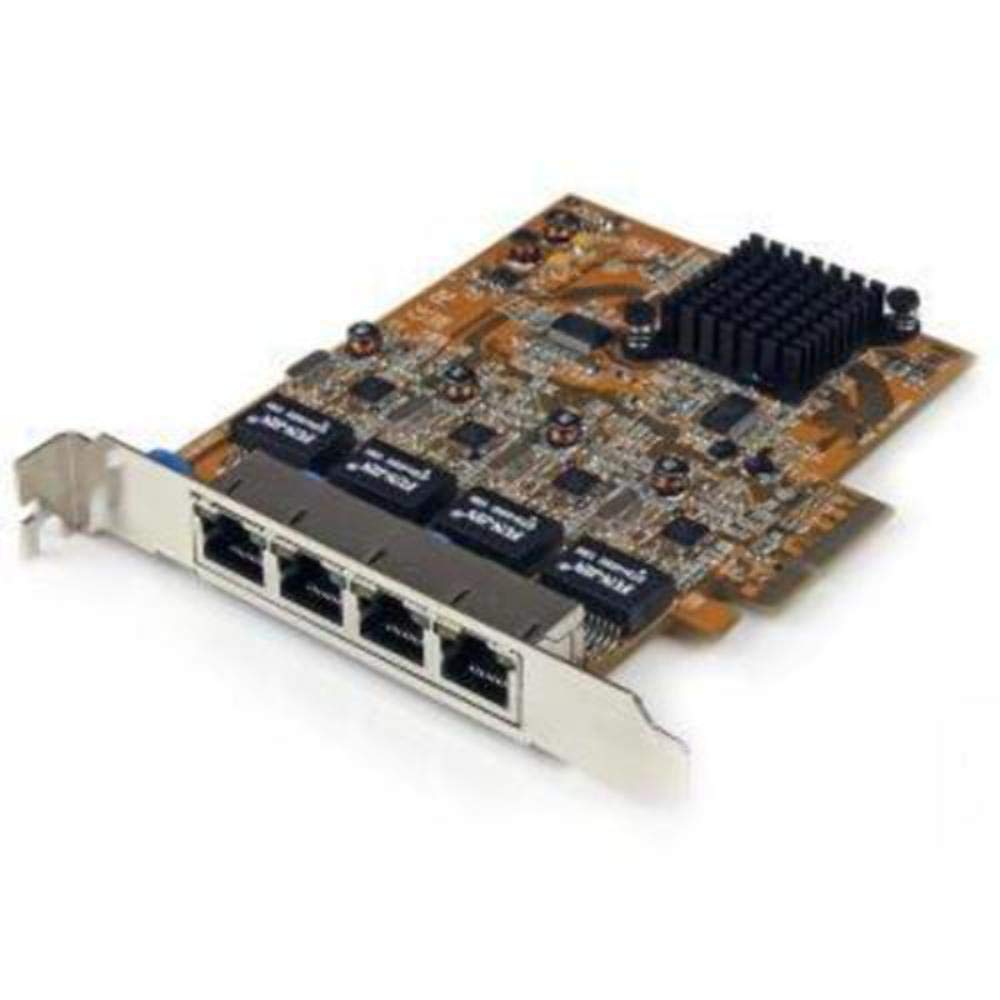
Add A 10G /5G/2.5G/1G/100Mbps R-J45 Ethernet Port To Provide Cost-Effective Network Connectivity For High Bandwidth Workstations And Servers Compliant With 10Gbase-T And Nbase-T Specifications Intel X550-At Chipset With Intel Virtualization Technology For Connectivity (Intel Vt-C) Fully Compliant With Ieee 802.3An (10Gbase-T), Ieee 802.3Ab (1Gbase-T), Ieee 802.3U (100Base-T) Up To 20Gbps (Full Duplex) Bandwidth Up To 9K Jumbo Frame Support Pxe Network Boot Support And Auto Mdix Connectivity Tools: Provided With This Device, The Application Improves Performance And Security, Featuring Mac Address Changer & Wi-Fi Auto Switch Utilities Heres A Powerful And Cost-Effective Solution For Upgrading Your Server Or Workstation To 10 Gigabit Ethernet Networking Over Copper. This Pci Express 10G Nic Lets You Add An Ethernet Port To Your Server Or Desktop Computer And Access Your Network At Multiple Speeds: 10G, 5G, 2.5G 1G And 100Mbps. This 10G Network Card Utilizes The Intel X550-At Chipset, Delivering The Power, Performance And Enhanced Capabilities You Need For Dependable Network Connections. Compliant With Ieee 802.3U/Ab/An Standards, The 1-Port 10G Card Delivers A Dependable Way To Upgrade Or Replace Your Existing Network Port, Providing Throughput Capability Of Up To 10Gbps In Each Direction (20Gbps Total). It Connects Easily Through A Single, Four-Lane (X4 Or Higher) Pci Express Slot. The Intel X550-At Chipset Provides Many Advanced Features Including Intel Virtualization Technology For Connectivity And Pxe Network Boot Support. The Intel Chipset Provides Many Advanced Features To Support Load-Balancing The Flow Of Network Traffic, To Enhance Throughput And Provide Greater Data Reliability. It Supports Audio-Video Bridging (Avb) To Enable Tightly Controlled Media Stream Synchronization, Buffering And Resource Reservation. It Also Lets You Take Advantage Of Advanced Features Such As Vlan Tagging, Up To 15K Jumbo Frame Support And Auto Mdix. This Five-Speed Nic Provides A Cost-Effective And Versatile Networking Solution, By Giving You The Additional Bandwidth Your Network Needs Without Having To Overhaul Your Infrastructure Wiring. It Lets You Add An Ethernet Port Which Can Be Accessed At Multiple Speeds 10G, 5G, 2.5G 1G And 100Mbps. Compatible With A Broad Range Of Operating Systems, The 10G Nic Is Fully Compliant With 10Gbase-T And Nbase-T Specifications. (10G Network Speeds Require Cat6A Cable. All Other Speeds Require Cat5E Cable.) The Pcie 10G Network Card Features Advanced Nbase-T Technology, Supporting The Latest Multigigabit Equipment, Including New Cisco Campus Switches And Aruba Networks Access Points. The Card Enables You To Connect To Nbase-T Based Equipment At Network Speeds Of 2.5Gbps Or 5Gbps, Over Your Existing Cat5E Infrastructure, Without Having To Upgrade To More Expensive Cat6A. The Ethernet Network Card Also Supports The More Common 10G Over Copper, And 1G Network Connections Using Existing Cat 6/Cat5E Or Better Cabling. With Its Dual-Profile Design, The Network Card Is Easy To Install Into A Wide Range Of Computer/Server Chassis, Regardless Of Form Factor. The Card Comes Equipped With A Full-Sized Bracket, And Includes A Low-Profile/Half-Height Installation Bracket That You Can Use As Needed. Developed To Improve Performance And Security, Startech.Com Connectivity Tools Is The Only Software Suite On The Market That Works With A Wide Range Of It Connectivity Accessories. The Software Suite Includes: Mac Address Pass-Through Utility: To Improve Network Security. Wi-Fi Auto Switch Utility: Enabling Users To Quickly Access Faster Network Speeds Via Wired Lan. For More Information And To Download The Startech.Com Connectivity Tools Application, Please Visit: Www.Startech.Com/Connectivity-Tools The St10000Spexi Is Backed By A Startech.Com 2-Year Warranty And Free Lifetime Technical Support. Upgrade Your Server Or Workstation To Provide Enhanced Performance, Advanced Features And Greater Reliability Upgrade A 10/
⚠️ WARNING (California Proposition 65): This product may contain chemicals known to the State of California to cause cancer, birth defects, or other reproductive harm. For more information, please visit www.P65Warnings.ca.gov.
Frequently Asked Questions
Q: What are the dimensions of the StarTech.com network adapter?A: The dimensions are four point eight inches high, two point seven inches wide, and six inches long. This compact size allows for easy installation in various computer and server chassis.
Q: What is the data transfer rate of this Ethernet card?A: The data transfer rate is ten gigabits per second. This ensures high-speed connectivity for demanding applications and high-bandwidth tasks.
Q: What type of connectors does the network card have?A: It has one PCI Express x4 male connector and one RJ-45 female connector. These connectors enable versatile network connections.
Q: What operating systems are compatible with this network card?A: It is compatible with Windows seven, eight, eight point one, ten (sixty-four bit only), Windows Server versions two thousand eight R2, two thousand twelve, two thousand twelve R2 (sixty-four bit only), and Linux versions two point four, two point six, and three point x LTS.
Q: What is the weight of the StarTech.com network adapter?A: The weight is three point four ounces. This lightweight design facilitates easy installation and handling.
Q: How do I install the StarTech.com network card?A: To install, simply insert it into an available PCI Express x4 slot in your computer. The low-profile bracket included allows for compatibility with various form factors.
Q: Is this network card suitable for high-bandwidth applications?A: Yes, it is designed for high-bandwidth applications, supporting speeds up to ten gigabits per second. This makes it ideal for workstations and servers that require reliable network performance.
Q: Can I use this Ethernet card with a standard desktop PC?A: Yes, it can be used with standard desktop PCs that have a compatible PCI Express slot. The dual-profile design ensures it fits into a variety of chassis.
Q: How do I configure the network card after installation?A: After installation, you can configure the network settings through your operating system's network settings menu. The card supports standard networking configurations.
Q: What safety features does the network card include?A: The card includes features like IEEE 802.3x for flow control support and VLAN tagging. These features enhance network reliability and security.
Q: How should I clean and maintain the network card?A: To clean, use a soft, dry cloth to wipe the card gently. Avoid using liquids or abrasive materials that may damage the components.
Q: Is there a warranty for the StarTech.com network card?A: Yes, the network card typically comes with a limited warranty. Check the manufacturer's website for specific warranty details.
Q: What should I do if the network card is not recognized by my computer?A: If the card is not recognized, ensure it is properly seated in the PCI slot and that your operating system drivers are updated. You may also need to check BIOS settings.
Q: Can I return the network adapter if it doesn't work?A: Yes, you can return the network adapter if it is defective or not functioning as advertised. Refer to the retailer's return policy for specific instructions.
Q: Does the network card require additional drivers for installation?A: Yes, you may need to install drivers for optimal performance. These can typically be downloaded from the manufacturer's website.