

Cart
0


Startech.Com 2.5In Sata Removable Hard Drive Bay For Pc Expansion Slot Storage Bay Adapter Black (S25Slotr)
Free Standard Shipping Across USA
Vendor: Startech.Com
Type: Processors (CPUs)
Sku: WBEEAB002MWDRD6
Availability: Sold Out
Couldn't load pickup availability
Guarantee safe checkout

Sold by Electroeshop, an authorized reseller.
Returns accepted within 30 days | support@electroeshop.com
Shipping Information
- Free Standard Shipping — United States only
- Processing Time: 3–5 business days
- Estimated Delivery: 6–10 business days after dispatch
- Double-boxed, fully insured & discreetly packaged
- Tracking number sent via email once dispatched
Returns & Refund
Returns accepted within 30 days of delivery.
Damaged or Defective Item
Free return shipping + replacement or full refund
Wrong Item Received
Free return shipping + replacement or full refund
Change of Mind
Return shipping at customer's expense · 25% restocking fee applies
All returns require a Return Authorization (RA) number before sending.
View Full Return & Refund Policy
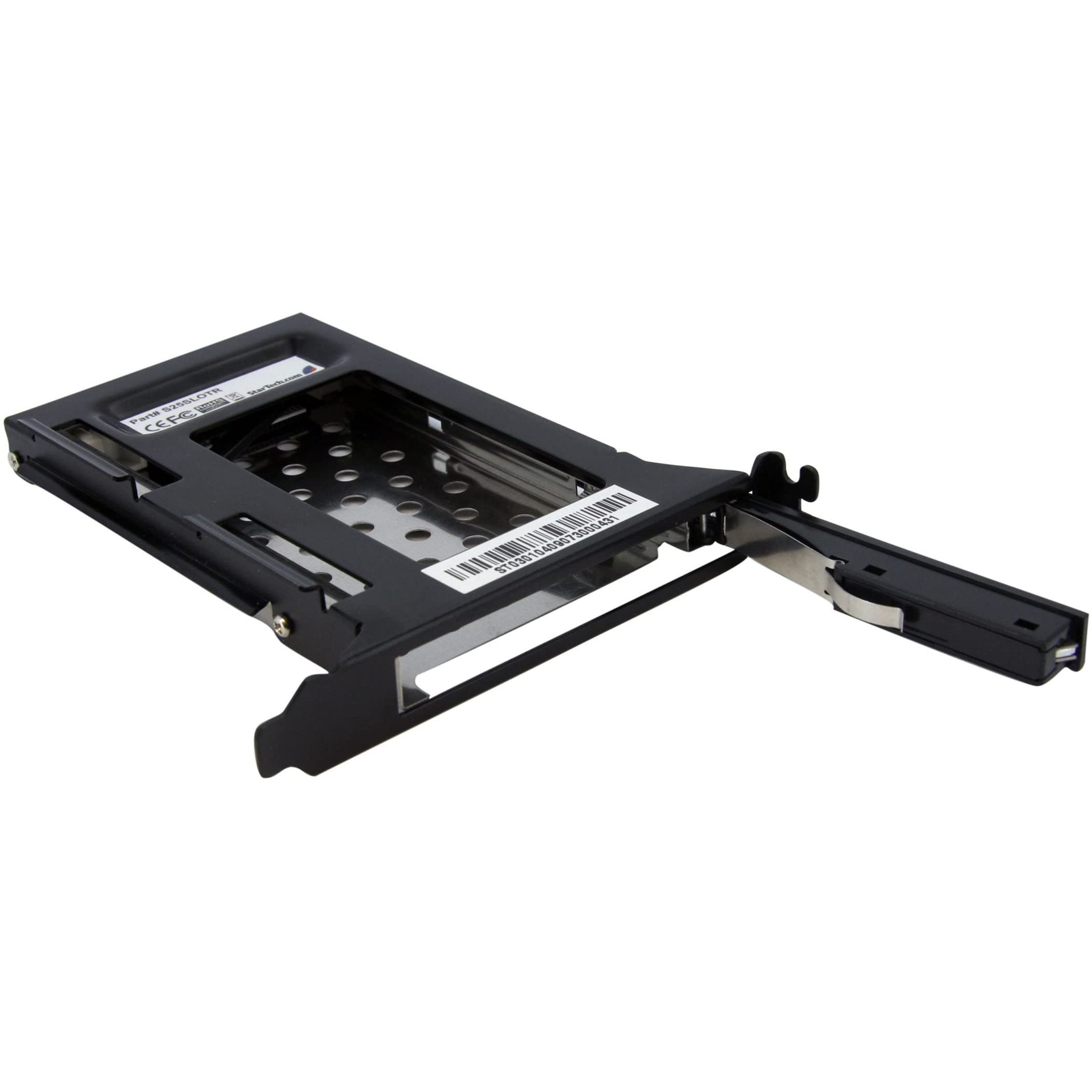
Startech.Com 2.5In Sata Removable Hard Drive Bay For Pc Expansion Slot Storage Bay Adapter Black (S25Slotr)
$50.43

Frequently Asked Questions
- Q: What are the dimensions of the StarTech.com hard drive bay? A: The dimensions are five point seven inches long, zero point eight inches wide, and four point seven inches high. This compact size makes it suitable for various PC setups.
- Q: What material is the hard drive bay made of? A: The hard drive bay is constructed from aluminum and steel. This combination ensures durability and reliability during use.
- Q: How many drives can this hard drive bay hold? A: This bay can hold one two point five inch SATA hard drive. It's designed for easy access and quick installation.
- Q: How do I install the hard drive bay? A: To install, insert the bay into an available full profile PCI expansion card slot. No additional mounting is required for the hard drive.
- Q: Is the hard drive bay compatible with SSDs? A: Yes, it is compatible with both SATA hard drives and solid state drives. This versatility allows for enhanced performance in your PC.
- Q: How do I remove the hard drive from the bay? A: To remove the hard drive, simply press the eject button to unlock the access door. Then, gently pull the drive out of the bay.
- Q: How should I clean the hard drive bay? A: To clean, use a microfiber cloth to gently wipe the exterior. Avoid using harsh chemicals to maintain the integrity of the materials.
- Q: Is this hard drive bay safe for long-term use? A: Yes, it has a fifty thousand plus insertion rating, ensuring reliability and longevity. Its design also promotes efficient heat dissipation.
- Q: What type of SATA drives can I use with this bay? A: You can use any two point five inch SATA drives, including SATA III. This allows for transfer speeds up to six gigabits per second.
- Q: Can this hard drive bay fit in any PC case? A: It is designed to fit into standard full profile PCI expansion slots. Check your PC case specifications to ensure compatibility.
- Q: What does trayless design mean for this hard drive bay? A: The trayless design means you do not need a tray to mount the hard drive. This simplifies installation and allows for quicker access.
- Q: Is the hard drive bay suitable for gaming PCs? A: Yes, it is ideal for gaming PCs that require fast storage solutions. The compatibility with SSDs enhances loading times and performance.
- Q: What kind of warranty is offered for this product? A: The product typically comes with a limited warranty, ensuring protection against manufacturing defects. Check with the retailer for specific details.
- Q: What if my hard drive bay arrives damaged? A: If it arrives damaged, contact customer support for warranty claims or returns. They will guide you through the process for replacements.
- Q: Does the hard drive bay require any additional software? A: No additional software is required to use the hard drive bay. It operates as a plug-and-play device once installed.