

Cart
0


Startech.Com 12In Latching Sata Cable Sata Cable Serial Ata 150/300/600 Sata (R) To Sata (R) 1 Ft Latched Red Lsat
Vendor: Startech.Com
Type: USB & Lightning Cables
Sku: WBECCB000FHF25Q
Availability: In Stock
Couldn't load pickup availability
Guarantee safe checkout

Sold by Electroeshop, an authorized reseller.
Returns accepted within 30 days | support@electroeshop.com
Shipping Information
- Free Standard Shipping — United States only
- Processing Time: 1–3 business days
- Estimated Delivery: 3–5 business days after dispatch
- Double-boxed, fully insured & discreetly packaged
- Tracking number sent via email once dispatched
- Orders over $250 require signature upon delivery. Taxes calculated at checkout.
Returns & Refund
Returns accepted within 30 days of delivery.
Damaged or Defective Item
Free return shipping + replacement or full refund
Wrong Item Received
Free return shipping + replacement or full refund
Change of Mind
Return shipping at customer's expense · 25% restocking fee applies
All returns require a Return Authorization (RA) number before sending.
View Full Return & Refund Policy
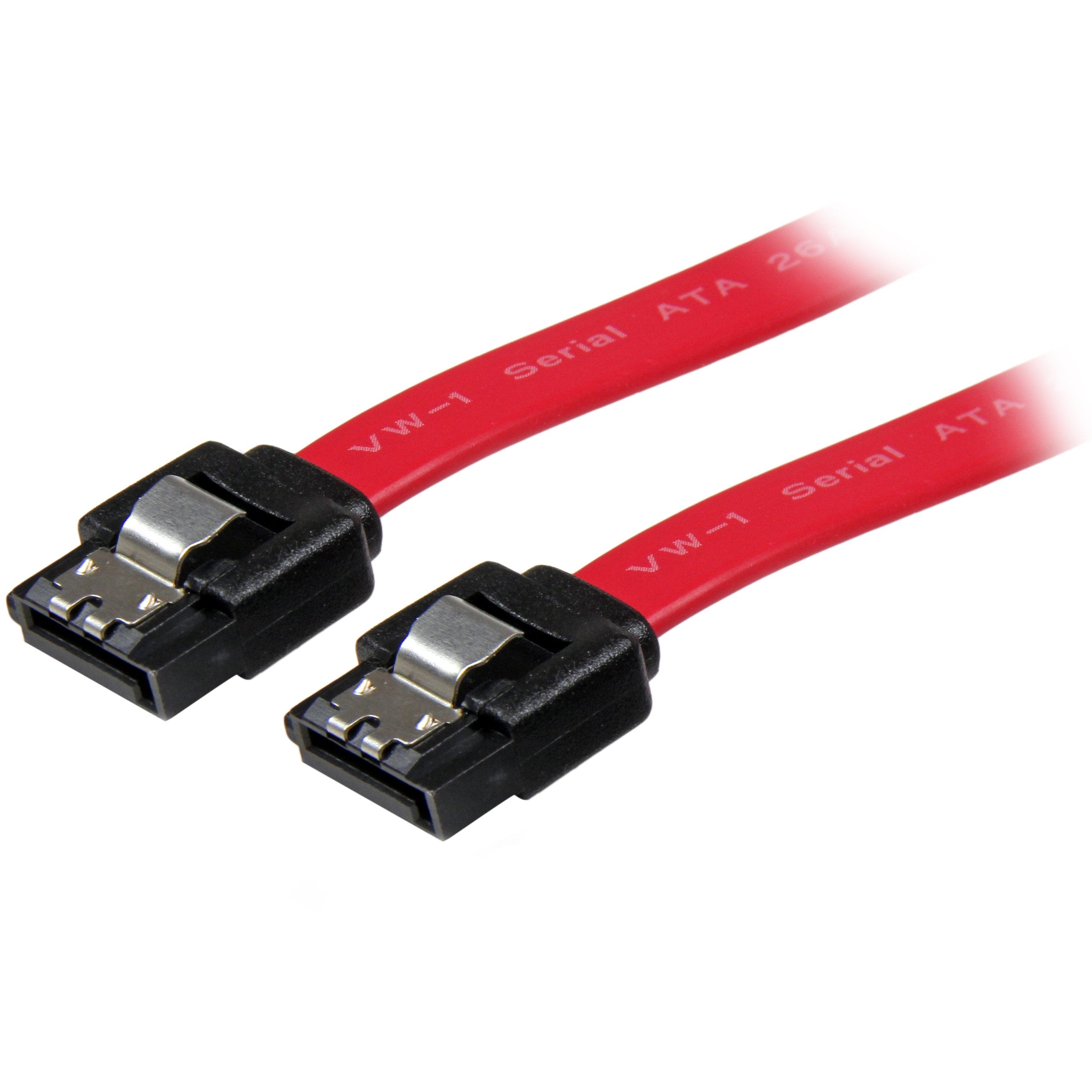
Startech.Com 12In Latching Sata Cable Sata Cable Serial Ata 150/300/600 Sata (R) To Sata (R) 1 Ft Latched Red Lsat
$12.07

Frequently Asked Questions
- Q: What is the length of the StarTech.com LSATA12 cable? A: The length of the StarTech.com LSATA12 cable is one foot. This short length is ideal for connecting hard drives within compact spaces.
- Q: What type of connectors does the LSATA12 cable have? A: The LSATA12 cable features two latching seven-pin SATA connectors. These connectors ensure a secure and stable connection to compatible SATA ports.
- Q: What is the maximum bandwidth supported by this SATA cable? A: The LSATA12 cable supports a maximum bandwidth of six gigabits per second. This makes it suitable for high-speed data transfer with SATA 3.0 compliant drives.
- Q: How do I install the StarTech.com LSATA12 cable? A: To install the LSATA12 cable, simply connect one end to the SATA port on your motherboard and the other end to your SATA hard drive. Push the connectors until they latch securely.
- Q: Is the LSATA12 cable compatible with all SATA drives? A: Yes, the LSATA12 cable is compatible with both three-and-a-half inch and two-and-a-half inch SATA hard drives. This versatility makes it a great choice for various setups.
- Q: What should I do if I have a tight space for cable management? A: The LSATA12 cable features a thin design that helps reduce clutter. This design improves airflow and is ideal for tight spaces in computer cases.
- Q: How can I keep my LSATA12 cable in good condition? A: To keep your LSATA12 cable in good condition, avoid bending it sharply or exposing it to extreme temperatures. Proper storage and careful handling will prolong its life.
- Q: Is this SATA cable safe for my computer system? A: Yes, the LSATA12 cable is designed for optimum performance and reliability. It utilizes high-quality materials to ensure safe data transmission.
- Q: What happens if my LSATA12 cable arrives damaged? A: If your LSATA12 cable arrives damaged, you should contact the seller for a return or replacement. Most products come with a warranty for such issues.
- Q: Can I use this cable with a SATA drive in an external enclosure? A: Yes, you can use the LSATA12 cable with SATA drives in external enclosures. Just ensure the enclosure supports SATA connections.
- Q: How does the latching mechanism work on this cable? A: The latching mechanism on the LSATA12 cable locks the connectors in place when connected, preventing accidental disconnections during use.
- Q: What materials are used in the LSATA12 cable? A: The LSATA12 cable is constructed from top-quality materials to ensure durability and performance. This construction supports high-speed data transfer.
- Q: Is the LSATA12 cable suitable for gaming PCs? A: Yes, the LSATA12 cable is suitable for gaming PCs, as it supports high-speed data transfer necessary for gaming applications and storage.
- Q: What is the warranty period for the LSATA12 cable? A: The LSATA12 cable is backed by a lifetime warranty. This warranty ensures customer satisfaction and product reliability.
- Q: Does the LSATA12 cable help with airflow in my computer case? A: Yes, the thin design of the LSATA12 cable helps improve airflow within your computer case. This can help keep your system running cool.