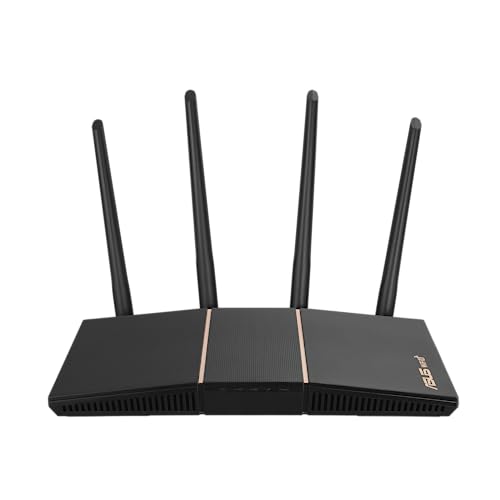
Asus Wifi 6 Router (Rt-Ax57) - Dual Band Gigabit Wireless Internet Router, Gaming & Streaming, Aimesh Compatible, Included Lifetime Internet Security, Parental Control, Mu-Mimo, Ofdma
⚠️ WARNING (California Proposition 65): This product may contain chemicals known to the State of California to cause cancer, birth defects, or other reproductive harm. For more information, please visit www.P65Warnings.ca.gov.
Frequently Asked Questions
Q: What are the dimensions of the ASUS RT-AX57 router?A: The dimensions of the ASUS RT-AX57 router are two point two inches in height, five point twenty-eight inches in width, and nine point six inches in length.
Q: What is the maximum network speed of the ASUS RT-AX57?A: The maximum network speed of the ASUS RT-AX57 is about three thousand megabits per second, with five hundred seventy-four megabits per second on the two point four gigahertz band and two thousand four hundred two megabits per second on the five gigahertz band.
Q: What Wi-Fi standard does the ASUS RT-AX57 support?A: The ASUS RT-AX57 supports the new generation Wi-Fi six standard, which is also known as 802.11ax.
Q: How do I set up the ASUS RT-AX57 router?A: To set up the ASUS RT-AX57, connect it to your modem using an Ethernet cable, power it on, and follow the instructions in the ASUS Router app or web interface.
Q: Is the ASUS RT-AX57 suitable for gaming?A: Yes, the ASUS RT-AX57 is designed for gaming and streaming, providing high-speed connectivity and low latency for an optimal experience.
Q: Can I use the ASUS RT-AX57 for multiple devices at once?A: Yes, the ASUS RT-AX57 supports MU-MIMO and OFDMA technologies, allowing it to connect and communicate with multiple devices simultaneously.
Q: How do I protect my network with the ASUS RT-AX57?A: You can protect your network using AiProtection Classic, which is powered by Trend Micro, and by enabling the ASUS Instant Guard for secure VPN access.
Q: What is AiMesh compatibility?A: AiMesh compatibility allows you to create a seamless network by adding other AiMesh-compatible routers to extend your Wi-Fi coverage.
Q: How do I update the firmware on my ASUS RT-AX57?A: To update the firmware on your ASUS RT-AX57, log into the router's web interface, navigate to the firmware update section, and follow the prompts to check for and install updates.
Q: Does the ASUS RT-AX57 have parental controls?A: Yes, the ASUS RT-AX57 includes parental control features that allow you to manage and restrict internet access for specific devices.
Q: What should I do if the ASUS RT-AX57 is not connecting to the internet?A: If the ASUS RT-AX57 is not connecting to the internet, check all cable connections, reboot the router, and ensure your modem is functioning properly.
Q: Is there a warranty for the ASUS RT-AX57?A: Yes, the ASUS RT-AX57 typically comes with a standard warranty that covers defects in materials and workmanship for a specified period.
Q: How do I reset the ASUS RT-AX57 to factory settings?A: To reset the ASUS RT-AX57 to factory settings, press and hold the reset button on the router for about ten seconds until the LED indicators flash.
Q: What types of devices can connect to the ASUS RT-AX57?A: The ASUS RT-AX57 can connect to a variety of devices, including smartphones, tablets, laptops, smart TVs, and other smart home devices.
Q: Does the ASUS RT-AX57 support guest networks?A: Yes, the ASUS RT-AX57 supports guest networks, allowing you to create a separate network for visitors that keeps your main network secure.