

Cart
0


ROOFULL External CD DVD Drive USB 3.0 & USB-C, Portable CD DVD +/-RW, Jet Black, Model B21-Y, with USB Hub & SD Card Reader
Free Standard Shipping Across USA
Vendor: Roofull
Type: Storage Drives
Sku: WBEEAB0C53998Q7
Availability: Sold Out
Couldn't load pickup availability
Guarantee safe checkout

Sold by Electroeshop, an authorized reseller.
Returns accepted within 30 days | support@electroeshop.com
Shipping Information
- Free Standard Shipping — United States only
- Processing Time: 3–5 business days
- Estimated Delivery: 6–10 business days after dispatch
- Double-boxed, fully insured & discreetly packaged
- Tracking number sent via email once dispatched
Returns & Refund
Returns accepted within 30 days of delivery.
Damaged or Defective Item
Free return shipping + replacement or full refund
Wrong Item Received
Free return shipping + replacement or full refund
Change of Mind
Return shipping at customer's expense · 25% restocking fee applies
All returns require a Return Authorization (RA) number before sending.
View Full Return & Refund Policy
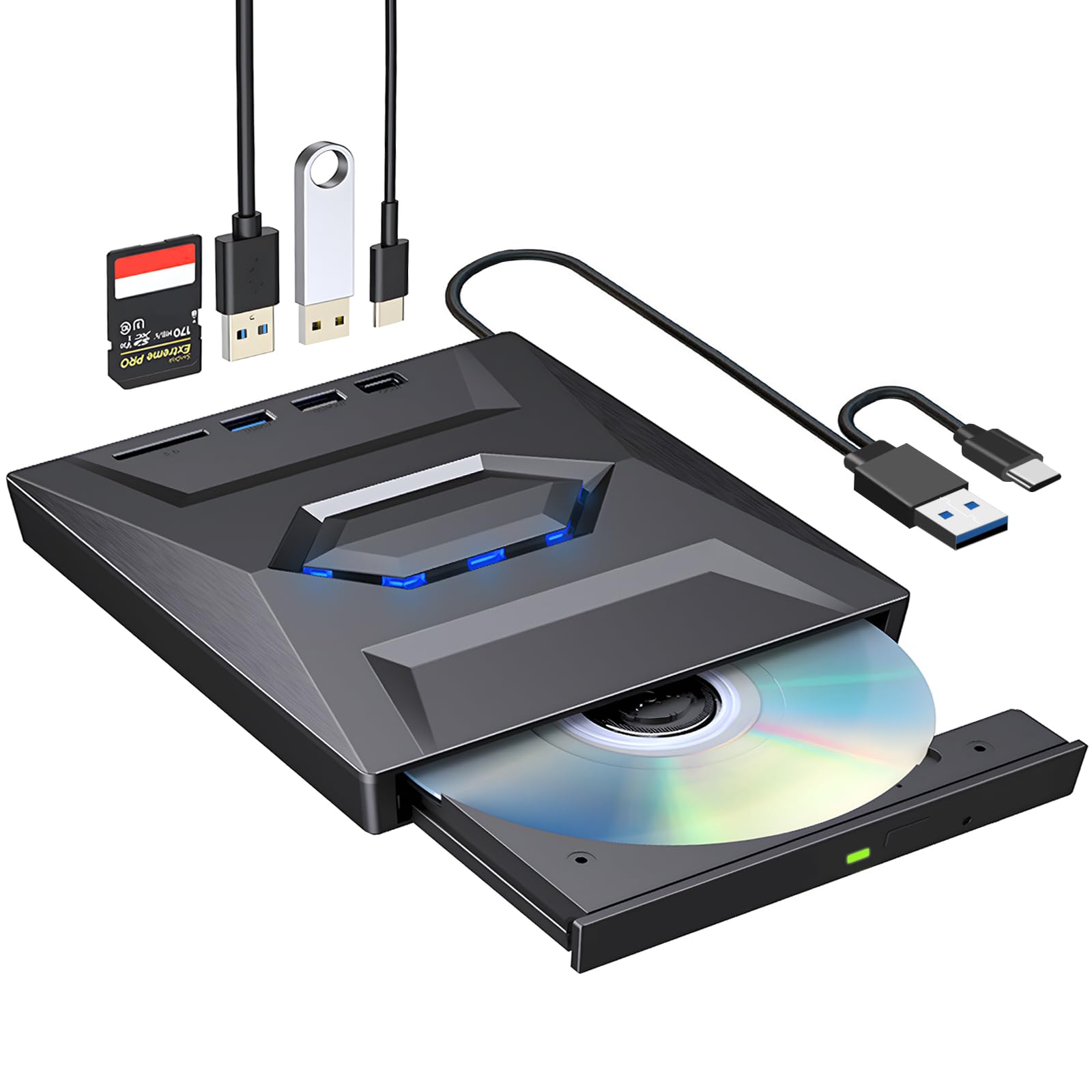
ROOFULL External CD DVD Drive USB 3.0 & USB-C, Portable CD DVD +/-RW, Jet Black, Model B21-Y, with USB Hub & SD Card Reader
$38.13

Frequently Asked Questions
- Q: What are the dimensions of the ROOFULL External CD DVD Drive? A: The dimensions are five point five inches in length, five point five inches in width, and zero point six nine inches in height. This compact size makes it portable and easy to store.
- Q: What materials is the ROOFULL External CD DVD Drive made from? A: It is made from plastic. This lightweight material contributes to its portability and ease of use.
- Q: What is the model number of this external CD DVD drive? A: The model number is B21-Y. This designates the specific version of the ROOFULL external drive.
- Q: How do I connect the ROOFULL External CD DVD Drive to my laptop? A: Simply plug the USB cable into a USB port on your laptop. There's no need for additional driver installation; it will be recognized automatically.
- Q: Can I use this drive with a Mac computer? A: Yes, it is compatible with Mac OS X. This ensures versatility for users with different operating systems.
- Q: What types of discs can the ROOFULL External CD DVD Drive read and write? A: It supports various disc formats including CD-R, CD-RW, DVD+R, DVD-R, and more. This wide compatibility allows for versatile use.
- Q: How should I clean and maintain the ROOFULL External CD DVD Drive? A: To clean it, use a soft, dry cloth to wipe the exterior. Avoid using liquids to prevent damage to the device.
- Q: Is there a warranty for the ROOFULL External CD DVD Drive? A: Yes, it comes with a two-year warranty. This provides assurance for quality and performance.
- Q: What should I do if my ROOFULL External CD DVD Drive is not recognized by my computer? A: First, check the USB connection. If issues persist, try using a different USB port or check for power supply needs.
- Q: Can I use the ROOFULL External CD DVD Drive with a Chromebook? A: No, it is not compatible with Chromebooks. This drive is designed for Windows and Mac systems only.
- Q: Does the ROOFULL External CD DVD Drive require external power? A: It may require external power if the USB port does not supply enough. Use the included power supply cord if necessary.
- Q: How portable is the ROOFULL External CD DVD Drive? A: It is ultra-slim and lightweight, making it easy to carry in a laptop bag. This design is ideal for travelers.
- Q: Can I burn CDs and DVDs with the ROOFULL External CD DVD Drive? A: Yes, you can burn both CDs and DVDs. This functionality allows you to create personalized discs easily.
- Q: What types of ports does the ROOFULL External CD DVD Drive have? A: It features a USB three point zero port, a USB two point zero port, a USB Type-C port, and an SD card slot. This variety enhances connectivity options.
- Q: Is the ROOFULL External CD DVD Drive noisy during operation? A: No, it operates quietly. This minimizes distractions while using the drive for reading or writing.