

Cart
0


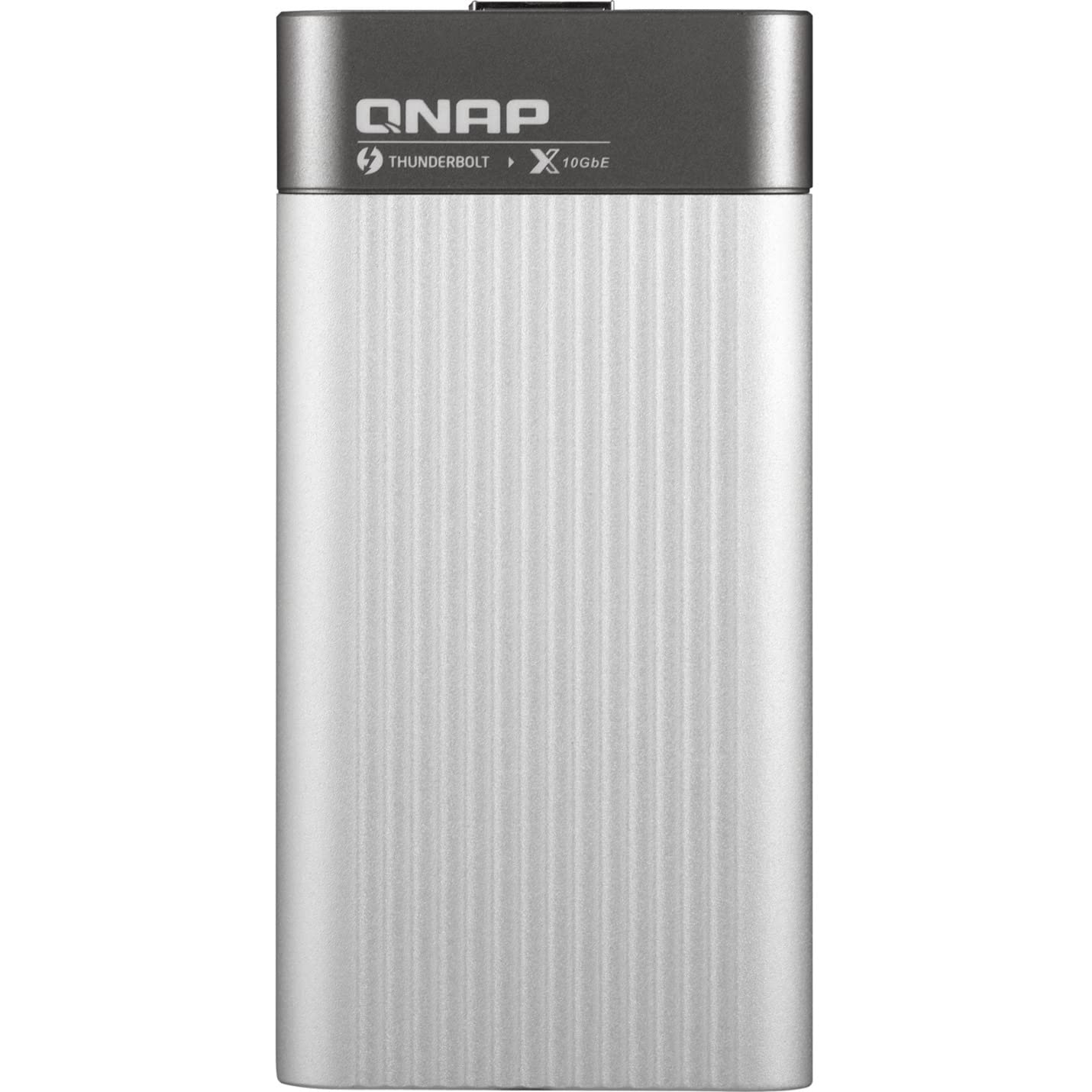
QNAP Thunderbolt 3 to 10GbE Adapter
Free Standard Shipping Across USA
Vendor: Qnap
Type: Networking Equipment
Sku: WBEEAB07KTLGTXB
Availability: Sold Out
Couldn't load pickup availability
Guarantee safe checkout

Sold by Electroeshop, an authorized reseller.
Returns accepted within 30 days | support@electroeshop.com
Shipping Information
- Free Standard Shipping — United States only
- Processing Time: 3–5 business days
- Estimated Delivery: 6–10 business days after dispatch
- Double-boxed, fully insured & discreetly packaged
- Tracking number sent via email once dispatched
Returns & Refund
Returns accepted within 30 days of delivery.
Damaged or Defective Item
Free return shipping + replacement or full refund
Wrong Item Received
Free return shipping + replacement or full refund
Change of Mind
Return shipping at customer's expense · 25% restocking fee applies
All returns require a Return Authorization (RA) number before sending.
View Full Return & Refund Policy
QNAP Thunderbolt 3 to 10GbE Adapter
$266.79

Frequently Asked Questions
- Q: What are the dimensions of the QNAP Thunderbolt 3 to 10GbE Adapter? A: The dimensions are one point zero eight inches by two point two zero inches by four point four one inches. This compact size makes it easy to carry and deploy.
- Q: What material is the QNAP Thunderbolt 3 to 10GbE Adapter made of? A: The adapter is made of metal. This ensures durability while maintaining a stylish look.
- Q: What is the maximum data transfer speed of the adapter? A: The maximum data transfer speed is ten gigabits per second. This speed is essential for quickly moving large files.
- Q: How do I connect the QNAP Thunderbolt 3 to 10GbE Adapter? A: To connect, use the included Thunderbolt 3 cable to link the adapter to your computer, then connect it to a 10GbE-capable device. This setup allows for high-speed data transfer.
- Q: Is the QNAP Thunderbolt 3 to 10GbE Adapter compatible with Windows computers? A: Yes, it is compatible with both Mac and Windows computers. This versatility makes it suitable for various users.
- Q: What type of cable is recommended for optimal performance? A: A suggested CAT six or above cable is recommended to achieve ten gigabit Ethernet transfer speeds. This ensures that you get the best performance out of the adapter.
- Q: How do I maintain the QNAP Thunderbolt 3 to 10GbE Adapter? A: To maintain it, ensure that it is kept in a cool, dry place and avoid exposing it to extreme temperatures. Regularly check for dust accumulation to keep ports clean.
- Q: Is there a warranty for the QNAP Thunderbolt 3 to 10GbE Adapter? A: Yes, it typically comes with a manufacturer's warranty. Check the specific warranty details upon purchase for full coverage information.
- Q: What should I do if the adapter doesn't work after setup? A: If the adapter doesn't work, ensure all connections are secure and try using a different cable. If issues persist, consult the manufacturer's customer support.
- Q: Can I use the QNAP Thunderbolt 3 to 10GbE Adapter with a NAS? A: Yes, you can connect it to a NAS that supports 10GbE connectivity. This enhances data transfer speeds significantly for larger files.
- Q: How does the QNAP Thunderbolt 3 to 10GbE Adapter improve workflow for media professionals? A: The adapter allows for fast data transfers, which is crucial for handling large multimedia files. This efficiency is particularly beneficial for video editing and collaborative projects.
- Q: Is the QNAP Thunderbolt 3 to 10GbE Adapter portable? A: Yes, the adapter is portable and does not require an extra power supply. Its compact design makes it easy to carry for universal deployment.
- Q: Does the adapter support multiple network speeds? A: Yes, it supports multiple speeds including ten gigabits, five gigabits, two point five gigabits, one gigabit, and one hundred megabits per second. This flexibility caters to various networking needs.
- Q: What color is the QNAP Thunderbolt 3 to 10GbE Adapter? A: The adapter comes in a silver color. This metallic finish adds a stylish touch to your tech setup.
- Q: Does the QNAP Thunderbolt 3 to 10GbE Adapter require installation? A: No, it does not require installation. Simply connect the adapter to your device using the provided cable, and it will be ready to use.