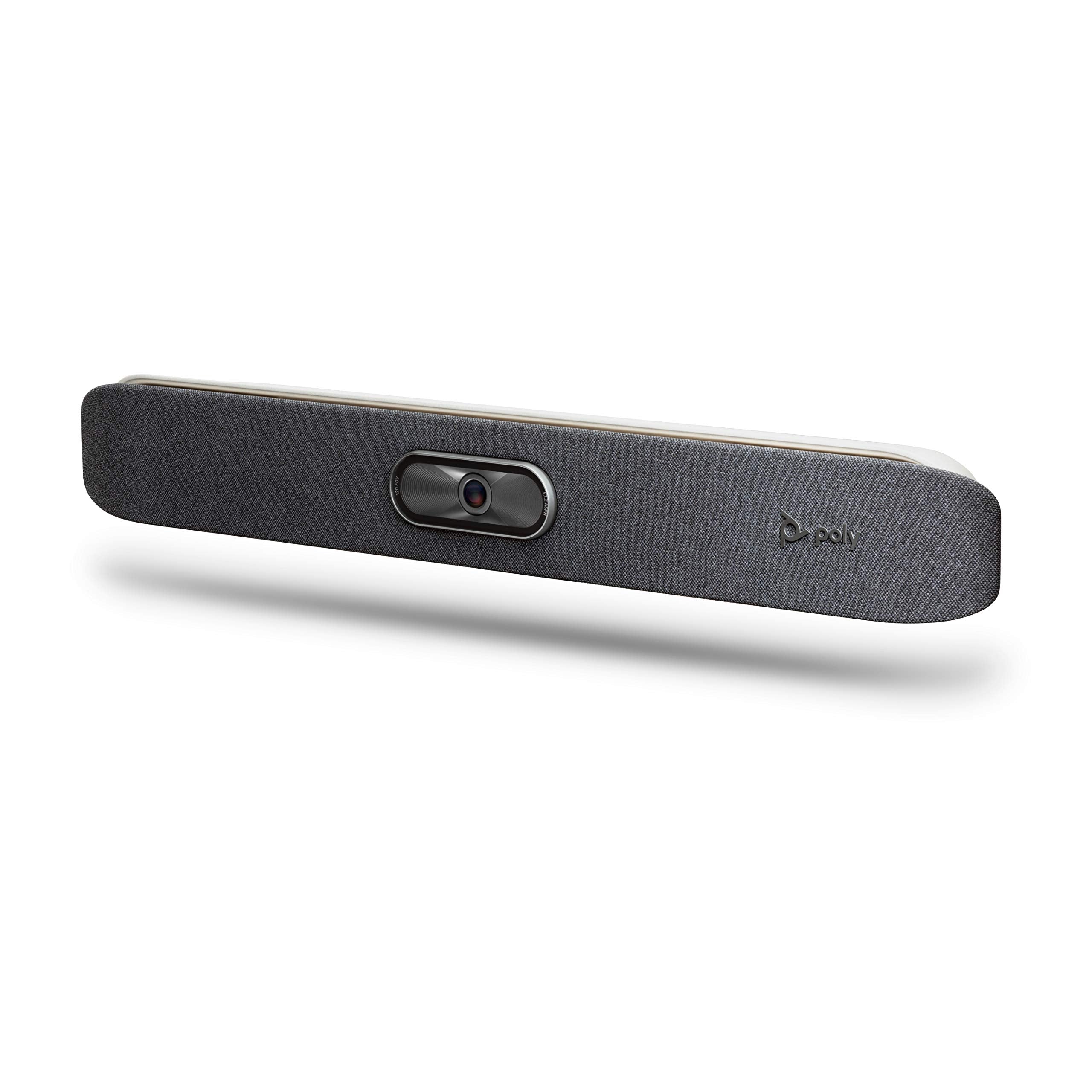
Prev 2200-85980-001 Poly Studio X30 All-In-One Video Bar-Us
⚠️ WARNING (California Proposition 65): This product may contain chemicals known to the State of California to cause cancer, birth defects, or other reproductive harm. For more information, please visit www.P65Warnings.ca.gov.
Frequently Asked Questions
Q: What are the dimensions of the Poly Studio X30?A: The Poly Studio X30 measures nineteen inches in length, nine inches in width, and six inches in height. This compact design makes it ideal for small conference rooms.
Q: Is the Poly Studio X30 made of any specific materials?A: The Poly Studio X30 does not specify any particular materials used in its construction. However, it features a sleek and durable design suitable for various environments.
Q: What is the model number of the Poly Studio X30?A: The model number of the Poly Studio X30 is two thousand two hundred eighty-five thousand nine hundred eighty-one. This identifier can help in locating specific information or support.
Q: How do I set up the Poly Studio X30?A: Setting up the Poly Studio X30 is straightforward and typically takes only a few minutes. Simply connect it to your display and power source, and follow the on-screen instructions for configuration.
Q: Can I use the Poly Studio X30 with any video conferencing software?A: Yes, the Poly Studio X30 is compatible with various video conferencing software, including Teams and Zoom. It offers built-in support for these applications without needing a PC.
Q: Is the Poly Studio X30 suitable for a small meeting room?A: Yes, the Poly Studio X30 is specifically designed for small meeting rooms. It can comfortably accommodate up to six participants, making it ideal for huddles and small gatherings.
Q: How should I clean the Poly Studio X30?A: To clean the Poly Studio X30, use a soft, lint-free cloth to wipe the surface. Avoid using harsh chemicals or abrasive materials to maintain its sleek finish.
Q: Does the Poly Studio X30 have any built-in safety features?A: Yes, the Poly Studio X30 features NoiseBlockAI technology that minimizes audio distractions during meetings, enhancing the overall user experience.
Q: What is the warranty period for the Poly Studio X30?A: The standard warranty for the Poly Studio X30 is typically one year. This covers manufacturing defects and ensures customer support for any issues.
Q: What if the Poly Studio X30 arrives damaged?A: If the Poly Studio X30 arrives damaged, you should contact customer support immediately for assistance with returns or exchanges.
Q: Is there a return policy for the Poly Studio X30?A: Yes, there is a return policy for the Poly Studio X30, which usually allows returns within thirty days of purchase, provided the product is in its original condition.
Q: How does the Poly Studio X30 compare to other conferencing systems?A: The Poly Studio X30 offers a unique all-in-one design that integrates camera, speaker, and microphones, making it more convenient compared to separate components.
Q: Is the Poly Studio X30 ideal for remote workers?A: Yes, the Poly Studio X30 is excellent for remote workers, as it provides high-quality audio and video, ensuring effective communication in virtual meetings.
Q: Can I connect the Poly Studio X30 wirelessly?A: Yes, the Poly Studio X30 supports wireless connectivity, allowing users to share content easily from their personal devices without requiring special apps.
Q: What audio quality can I expect from the Poly Studio X30?A: The Poly Studio X30 delivers production-quality audio, ensuring clear sound during meetings with advanced microphone technology and noise-cancellation features.
Q: Does the Poly Studio X30 require a PC to operate?A: No, the Poly Studio X30 does not require a PC to operate. It has built-in capabilities for leading cloud video applications, making it user-friendly and efficient.