

Cart
0

Plantronics Hw520V Encorepro 520V Binaural Over The Head Headset
Free Standard Shipping Across USA
Vendor: Plantronics
Type: Gaming Headsets
Sku: WBEEAB00OQL5RCA
Availability: Sold Out
Couldn't load pickup availability
Guarantee safe checkout

Sold by Electroeshop, an authorized reseller.
Returns accepted within 30 days | support@electroeshop.com
Shipping Information
- Free Standard Shipping — United States only
- Processing Time: 3–5 business days
- Estimated Delivery: 6–10 business days after dispatch
- Double-boxed, fully insured & discreetly packaged
- Tracking number sent via email once dispatched
Returns & Refund
Returns accepted within 30 days of delivery.
Damaged or Defective Item
Free return shipping + replacement or full refund
Wrong Item Received
Free return shipping + replacement or full refund
Change of Mind
Return shipping at customer's expense · 25% restocking fee applies
All returns require a Return Authorization (RA) number before sending.
View Full Return & Refund Policy
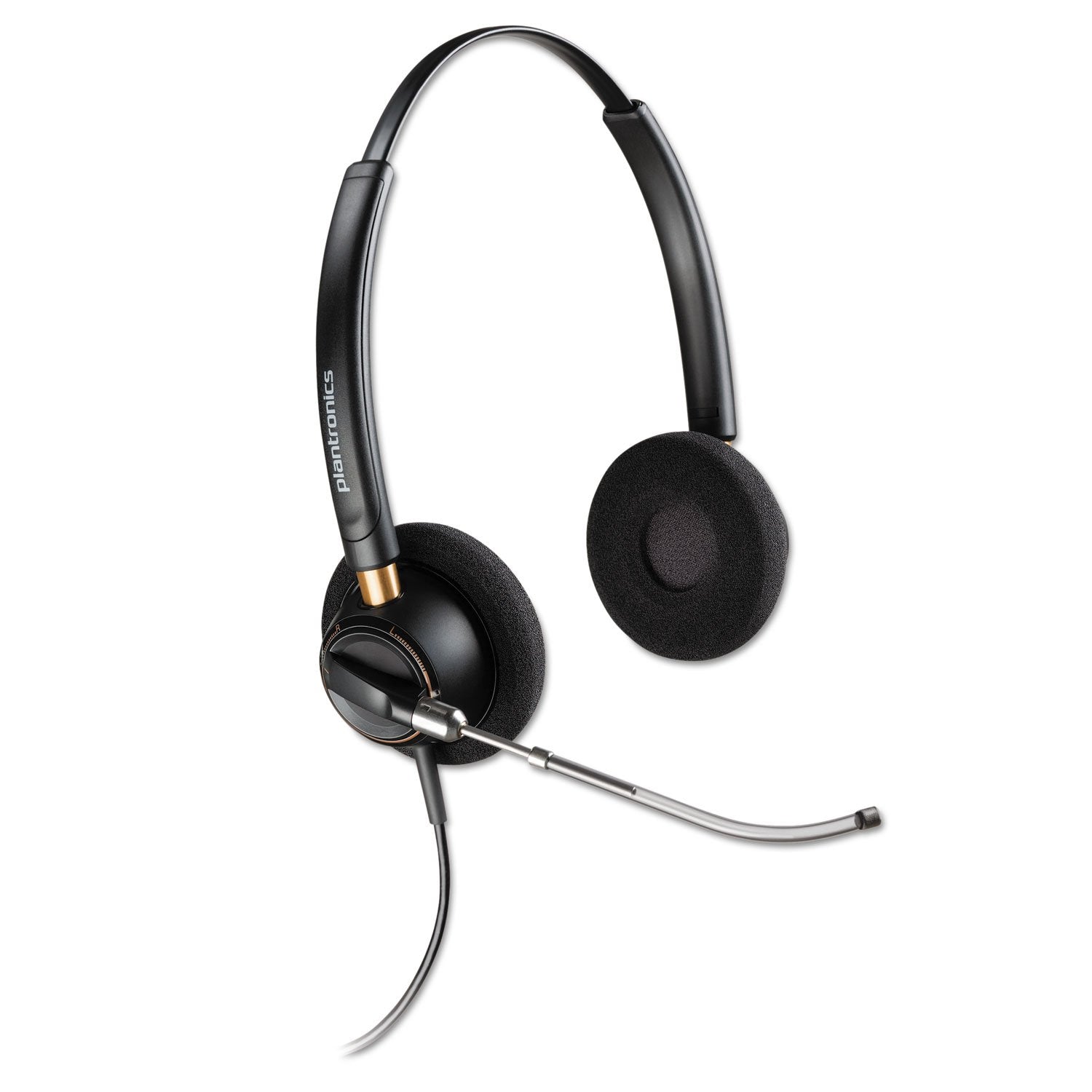
Plantronics Hw520V Encorepro 520V Binaural Over The Head Headset
$147.36

Frequently Asked Questions
- Q: What materials are used in the Plantronics HW520V headset? A: The Plantronics HW520V headset is primarily made of metal and features soft foam ear cushions for comfort.
- Q: What type of headset is the HW520V? A: The HW520V is a binaural over-the-head headset designed for comfort and clarity during use.
- Q: What are the dimensions of the Plantronics HW520V headset? A: Exact dimensions are not specified; however, it is designed to be lightweight and comfortable for all-day wear.
- Q: How do I wear the Plantronics HW520V headset? A: To wear the HW520V headset, place it over your head, adjusting the headband for a snug fit and positioning the microphone near your mouth.
- Q: Is the Plantronics HW520V suitable for long hours of use? A: Yes, the HW520V is designed for all-day comfort with its soft ear cushions and lightweight construction.
- Q: Can the microphone be adjusted on the HW520V headset? A: Yes, the HW520V features a flexible mic that allows for easy adjustment to achieve precise positioning.
- Q: How should I clean the Plantronics HW520V headset? A: To clean the HW520V, use a damp cloth to wipe the ear cushions and headband, avoiding harsh chemicals.
- Q: Is the Plantronics HW520V headset waterproof? A: No, the HW520V is not waterproof and should be kept away from moisture to maintain its functionality.
- Q: What type of audio quality can I expect from the HW520V headset? A: The HW520V provides wideband audio, delivering richer and clearer conversations for enhanced communication.
- Q: How does the noise-canceling feature work on the HW520V headset? A: The noise-canceling microphone on the HW520V minimizes background noise, ensuring clearer voice transmission during calls.
- Q: Is the Plantronics HW520V headset compatible with all devices? A: Yes, the HW520V is compatible with most devices that have a standard audio jack, making it versatile for various uses.
- Q: What is the warranty period for the Plantronics HW520V headset? A: The warranty period for the HW520V headset typically lasts for one year, covering manufacturer defects.
- Q: What should I do if my HW520V headset arrives damaged? A: If the HW520V arrives damaged, contact customer support for assistance with returns or exchanges based on their policy.
- Q: How do I adjust the volume on the HW520V headset? A: Volume control is typically managed through your connected device, as the HW520V does not have built-in volume buttons.
- Q: Can I use the HW520V headset for gaming? A: Yes, the HW520V can be used for gaming, especially for communication, due to its clear audio and noise-canceling features.
- Q: What do I do if my HW520V headset is not working properly? A: If the HW520V is not functioning, check connections, ensure it is charged (if applicable), and consult the user manual for troubleshooting steps.