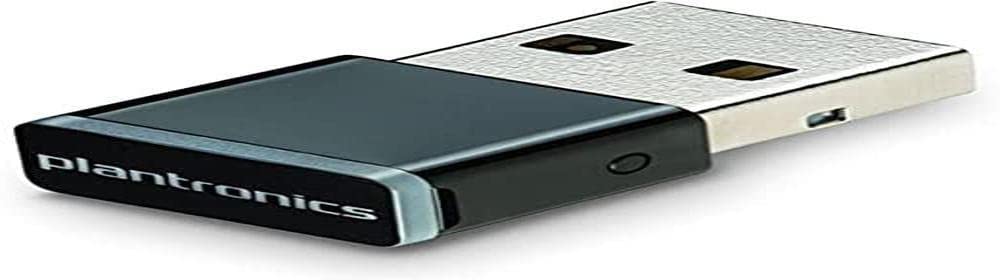
Wireless Usb Adapter Enables An Excellent Communication And Music Experience When Connecting Your Existing Plantronics Bluetooth Headset Or Headphones To Pc And Mac Computers. It'S Small Enough To Keep In Your Computer For Always-Ready Connectivity.
⚠️ WARNING (California Proposition 65): This product may contain chemicals known to the State of California to cause cancer, birth defects, or other reproductive harm. For more information, please visit www.P65Warnings.ca.gov.
Frequently Asked Questions
Q: What are the dimensions of the Plantronics BT600 Bluetooth Adapter?A: The Plantronics BT600 Bluetooth Adapter measures six point twenty-six inches long, four point zero two inches wide, and zero point twelve inches high.
Q: What type of connection does the Plantronics BT600 use?A: The Plantronics BT600 uses a USB connection for easy plug-and-play compatibility with desktop computers.
Q: Is the Plantronics BT600 compatible with both PC and Mac?A: Yes, the Plantronics BT600 is compatible with both PC and Mac computers for versatile usage.
Q: How do I install the Plantronics BT600 Bluetooth Adapter?A: To install the Plantronics BT600, simply plug the USB adapter into your computer's USB port, and it will automatically connect to your Bluetooth devices.
Q: Do I need special software to use the Plantronics BT600?A: No, the Plantronics BT600 works with standard Bluetooth drivers and does not require additional software for installation.
Q: Can I use the Plantronics BT600 with any Bluetooth headset?A: Yes, the Plantronics BT600 can connect with any compatible Bluetooth headset or headphones.
Q: How do I keep my Plantronics BT600 Bluetooth Adapter in good condition?A: To maintain your Plantronics BT600, store it in a dry place and avoid exposing it to extreme temperatures or moisture.
Q: Is the Plantronics BT600 safe for long-term use?A: Yes, the Plantronics BT600 is designed for continuous use, ensuring secure and reliable wireless connectivity.
Q: What should I do if the Plantronics BT600 stops working?A: If the Plantronics BT600 stops working, try unplugging it and reconnecting it to your computer, or check if your Bluetooth device is turned on.
Q: Does the Plantronics BT600 come with a warranty?A: Yes, the Plantronics BT600 typically comes with a manufacturer's warranty that covers defects in materials and workmanship.
Q: How can I troubleshoot issues with the Plantronics BT600?A: To troubleshoot, ensure the adapter is securely connected, check Bluetooth settings on your device, and restart both the adapter and your computer.
Q: Is the Plantronics BT600 suitable for gaming?A: Yes, the Plantronics BT600 is suitable for gaming as it provides a stable wireless connection for audio.
Q: What is the range of the Plantronics BT600 Bluetooth Adapter?A: The Plantronics BT600 has a typical Bluetooth range of about thirty-three feet, allowing for flexible movement.
Q: Can the Plantronics BT600 connect to multiple devices?A: No, the Plantronics BT600 can only connect to one Bluetooth device at a time.
Q: Is the Plantronics BT600 easy to carry around?A: Yes, the Plantronics BT600 is compact and lightweight, making it easy to carry with your laptop or desktop.