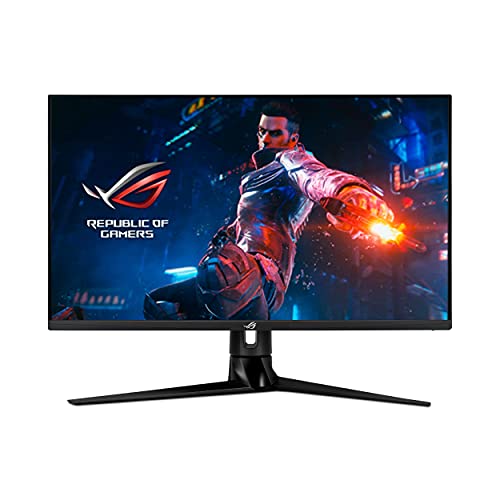
The Rog Swift Pg32Uq Is A 32-Inch 4K Uhd Ips Gaming Monitor Designed For 144Hz Gaming. It Features The Latest Hdmi 2.1 To Support Up To Native 4K 120Hz Visuals On The Latest Consoles Without Subsampling, And Nvidia G-Sync Compatibility To Enable Supersmooth Experiences On Pcs.
⚠️ WARNING (California Proposition 65): This product may contain chemicals known to the State of California to cause cancer, birth defects, or other reproductive harm. For more information, please visit www.P65Warnings.ca.gov.
Frequently Asked Questions
Q: What are the dimensions of the ASUS ROG Swift PG32UQ monitor?A: The dimensions of the monitor are approximately seventeen point seventy-nine inches in length, twenty-eight point sixty-seven inches in width, and eleven point fifty-two inches in height.
Q: What is the resolution of the ASUS ROG Swift PG32UQ?A: The resolution is four thousand by two thousand one hundred sixty pixels, providing ultra-high-definition visuals for an immersive gaming experience.
Q: What refresh rate does the ASUS ROG Swift PG32UQ support?A: It supports a refresh rate of one hundred forty-four hertz, ideal for smooth gameplay in fast-paced games.
Q: What type of display technology does the ASUS ROG Swift PG32UQ use?A: The monitor utilizes IPS technology, which offers better color accuracy and wider viewing angles compared to traditional displays.
Q: Does the ASUS ROG Swift PG32UQ have HDR capabilities?A: Yes, it features DisplayHDR six hundred certification for enhanced contrast and vibrant colors in HDR content.
Q: Can I use the ASUS ROG Swift PG32UQ with next-generation gaming consoles?A: Yes, it supports HDMI two point one, allowing native four K one hundred twenty hertz visuals on the latest gaming consoles.
Q: How do I set up the ASUS ROG Swift PG32UQ monitor?A: To set it up, connect the monitor to your computer or console using HDMI or DisplayPort, and adjust the settings in the display menu.
Q: Is the ASUS ROG Swift PG32UQ suitable for professional gaming?A: Yes, it is designed for professional gamers, offering features like one millisecond response time and G-SYNC compatibility.
Q: Can the ASUS ROG Swift PG32UQ be mounted on a wall?A: Yes, it is compatible with VESA mounts for wall mounting, allowing for flexible installation options.
Q: What care is required for the ASUS ROG Swift PG32UQ monitor?A: To maintain the monitor, clean the screen with a microfiber cloth and avoid using harsh chemicals that could damage the surface.
Q: Is there a warranty for the ASUS ROG Swift PG32UQ monitor?A: Yes, it comes with a standard manufacturer's warranty, covering defects in materials and workmanship.
Q: How do I troubleshoot display issues with the ASUS ROG Swift PG32UQ?A: If you encounter display issues, check all cables for secure connections, and ensure that the monitor is set to the correct input source.
Q: What ports are available on the ASUS ROG Swift PG32UQ?A: It includes one DisplayPort one point four DSC, two HDMI two point one ports, and two USB three point zero ports for connectivity.
Q: Does the ASUS ROG Swift PG32UQ have built-in eye care features?A: Yes, it includes eye care technology to reduce eye strain during long gaming sessions.
Q: Is the ASUS ROG Swift PG32UQ compatible with Adobe Creative Cloud?A: Yes, it includes a complimentary three-month subscription to Adobe Creative Cloud with your purchase.