

Cart
0

Panasonic DVD Player - HDMI 1080P Up-Converting, Multi Region Code, Zone Free, Black, Model dvds-rf
Free Standard Shipping Across USA
Vendor: Panasonic
Type: Blu-ray & DVD Players
Sku: WBEEAB004QIPKNY
Availability: Sold Out
Couldn't load pickup availability
Guarantee safe checkout

Sold by Electroeshop, an authorized reseller.
Returns accepted within 30 days | support@electroeshop.com
Shipping Information
- Free Standard Shipping — United States only
- Processing Time: 3–5 business days
- Estimated Delivery: 6–10 business days after dispatch
- Double-boxed, fully insured & discreetly packaged
- Tracking number sent via email once dispatched
Returns & Refund
Returns accepted within 30 days of delivery.
Damaged or Defective Item
Free return shipping + replacement or full refund
Wrong Item Received
Free return shipping + replacement or full refund
Change of Mind
Return shipping at customer's expense · 25% restocking fee applies
All returns require a Return Authorization (RA) number before sending.
View Full Return & Refund Policy
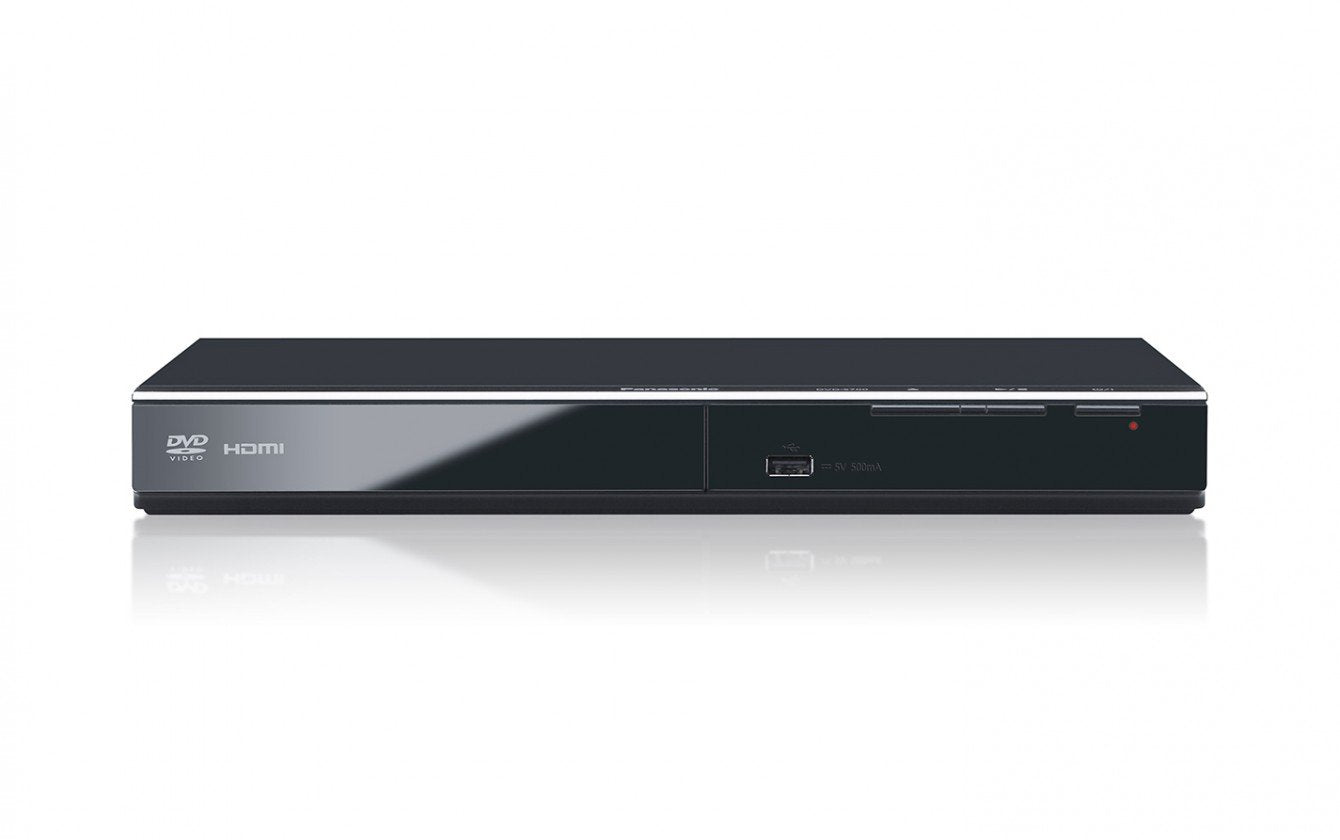
Panasonic DVD Player - HDMI 1080P Up-Converting, Multi Region Code, Zone Free, Black, Model dvds-rf
$93.41

Frequently Asked Questions
- Q: What are the dimensions of the Panasonic DVD-S700P-K? A: The dimensions are eight inches in length, six inches in width, and four inches in height. This compact size makes it easy to fit into various entertainment setups.
- Q: What formats does this DVD player support? A: The Panasonic DVD-S700P-K supports multiple formats including DVD, DVD-R, DVD+R, DVD-RW, CD, CD-R, and CD-RW. It can also play WMA, MP3, and JPEG files.
- Q: What type of HDMI connection does this player have? A: This player features an HDMI 1.3 connection with deep color support. This allows for enhanced picture quality, especially when up-converting to high definition.
- Q: How do I set up the Panasonic DVD-S700P-K? A: To set it up, connect the HDMI cable from the player to your TV, plug in the power cable, and turn it on. It should automatically detect your TV settings.
- Q: Can I play DVDs from any region on this player? A: Yes, this player is region code free and can play DVDs from all regions including PAL and NTSC formats. This versatility makes it ideal for international DVD collections.
- Q: Is this DVD player suitable for all TV types? A: Yes, the Panasonic DVD-S700P-K can connect to any TV with an HDMI input. It supports both PAL and NTSC formats, making it compatible with various television systems.
- Q: How should I clean the Panasonic DVD-S700P-K? A: To clean the player, turn it off and unplug it. Use a soft, dry cloth to wipe the exterior. Avoid using any liquids or abrasive materials that could damage the surface.
- Q: What is the warranty period for this DVD player? A: The Panasonic DVD-S700P-K typically comes with a one-year limited warranty. This covers any manufacturing defects or issues that may arise during normal use.
- Q: How do I store this DVD player when not in use? A: When not in use, store the player in a cool, dry place away from direct sunlight. Ensure it is in its original packaging or in a protective case to avoid dust accumulation.
- Q: What should I do if the DVD player does not turn on? A: If the player does not turn on, first check that it is plugged in and that the outlet is functioning. If it still won't power up, consider contacting customer support for troubleshooting.
- Q: Can I connect this player to a sound system? A: Yes, you can connect the Panasonic DVD-S700P-K to a sound system via HDMI or optical audio output. This allows for enhanced audio quality during playback.
- Q: Is this DVD player suitable for beginners? A: Yes, the Panasonic DVD-S700P-K is user-friendly and suitable for beginners. Its straightforward setup and operation make it accessible for anyone.
- Q: Does this player support high-definition video output? A: Yes, this player supports high-definition video output up to one thousand eighty pixels. The up-conversion feature enhances standard DVDs to high-definition quality.
- Q: What types of DVDs can this player play? A: The player can play DVDs from regions zero through nine, including PAL and NTSC formats. This ensures compatibility with a wide range of discs.
- Q: Is there a way to troubleshoot playback issues? A: Yes, if you encounter playback issues, check the disc for scratches and ensure it is compatible with the player. You can also refer to the user manual for specific troubleshooting steps.
- Q: How can I get support if I have issues with my DVD player? A: You can contact Panasonic customer support for assistance. They offer help for troubleshooting, repairs, and warranty claims for your DVD player.