

Cart
0


Panasonic Dvd Player With Dolby Digital Sound, 1080P Hd Upscaling For Dvds, Hdmi And Usb Connections Dvd S700 (Black)
Free Standard Shipping Across USA
Vendor: Panasonic
Type: Blu-ray & DVD Players
Sku: WBEEAB00KC0HVTQ
Availability: Sold Out
Couldn't load pickup availability
Guarantee safe checkout

Sold by Electroeshop, an authorized reseller.
Returns accepted within 30 days | support@electroeshop.com
Shipping Information
- Free Standard Shipping — United States only
- Processing Time: 3–5 business days
- Estimated Delivery: 6–10 business days after dispatch
- Double-boxed, fully insured & discreetly packaged
- Tracking number sent via email once dispatched
Returns & Refund
Returns accepted within 30 days of delivery.
Damaged or Defective Item
Free return shipping + replacement or full refund
Wrong Item Received
Free return shipping + replacement or full refund
Change of Mind
Return shipping at customer's expense · 25% restocking fee applies
All returns require a Return Authorization (RA) number before sending.
View Full Return & Refund Policy
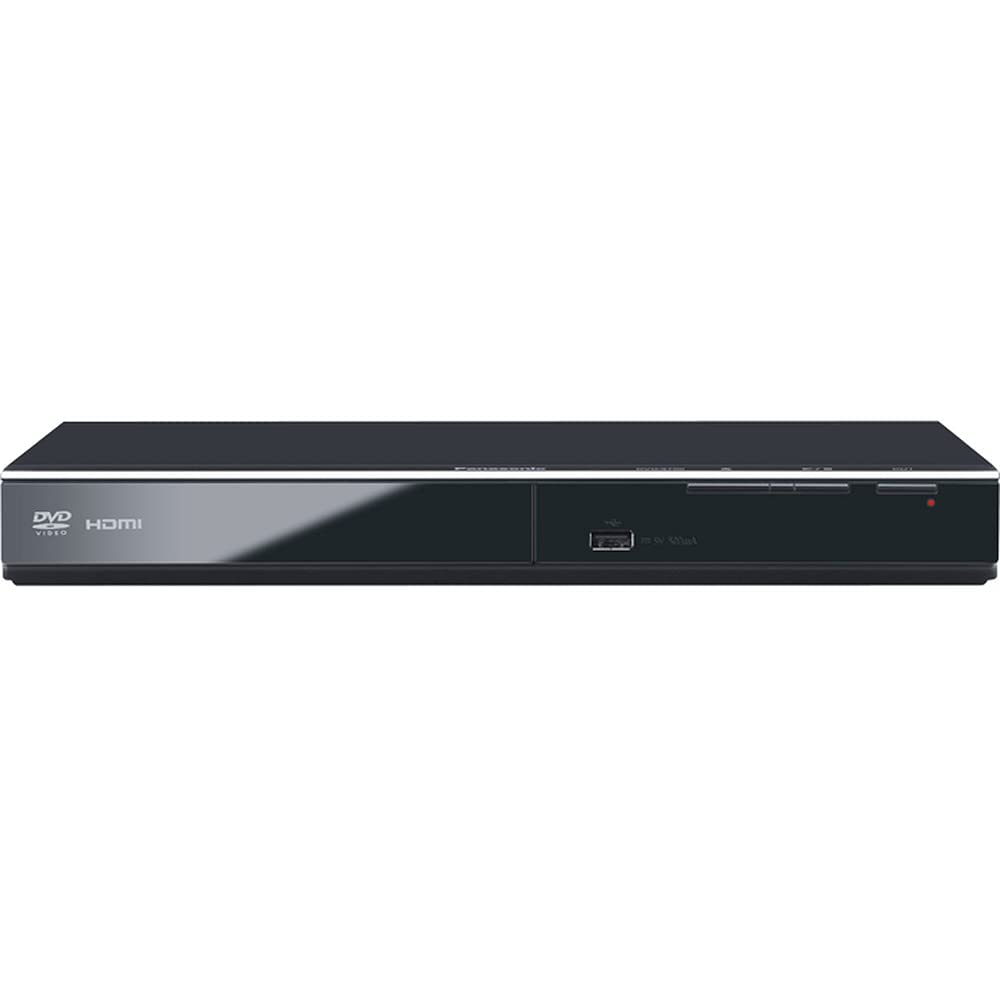
Panasonic Dvd Player With Dolby Digital Sound, 1080P Hd Upscaling For Dvds, Hdmi And Usb Connections Dvd S700 (Black)
$93.29

Frequently Asked Questions
- Q: What are the dimensions of the Panasonic DVD Player? A: The dimensions are eight inches in length, twelve and a quarter inches in width, and one and a half inches in height. This compact design makes it easy to fit into most entertainment setups.
- Q: What color is the Panasonic DVD Player? A: The player is available in black. This color provides a sleek and modern look that can match various home decor styles.
- Q: What is the model number of this DVD player? A: The model number is DVD-S700. This identifier helps in finding specific features or accessories compatible with the product.
- Q: How do I connect the Panasonic DVD Player to my TV? A: You can connect it using an HDMI cable or USB connections. Both options ensure high-quality audio and video output.
- Q: Can I play DVDs from different regions on this player? A: No, the Panasonic DVD-S700 is region-locked. It only plays DVDs that match its designated region, typically region one for the United States.
- Q: How do I set up the Panasonic DVD Player for the first time? A: To set it up, connect the player to your TV using an HDMI cable, plug it into a power source, and follow the on-screen instructions. This process is user-friendly and straightforward.
- Q: Is this DVD player suitable for older DVD formats? A: Yes, the Panasonic DVD-S700 can play standard DVDs as well as up-convert them to Full-HD 1080p. This feature enhances the viewing experience of older DVDs.
- Q: What type of audio quality can I expect from this DVD player? A: You can expect superior audio quality with Dolby Digital sound. This enhances the audio experience for both DVDs and CDs.
- Q: How do I clean the Panasonic DVD Player? A: To clean the player, use a soft, dry cloth to wipe the exterior. Avoid using liquid cleaners as they can damage the electronic components.
- Q: Can I store media on a USB drive and play it on this DVD player? A: Yes, you can view content from USB memory devices. This feature provides additional versatility for media playback.
- Q: What is the warranty period for the Panasonic DVD Player? A: The warranty period is typically one year. This covers defects in materials and workmanship under normal use.
- Q: What should I do if my DVD player does not turn on? A: If the player does not turn on, first check the power connection. If it’s properly plugged in and still doesn’t work, consult the user manual or contact customer support.
- Q: Does this DVD player support progressive scan playback? A: Yes, it supports progressive scan playback, which provides smoother, higher-quality images during playback.
- Q: Is this DVD player compatible with Blu-ray discs? A: No, the Panasonic DVD-S700 is not compatible with Blu-ray discs. It is designed specifically for standard DVDs.
- Q: What should I do if the DVD player is skipping or freezing? A: If the player is skipping or freezing, ensure that the disc is clean and free from scratches. If issues persist, consider resetting the player or contacting support.