

Cart
0

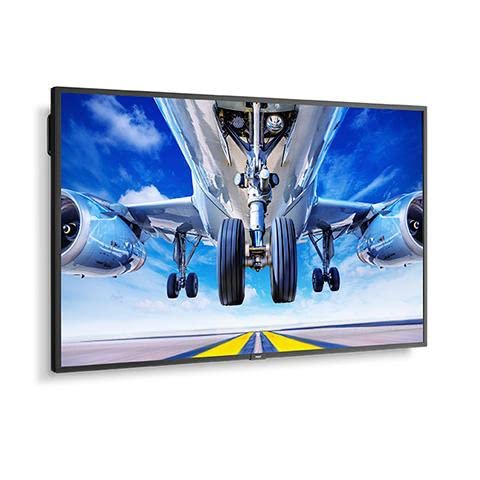
P435 Pt
Free Standard Shipping Across USA
Vendor: Nec
Type: Monitors & Displays
Sku: WBEEAB09NYD2PRN
Availability: Sold Out
Couldn't load pickup availability
Guarantee safe checkout

Sold by Electroeshop, an authorized reseller.
Returns accepted within 30 days | support@electroeshop.com
Shipping Information
- Free Standard Shipping — United States only
- Processing Time: 3–5 business days
- Estimated Delivery: 6–10 business days after dispatch
- Double-boxed, fully insured & discreetly packaged
- Tracking number sent via email once dispatched
Returns & Refund
Returns accepted within 30 days of delivery.
Damaged or Defective Item
Free return shipping + replacement or full refund
Wrong Item Received
Free return shipping + replacement or full refund
Change of Mind
Return shipping at customer's expense · 25% restocking fee applies
All returns require a Return Authorization (RA) number before sending.
View Full Return & Refund Policy
P435 Pt
$2,763.16

Frequently Asked Questions
- Q: What is the screen size of the NEC P435-PT MultiSync P435? A: The screen size is approximately forty-three inches diagonally. This large display provides an immersive viewing experience suitable for various applications.
- Q: What type of touchscreen technology does the NEC P435-PT use? A: It features an installed PCAP touchscreen technology. This type of touchscreen is known for its responsiveness and accuracy.
- Q: What are the dimensions of the NEC P435-PT monitor? A: The dimensions are not provided, but it is designed for optimal visibility with a large screen. This makes it ideal for presentations and interactive displays.
- Q: How do I set up the NEC P435-PT MultiSync monitor? A: To set it up, connect the power cable and video input. Follow the on-screen instructions to calibrate the touchscreen for optimal performance.
- Q: Is the NEC P435-PT suitable for educational use? A: Yes, it is ideal for educational settings. The large touchscreen enhances engagement and interaction during lessons.
- Q: Can I mount the NEC P435-PT on a wall? A: Yes, it is compatible with standard VESA wall mounts. This allows for flexible installation options to fit your space.
- Q: How do I clean the touchscreen of the NEC P435-PT? A: Use a microfiber cloth and a gentle cleaning solution. Avoid using abrasive materials that may scratch the surface.
- Q: Is the NEC P435-PT monitor durable for heavy use? A: Yes, it is designed to withstand heavy usage. The construction and materials used ensure longevity in high-traffic areas.
- Q: What is the warranty period for the NEC P435-PT? A: The warranty period typically lasts for three years. This provides peace of mind against manufacturing defects.
- Q: How can I troubleshoot display issues with the NEC P435-PT? A: If you encounter display issues, check the connections and power supply first. Refer to the user manual for specific troubleshooting steps.
- Q: What if the NEC P435-PT arrives damaged? A: If it arrives damaged, contact customer service immediately. They can assist with returns or replacements as per the warranty policy.
- Q: What type of video inputs does the NEC P435-PT support? A: It supports multiple video inputs including HDMI and DisplayPort. This allows for versatile connectivity options with various devices.
- Q: Can I use the NEC P435-PT for gaming? A: Yes, it can be used for gaming. The responsive touchscreen and large screen size enhance the gaming experience.
- Q: Is the NEC P435-PT energy efficient? A: Yes, it is designed to be energy efficient. This helps reduce electricity costs while providing high performance.
- Q: Does the NEC P435-PT have built-in speakers? A: No, the NEC P435-PT does not include built-in speakers. External speakers can be connected for audio output.