Sold Out
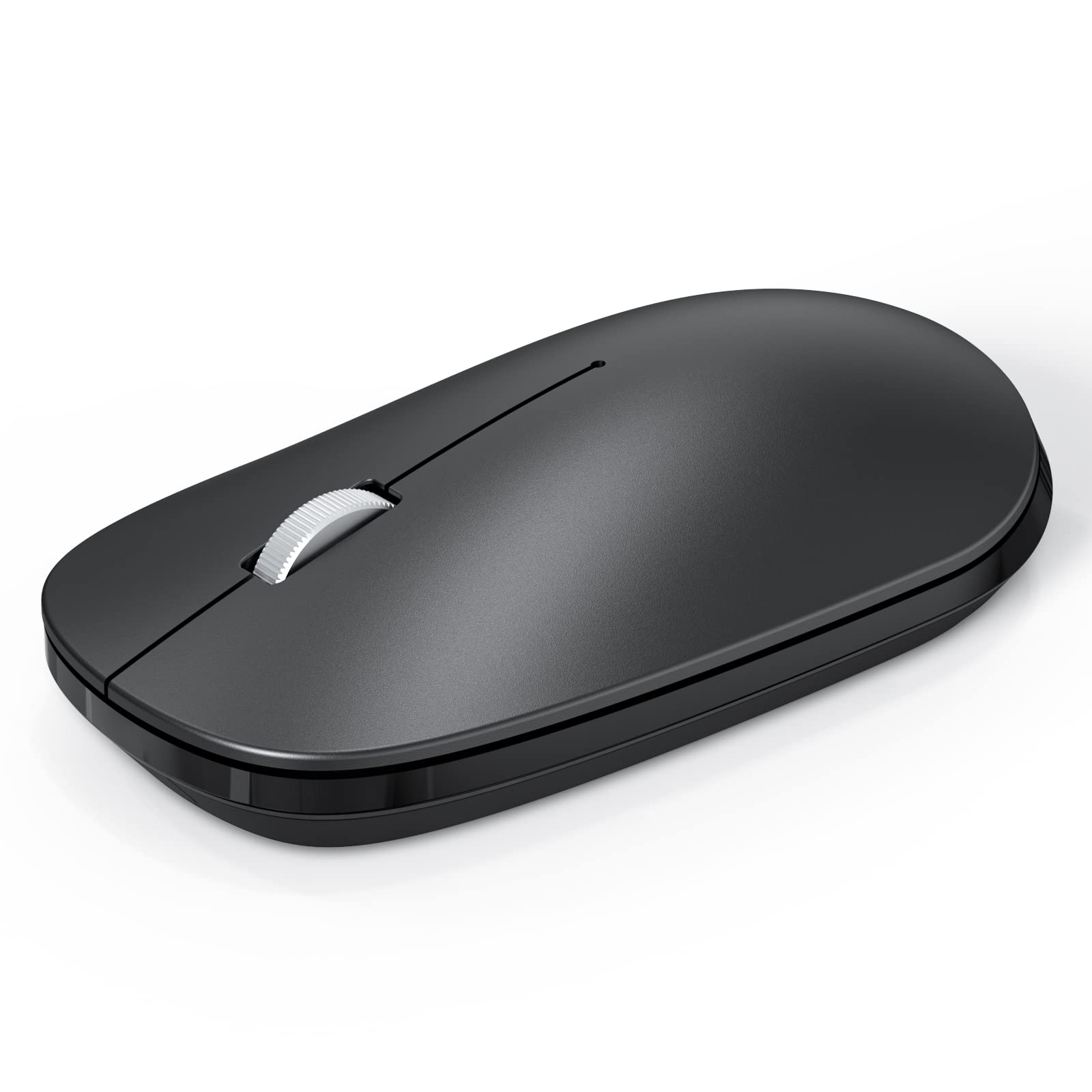
Omoton Bluetooth Mouse For Ipad And Iphone (Ipados 13/ Ios 13 And Above), Ultra Thin Wireless Mouse Compatible With Bluetooth En
Free Standard Shipping Across USA
Couldn't load pickup availability
Refresh
Sold by Electroeshop, an authorized reseller.
Returns accepted within 30 days | support@electroeshop.com
Verified
Shipping Information
Free Standard Shipping — United States only
Processing Time: 3–5 business days
Estimated Delivery: 6–10 business days after dispatch
Double-boxed, fully insured & discreetly packaged
Tracking number sent via email once dispatched
Returns & Refund
Returns accepted within 30 days of delivery.
Damaged or Defective Item
Free return shipping + replacement or full refund
Wrong Item Received
Free return shipping + replacement or full refund
Change of Mind
Return shipping at customer's expense · 25% restocking fee applies
Return Authorization (RA) number before sending.
View Full Return & Refund Policy
Your Cart
Item(s):
Total: $0.00
Omoton Bluetooth Mouse For Ipad And Iphone (Ipados 13/ Ios 13 And Above), Ultra Thin Wireless Mouse Compatible With Bluetooth En
$18.41
Sold Out
Specifications: Bluetooth Version: Bluetooth 5.0 Operating Range: Up To 10 Meters / 33 Feet Dpi Levels: 800/1200/1600Dpi Dimensions: 110*62*30Mm Net Weight: 50G Lifelong Clicks: 3 Million Support Devices Including: Ipad Series ( Note: Updated System To Ipados 13 And Turn On The Assistive Touch On Tablet) New Ipad 10.2 2019, Ipad 9.7 Inch 2018, Ipad 9.7 2017, Ipad Pro 12.9'' / 11.0'' / 10.5'' / 9.7'', Ipad Air 10.5 / Air 2, Ipad Mini 5/ 4. Iphone Series ( Note: Updated System To Ios 13 Or Above And Turn On The Assistive Touch )Iphone 11 Pro Max, Iphone 11 Pro, Iphone 11, Iphone Xs Max/ Xs / X / 8/ 8 Plus, Iphone 7/ 7 Plus, Iphone 6S/ 6S Plus Mac Series Macbook, Macbook Air, Macbook Pro, Mac Mini And Imac Windows Devices And Others Pc Desktop Laptop With Windows Xp/7/8/10/Vista,Pc Desktop Laptop With Linux System And Android Tablet How To Pair It With Your Device: 1.The On/Off Slider Should Be In The On Position; 2.Long Press The Bluetooth Connection Button More Than 5 Seconds Until The Indicator Light Flashes, Then You Can Start Pairing; 3.Turn On The Bluetooth Function Of The Device, Connect To The Bt 5.0 Mouse And Complete The Connection.Please Note: Not Support Ipad 1/2/3/4, Ipad Mini 1/2/3 And Iphone 4S/5S Or Lower Edition Which System Could Not Been Updated To Ipados13 Or Ios13.The Mouse Will Automatically Go Into Power Savings Mode After 30 Minutes Of Inactivity. Press Any Key And Wait 2-3 Seconds To Wake The Mouse.
⚠️ WARNING (California Proposition 65):www.P65Warnings.ca.gov .
<div class="dynamic-checkout__content" id="dynamic-checkout-cart" data-shopify="dynamic-checkout-cart"> <shopify-accelerated-checkout-cart wallet-configs="[{"supports_subs":true,"supports_def_opts":false,"name":"shop_pay","wallet_params":{"shopId":71498399780,"merchantName":"Electroeshop","personalized":true}},{"supports_subs":false,"supports_def_opts":false,"name":"amazon_pay","wallet_params":{"checkoutLanguage":"en_US","ledgerCurrency":"USD","placement":"Cart","sandbox":false,"merchantId":"A1D97EELABIYRS","productType":"PayAndShip","design":"C0002"}},{"supports_subs":false,"supports_def_opts":false,"name":"paypal","wallet_params":{"shopId":71498399780,"countryCode":"US","merchantName":"Electroeshop","phoneRequired":true,"companyRequired":false,"shippingType":"shipping","shopifyPaymentsEnabled":true,"hasManagedSellingPlanState":false,"requiresBillingAgreement":false,"gatewayType":"MANAGED","merchantId":"CTDG3UHVZNL4L","sdkUrl":"https://www.paypal.com/sdk/js?components=buttons\u0026commit=false\u0026currency=USD\u0026locale=en_US\u0026client-id=AbasDhzlU0HbpiStJiN1KRJ_cNJJ7xYBip7JJoMO0GQpLi8ePNgdbLXkC7_KMeyTg8tnAKW4WKrh9qmf\u0026merchant-id=CTDG3UHVZNL4L\u0026intent=authorize","serviceableCountryCodes":["AC","AD","AE","AF","AG","AI","AL","AM","AO","AR","AT","AU","AW","AX","AZ","BA","BB","BD","BE","BF","BG","BH","BI","BJ","BL","BM","BN","BO","BQ","BR","BS","BT","BW","BY","BZ","CA","CC","CD","CF","CG","CH","CI","CK","CL","CM","CN","CO","CR","CV","CW","CX","CY","CZ","DE","DJ","DK","DM","DO","DZ","EC","EE","EG","EH","ER","ES","ET","FI","FJ","FK","FO","FR","GA","GB","GD","GE","GF","GG","GH","GI","GL","GM","GN","GP","GQ","GR","GS","GT","GW","GY","HK","HN","HR","HT","HU","ID","IE","IL","IM","IN","IO","IQ","IS","IT","JE","JM","JO","JP","KE","KG","KH","KI","KM","KN","KR","KW","KY","KZ","LA","LB","LC","LI","LK","LR","LS","LT","LU","LV","LY","MA","MC","MD","ME","MF","MG","MK","ML","MM","MN","MO","MQ","MR","MS","MT","MU","MV","MW","MX","MY","MZ","NA","NC","NE","NF","NG","NI","NL","NO","NP","NR","NU","NZ","OM","PA","PE","PF","PG","PH","PK","PL","PM","PN","PS","PT","PY","QA","RE","RO","RS","RU","RW","SA","SB","SC","SD","SE","SG","SH","SI","SJ","SK","SL","SM","SN","SO","SR","SS","ST","SV","SX","SZ","TA","TC","TD","TF","TG","TH","TJ","TK","TL","TM","TN","TO","TR","TT","TV","TW","TZ","UA","UG","UM","US","UY","UZ","VA","VC","VE","VG","VN","VU","WF","WS","XK","YE","YT","ZA","ZM","ZW"]}}]" access-token="ab31e70b5cc21a1ceee088fbb76625d8" buyer-country="US" buyer-locale="en" buyer-currency="USD" shop-id="71498399780" cart-id="01542d75d0a8646d9a0a038a8ef55392" enabled-flags="["a1d1f9a1"]" > <div class="wallet-button-wrapper"> <ul class='wallet-cart-grid wallet-cart-grid--skeleton' role="list" data-shopify-buttoncontainer="true"> <li data-testid='grid-cell' class='wallet-cart-button-container'><div class='wallet-cart-button wallet-cart-button__skeleton' role='button' disabled aria-hidden='true'> </div></li><li data-testid='grid-cell' class='wallet-cart-button-container'><div class='wallet-cart-button wallet-cart-button__skeleton' role='button' disabled aria-hidden='true'> </div></li><li data-testid='grid-cell' class='wallet-cart-button-container'><div class='wallet-cart-button wallet-cart-button__skeleton' role='button' disabled aria-hidden='true'> </div></li> </ul> </div> </shopify-accelerated-checkout-cart> </div>