

Cart
0


Oassuose Ethernet Adapter For Fire Tv Stick,Fire Stick 4K Ethernet Adapter,For Chromecast Ultra/Google Home Mini And Other Strea
Free Standard Shipping Across USA
Vendor: Oassuose
Type: Networking Equipment
Sku: WBEEAB0B64VWHCR
Availability: Sold Out
Couldn't load pickup availability
Guarantee safe checkout

Sold by Electroeshop, an authorized reseller.
Returns accepted within 30 days | support@electroeshop.com
Shipping Information
- Free Standard Shipping — United States only
- Processing Time: 3–5 business days
- Estimated Delivery: 6–10 business days after dispatch
- Double-boxed, fully insured & discreetly packaged
- Tracking number sent via email once dispatched
Returns & Refund
Returns accepted within 30 days of delivery.
Damaged or Defective Item
Free return shipping + replacement or full refund
Wrong Item Received
Free return shipping + replacement or full refund
Change of Mind
Return shipping at customer's expense · 25% restocking fee applies
All returns require a Return Authorization (RA) number before sending.
View Full Return & Refund Policy
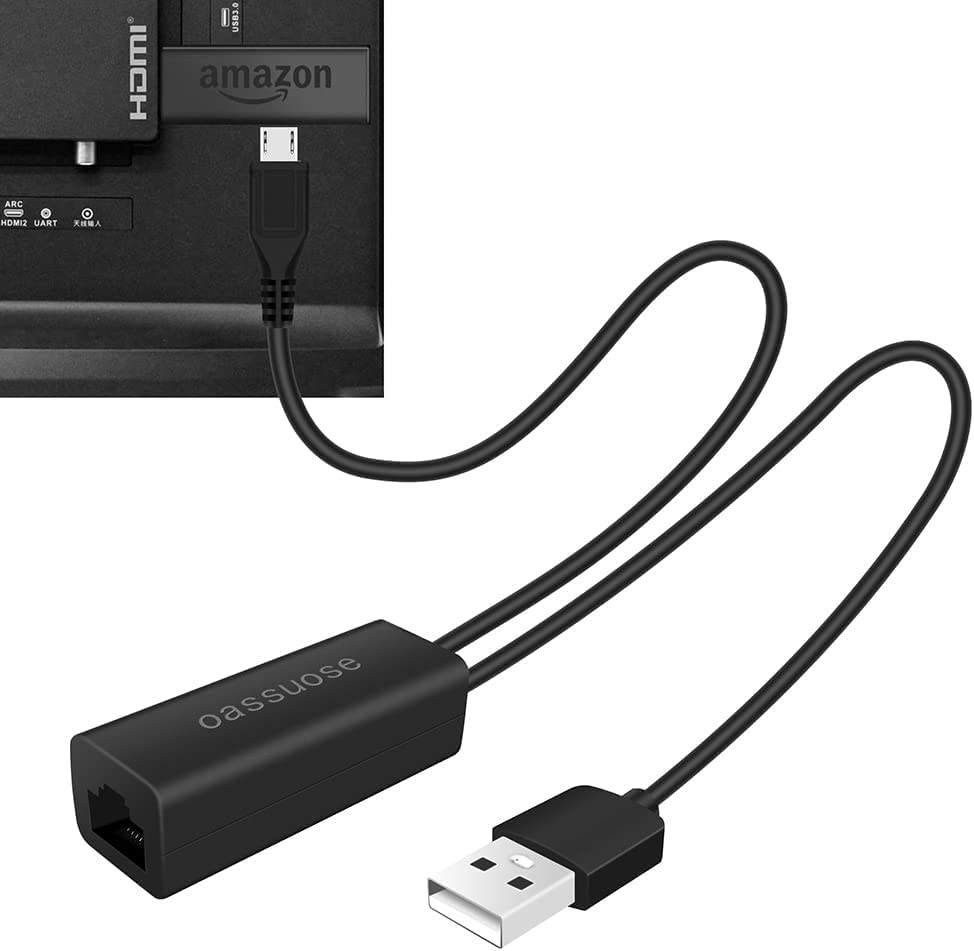
Oassuose Ethernet Adapter For Fire Tv Stick,Fire Stick 4K Ethernet Adapter,For Chromecast Ultra/Google Home Mini And Other Strea
$13.14

Frequently Asked Questions
- Q: What is the length of the Ethernet adapter's cable? A: The Ethernet adapter's Micro USB cable measures three point three feet long, providing ample length for connecting devices.
- Q: What is the Ethernet speed supported by this adapter? A: The adapter supports a ten over one hundred Mbps Ethernet speed, ensuring a reliable internet connection.
- Q: What devices are compatible with the Oassuose Ethernet adapter? A: The adapter is compatible with Fire TV Stick Basic, Lite, 4K, Chromecast Ultra, Google Home Mini, and Raspberry Pi Zero.
- Q: How do I connect the Ethernet adapter to my TV Stick? A: To connect the adapter, first plug the Micro USB connector into the TV Stick, then connect the USB A cable to a power adapter.
- Q: Can I use this adapter with my Chromecast device? A: Yes, this adapter is designed for use with Chromecast devices that have a Micro USB port.
- Q: Is this Ethernet adapter easy to install? A: Yes, the adapter is plug and play, requiring no additional drivers or software for installation.
- Q: How should I store the Ethernet adapter when not in use? A: Store the Ethernet adapter in a cool, dry place away from moisture to maintain its quality and performance.
- Q: What should I do if the adapter does not work? A: If the adapter does not work, ensure it is properly connected and that the Ethernet cable is plugged into a functioning router.
- Q: Does this adapter require a power supply? A: Yes, the adapter requires a five volt one amp power supply connected through the USB A port.
- Q: Is this Ethernet adapter safe for use with my devices? A: Yes, the adapter is safe to use with compatible devices, provided they support OTG functionality.
- Q: Can I use this adapter for devices with USB-C ports? A: No, this adapter uses a Micro USB port and is not compatible with USB-C devices.
- Q: What materials is the Ethernet adapter made from? A: The adapter is constructed using durable materials designed for reliable performance with streaming devices.
- Q: Is there a warranty for the Ethernet adapter? A: Yes, the Ethernet adapter typically comes with a warranty; check the packaging or manufacturer website for details.
- Q: How can I improve my internet connection using this adapter? A: Using this adapter will provide a faster and more stable internet connection compared to Wi-Fi, reducing buffering.
- Q: What extra features does the Oassuose Ethernet adapter provide? A: The adapter eliminates signal interference from Wi-Fi and Bluetooth, ensuring a smooth streaming experience.