

Cart
0


N20C5 N23C3 N20C4 N19H2 45W 3.0*1.1Mm Ac Charger Fit For Acer A515 45 R74Z A515 46 A315 23 A315 24P A115 31 A515 56 A115 32 A515
Vendor: Smsutu
Type: Battery Chargers
Sku: WBEEAB0CSFT9SQF
Availability: In Stock
Couldn't load pickup availability
Guarantee safe checkout

Sold by Electroeshop, an authorized reseller.
Returns accepted within 30 days | support@electroeshop.com
Shipping Information
- Free Standard Shipping — United States only
- Processing Time: 1–3 business days
- Estimated Delivery: 3–5 business days after dispatch
- Double-boxed, fully insured & discreetly packaged
- Tracking number sent via email once dispatched
- Orders over $250 require signature upon delivery. Taxes calculated at checkout.
Returns & Refund
Returns accepted within 30 days of delivery.
Damaged or Defective Item
Free return shipping + replacement or full refund
Wrong Item Received
Free return shipping + replacement or full refund
Change of Mind
Return shipping at customer's expense · 25% restocking fee applies
All returns require a Return Authorization (RA) number before sending.
View Full Return & Refund Policy
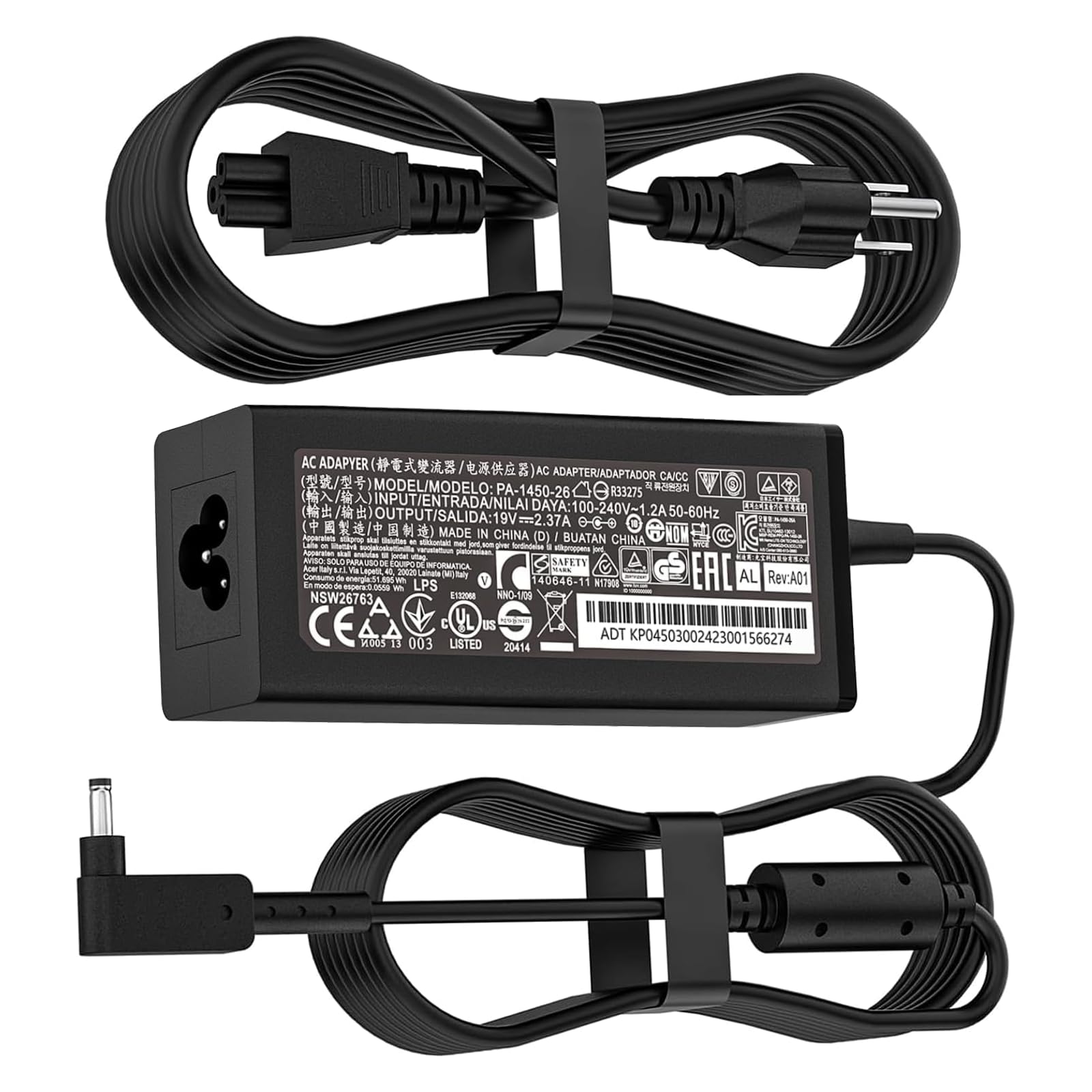
N20C5 N23C3 N20C4 N19H2 45W 3.0*1.1Mm Ac Charger Fit For Acer A515 45 R74Z A515 46 A315 23 A315 24P A115 31 A515 56 A115 32 A515
$24.68

Frequently Asked Questions
- Q: What is the output voltage and amperage of the charger? A: The output voltage is nineteen volts and the amperage is two point thirty-seven amps. This makes it a suitable power source for various Acer laptop models.
- Q: What is the input voltage range for the charger? A: The input voltage range is one hundred to two hundred forty volts. This allows it to function effectively in different electrical environments.
- Q: What are the dimensions of the connector for this charger? A: The connector size is three point zero by one point one millimeters. This specific size ensures compatibility with numerous Acer laptop models.
- Q: What laptops are compatible with this charger? A: This charger is compatible with multiple Acer Aspire laptops including models A515-44, A515-45, and many more. It's designed to work seamlessly with a wide range of Acer products.
- Q: How do I safely connect the charger to my laptop? A: To connect the charger, align the connector with the laptop's power port and gently insert it. Ensure it fits securely for optimal performance.
- Q: Is this charger suitable for Acer Chromebook models? A: Yes, this charger is suitable for various Acer Chromebook models, including the R11 C720 series. It provides reliable power for both Chromebooks and laptops.
- Q: How should I store the charger when not in use? A: Store the charger in a cool, dry place, away from heat sources. This helps maintain its longevity and ensures that it remains in good working condition.
- Q: Can I use this charger with other brands of laptops? A: No, this charger is specifically designed for Acer laptops. Using it with other brands may not provide the correct voltage or amperage and could damage your device.
- Q: What safety features does this charger have? A: The charger includes multiple safety mechanisms such as short circuit protection, overvoltage protection, and internal overheating protection. These features ensure safe charging.
- Q: How can I tell if the charger is working properly? A: If the charger is functioning correctly, the power indicator on your laptop should light up once connected. If it does not, check the connection or try a different outlet.
- Q: What should I do if the charger arrives damaged? A: If the charger arrives damaged, contact customer service immediately for a replacement. Customer satisfaction is a priority, and they will assist you.
- Q: Is the charging cable durable? A: Yes, the charging cable has passed over ten thousand swing tests, ensuring it can withstand bending and daily wear. This durability is crucial for long-term use.
- Q: Are there return policies if I am not satisfied? A: Yes, there is a return policy in place. If you are not satisfied with the product, you can return it within the specified return window for a refund or exchange.
- Q: How do I clean the charger if it gets dirty? A: To clean the charger, use a soft, dry cloth to wipe down the surface. Avoid using liquids as they can damage the internal components.
- Q: Does this charger come with a warranty? A: Yes, this charger typically comes with a warranty. Check the packaging or the product description for specific warranty details.
- Q: What is the expected lifespan of this charger? A: With proper care, the charger can last several years. Avoiding excessive bending and keeping it in a safe location will help extend its lifespan.