

Cart
0


Mackie Cr3 Xbt 3 Inch Multimedia Monitors With Bluetooth
Vendor: Mackie
Type: Speakers & Sound Bars
Sku: WBMUSB083N7PBL5
Availability: Sold Out
Couldn't load pickup availability
Guarantee safe checkout

Sold by Electroeshop, an authorized reseller.
Returns accepted within 30 days | support@electroeshop.com
Shipping Information
- Free Standard Shipping — United States only
- Processing Time: 1–3 business days
- Estimated Delivery: 3–5 business days after dispatch
- Double-boxed, fully insured & discreetly packaged
- Tracking number sent via email once dispatched
- Orders over $250 require signature upon delivery. Taxes calculated at checkout.
Returns & Refund
Returns accepted within 30 days of delivery.
Damaged or Defective Item
Free return shipping + replacement or full refund
Wrong Item Received
Free return shipping + replacement or full refund
Change of Mind
Return shipping at customer's expense · 25% restocking fee applies
All returns require a Return Authorization (RA) number before sending.
View Full Return & Refund Policy
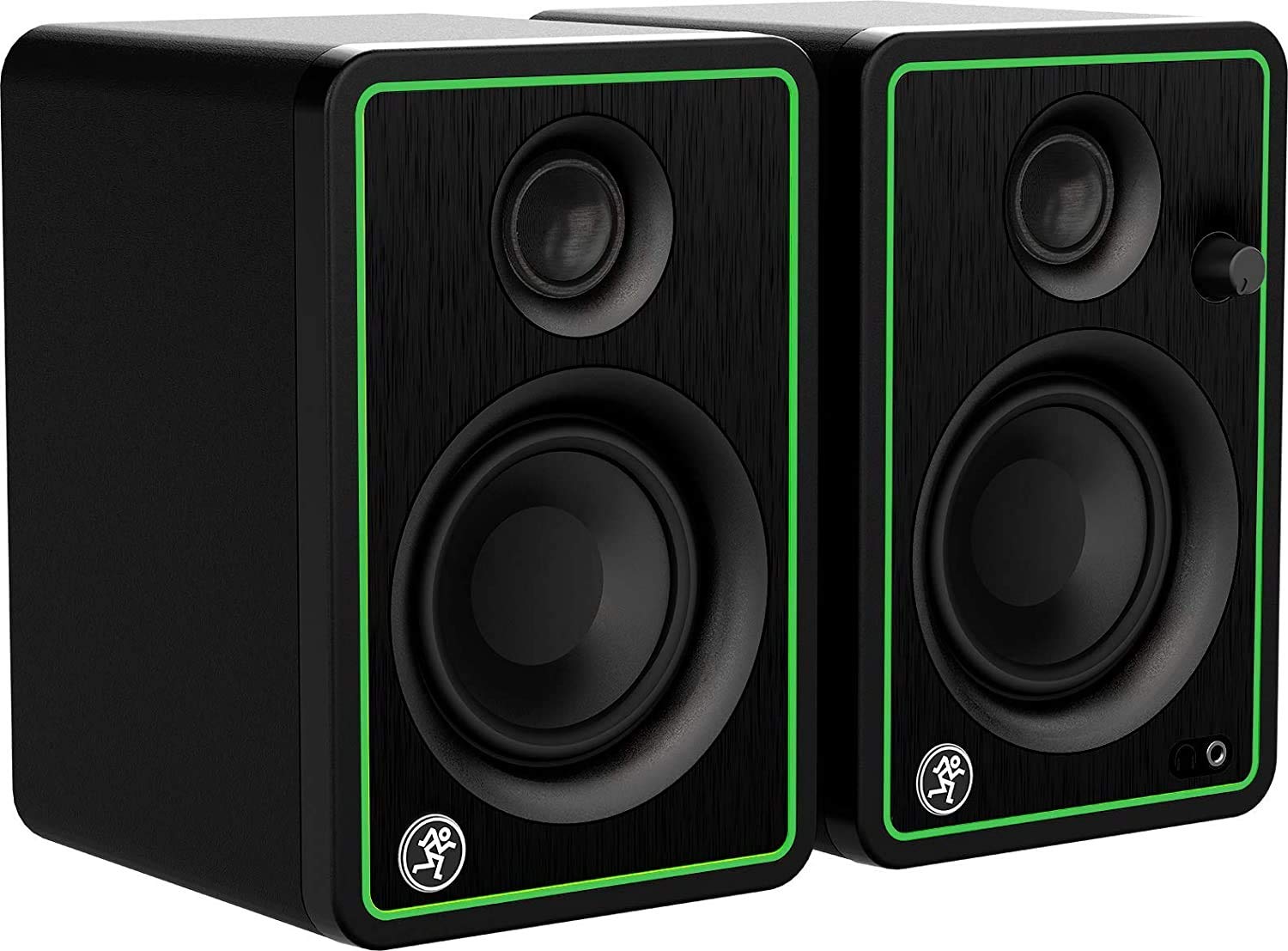
Mackie Cr3 Xbt 3 Inch Multimedia Monitors With Bluetooth
$149.37

Frequently Asked Questions
- Q: What are the dimensions of the Mackie CR3-XBT monitors? A: The dimensions of the Mackie CR3-XBT monitors are seven point zero nine inches in length, eight point one inches in width, and eight point one one inches in height.
- Q: What materials are used in the Mackie CR3-XBT monitors? A: The Mackie CR3-XBT monitors feature a sleek design with a brushed-metal grille for aesthetics, but specific material details are not provided.
- Q: What is the size of the speakers in the Mackie CR3-XBT? A: The Mackie CR3-XBT monitors have three-inch speakers designed for high-quality sound reproduction.
- Q: How do I connect my device to the Mackie CR3-XBT monitors? A: You can connect your device to the Mackie CR3-XBT monitors via Bluetooth or through the balanced one-fourth inch TRS inputs and RCA inputs.
- Q: Can I use the Mackie CR3-XBT monitors for gaming? A: Yes, the Mackie CR3-XBT monitors are suitable for gaming due to their studio-quality sound and Bluetooth connectivity.
- Q: How do I adjust the volume on the Mackie CR3-XBT monitors? A: You can easily adjust the volume using the convenient front panel volume control located on the monitor.
- Q: What is the best way to clean the Mackie CR3-XBT monitors? A: To clean the Mackie CR3-XBT monitors, use a soft, dry cloth to gently wipe the surfaces, avoiding any abrasive materials.
- Q: How should I store the Mackie CR3-XBT monitors when not in use? A: When not in use, store the Mackie CR3-XBT monitors in a dry, cool place, preferably in their original packaging to prevent dust accumulation.
- Q: Are the Mackie CR3-XBT monitors safe for children? A: While there are no explicit age restrictions, adult supervision is recommended as the monitors contain electronic components.
- Q: How do the Mackie CR3-XBT monitors compare to other multimedia monitors? A: The Mackie CR3-XBT monitors provide studio-quality sound with Bluetooth connectivity, making them a strong choice compared to many other multimedia monitors.
- Q: Is there a warranty for the Mackie CR3-XBT monitors? A: Yes, the Mackie CR3-XBT monitors typically come with a limited warranty, but specific details should be confirmed with the retailer.
- Q: What if my Mackie CR3-XBT monitors don't power on? A: If your Mackie CR3-XBT monitors do not power on, check the power connections and ensure the outlet is functioning properly.
- Q: Can I return the Mackie CR3-XBT monitors if I'm not satisfied? A: Return policies vary by retailer, so it's best to check the specific return policy where you purchased the Mackie CR3-XBT monitors.
- Q: Do the Mackie CR3-XBT monitors require any special setup? A: No special setup is required; simply connect the monitors to your device using Bluetooth or the included cables, and they are ready to use.
- Q: What type of sound quality can I expect from the Mackie CR3-XBT monitors? A: You can expect studio-quality sound from the Mackie CR3-XBT monitors, thanks to their premium woofer and tweeter design.