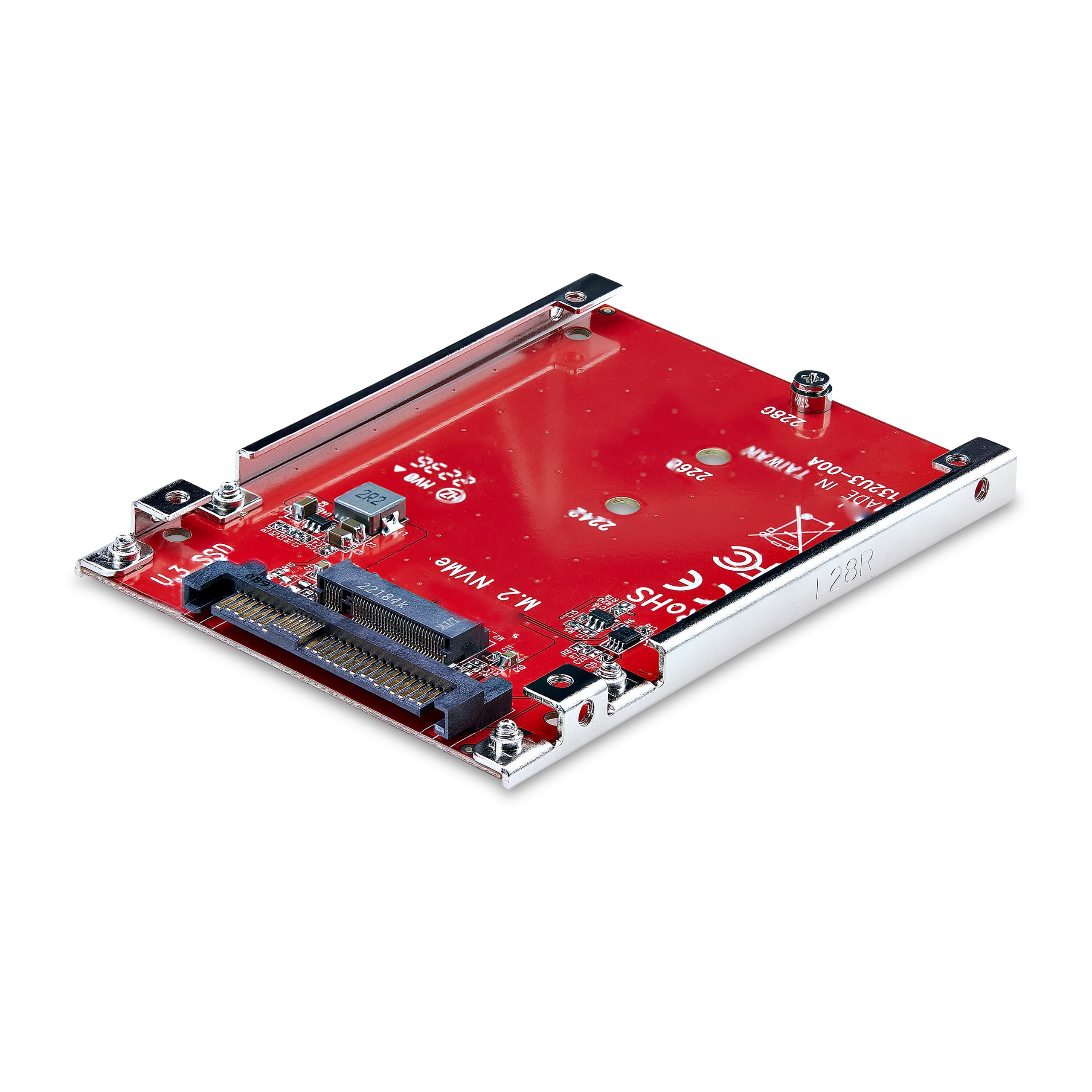
Connect A Pcie M.2 Nvme/Ahci Ssd To A 2.5-Inch U.3 Drive Bay/Backplane; Compatible With U.3 (Sff-Ta-1001) Host Interfaces; Taa Compliant - No-Chipset Design Ensures No Performance Impact; M2 To U.3 Adapter Does Not Require Drivers Or Software; Works With All Operating Systems - Includes Drive And Adapter Mounting Screws; Fits 2242/2260/2280 M.2 Drives; Supports Pcie 4.0 And Lower M.2 Nvme Drives - Not Compatible With Sata Or Sas Host Controllers/M.2 Sata Ssds/U.2 Host Interfaces
⚠️ WARNING (California Proposition 65): This product may contain chemicals known to the State of California to cause cancer, birth defects, or other reproductive harm. For more information, please visit www.P65Warnings.ca.gov.
Frequently Asked Questions
Q: What are the dimensions of the StarTech.com M.2 to U.3 Adapter?A: The adapter measures three point nine inches in length, two point eight inches in width, and zero point three inches in height. These compact dimensions make it easy to fit in various setups.
Q: Is the StarTech.com M.2 to U.3 Adapter compatible with different operating systems?A: Yes, it is compatible with Windows, macOS, and Linux. This versatility allows users to employ the adapter across various systems without issues.
Q: What type of SSDs can I use with the StarTech.com M.2 to U.3 Adapter?A: You can use PCIe M.2 NVMe and AHCI SSDs. However, it is not compatible with SATA or SAS host controllers and M.2 SATA SSDs.
Q: How do I install the StarTech.com M.2 to U.3 Adapter?A: To install the adapter, simply connect your M.2 NVMe SSD to the adapter, then mount it into a U.3 drive bay. The package includes mounting screws for your convenience.
Q: Is the StarTech.com M.2 to U.3 Adapter easy to set up?A: Yes, it offers a hassle-free setup with no additional drivers or software needed. You can start using it right after installation.
Q: Can I use this adapter with M.2 drives that have larger heatsinks?A: Yes, the open frame design supports M.2 drives with larger heatsinks. This design improves airflow and ensures better compatibility.
Q: How should I clean the StarTech.com M.2 to U.3 Adapter?A: To clean the adapter, use a soft, dry cloth to wipe it down. Avoid using any liquids or harsh chemicals to ensure its longevity.
Q: What is the warranty on the StarTech.com M.2 to U.3 Adapter?A: The adapter is backed by a two-year warranty. Additionally, it includes free lifetime technical assistance available twenty-four hours a day, five days a week.
Q: What if my StarTech.com M.2 to U.3 Adapter arrives damaged?A: If the adapter arrives damaged, you can initiate a return or exchange through the retailer's return policy. Ensure to keep the original packaging for the return process.
Q: Is the StarTech.com M.2 to U.3 Adapter TAA compliant?A: Yes, the adapter is TAA compliant. This makes it suitable for government and public sector use.
Q: Does the StarTech.com M.2 to U.3 Adapter maintain SSD performance?A: Yes, the design ensures no loss in performance, maintaining PCIe Gen four read and write speeds. This is crucial for high-performance applications.
Q: Can I use this adapter with older models of M.2 PCIe NVMe drives?A: Yes, the adapter is backward compatible with earlier versions of M.2 PCIe NVMe drives. This feature extends its usability across different SSD generations.
Q: What color is the StarTech.com M.2 to U.3 Adapter?A: The adapter comes in a sleek red color. This finish adds a modern touch to your internal components.
Q: Is technical support available for the StarTech.com M.2 to U.3 Adapter?A: Yes, the product includes free lifetime technical support available twenty-four hours a day, five days a week. This ensures help is always available if needed.
Q: What mounting hardware is included with the StarTech.com M.2 to U.3 Adapter?A: The adapter includes necessary mounting screws for both the M.2 drive and the U.3 adapter. This allows for an easy and efficient installation.