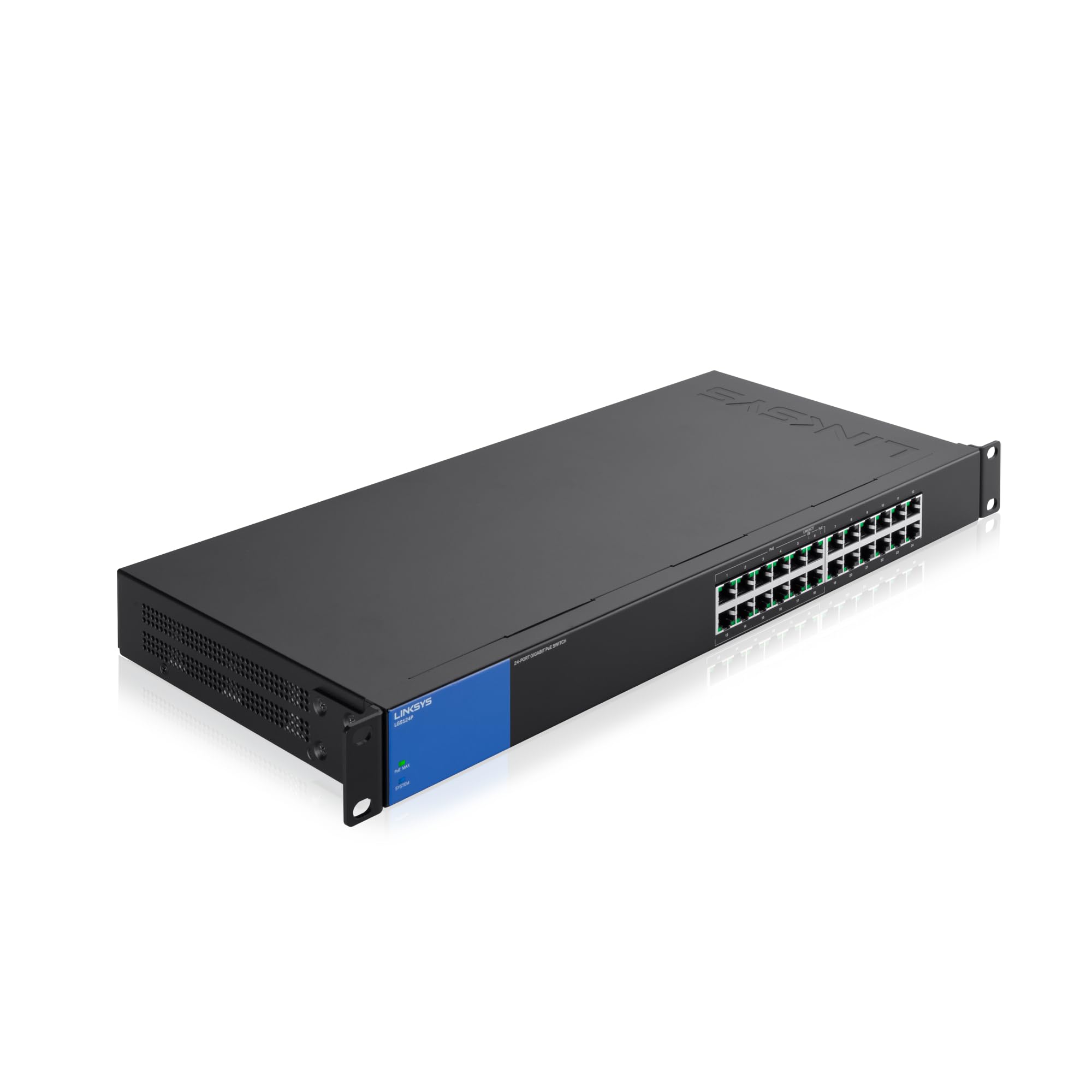
Upgrade The Data Paths Of Your Local Wired Network To Information Superhighways With Gigabit Switches At The Desktop. Accelerate Your Performance And Productivity When You Send Large Fi Les To Network Servers, Drives, And Printers At Gigabit Speed. Power Over Ethernet (Poe+) Capability Also Carries Electrical Power To Peripheral Devices Without The Need For Additional Outlets. Network Standards:Ieee 802.3 Ieee 802.3U Ieee 802.3X Ieee 802.3Ab Ieee 802.3Az Ieee 802.3Af 802.3At (Poe+), One Fan
⚠️ WARNING (California Proposition 65): This product may contain chemicals known to the State of California to cause cancer, birth defects, or other reproductive harm. For more information, please visit www.P65Warnings.ca.gov.
Frequently Asked Questions
Q: What are the dimensions of the Linksys LGS124P switch?A: The dimensions are approximately seven point eight seven inches in length, seventeen point thirty-two inches in width, and one point seventy-seven inches in height.
Q: How many ports does the Linksys LGS124P have?A: The switch has twenty-four ports, with twelve of them supporting Power over Ethernet Plus, or PoE+, functionality.
Q: What is the power budget for PoE on this switch?A: The dedicated PoE power budget is one hundred and twenty watts, allowing for efficient powering of connected devices.
Q: What networking standards does the Linksys LGS124P support?A: It supports IEEE networking standards including IEEE 802.3, IEEE 802.3u, IEEE 802.3x, IEEE 802.3ab, IEEE 802.3az, IEEE 802.3af, and IEEE 802.3at.
Q: How do I install the Linksys LGS124P switch?A: Installation is straightforward with a plug and play setup; simply connect your devices using Ethernet cables.
Q: Is the Linksys LGS124P suitable for a small office?A: Yes, it is ideal for small to medium-sized offices, offering reliable performance for multiple devices simultaneously.
Q: Can I use the LGS124P switch for IP surveillance?A: Yes, this switch supports IP surveillance by providing reliable power and data transmission for security cameras.
Q: What type of devices can I connect to the LGS124P switch?A: You can connect a variety of devices including computers, printers, and IP cameras, all utilizing Ethernet connections.
Q: What is the best way to power the Linksys LGS124P?A: The switch operates on a power input range of one hundred to two hundred forty volts AC at fifty to sixty hertz.
Q: How do I care for the Linksys LGS124P switch?A: Keep the switch in a dry area, free from dust, and ensure proper ventilation to prevent overheating during operation.
Q: Is the Linksys LGS124P switch safe for continuous use?A: Yes, it is designed for continuous operation with built-in features to prevent overheating and maintain performance.
Q: What should I do if the switch arrives damaged?A: Contact the retailer or manufacturer immediately for support and to initiate a return or replacement process.
Q: How do I troubleshoot connectivity issues with the switch?A: Check all Ethernet connections, ensure power is supplied, and verify that the devices are properly configured.
Q: Does the switch support Quality of Service (QoS)?A: Yes, it features Quality of Service traffic prioritization for efficient data management across connected devices.
Q: Is there a warranty for the Linksys LGS124P switch?A: Yes, the switch comes with a manufacturer's warranty, please check the specific terms from Linksys for details.
Q: What color is the Linksys LGS124P switch?A: The switch is available in a sleek black and blue color scheme, suitable for professional environments.