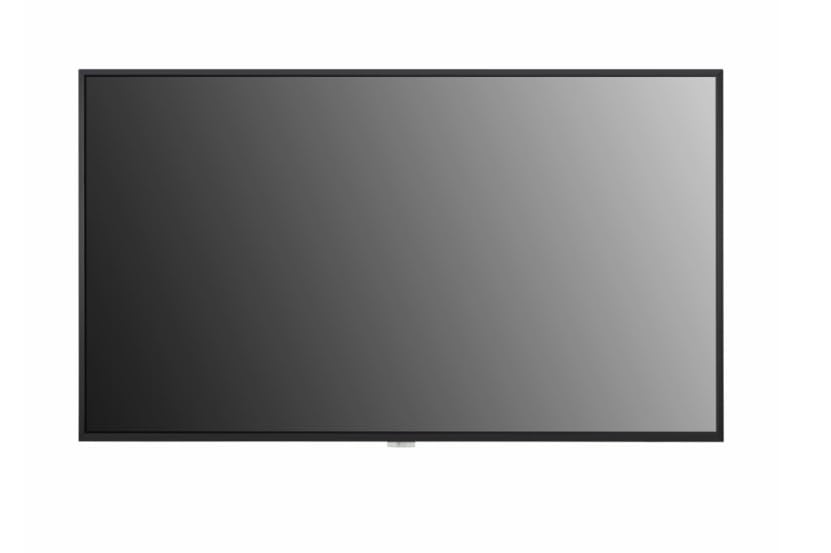
43'' Uhd,, Ipspanel Technology,500Nit (Typ.),3840 X 2160 (Uhd),Response Time8Ms (G To G) ,Surface Treatment(Haze)0.25,Life Time50,000Hrs (Min.),Operation Hours (Hours/Day)24/7,Portrait / Landscape,Hdmi,Dp,Dvi-D,Audio In,Rs232C In,Rj45(Lan),Ir In,Usb2.0 Type A(1),Hdmi Out,Audio Out,Rs232C Out,Bezel Colorblack,Internal Memory16Gb,Wi-Fi,Temperature Sensor,Auto Brightness Sensor,Acceleration(Gyro) Sensor,Local Key Operation,Webos6.0,Embedded Cms,Usb Plug & Play,Fail Over,Background Image,Rs-232C Sync,Local Network Sync,Multi-Screenpip,Pbp,Screen Share,Video Tag,Play Via Url,Rotation,Gapless Playback,Tile Mode Setting,Setting Data Cloning,Snmp,Ism Method,Auto Set Id,Status Mailing,Control Manager,Cisco Certi,Crestron Connected,Smart Energy Saving,Pm Mode,Wake On Lan,Network Ready,Beacon,Hdmi-Cec ,Si Server Setting,Webrtc,Pro:Idiom,Operation Temperature0 C To 40 C,Operation Humidity10 % To 80 %,Ops Type Compatible,Supersign Cms,Supersign Control / Control+,Supersign Wb,Supersign Media Editor,Promota,Mobile Cms,Signage 365 Care,|1333|1000|None|None|
⚠️ WARNING (California Proposition 65): This product may contain chemicals known to the State of California to cause cancer, birth defects, or other reproductive harm. For more information, please visit www.P65Warnings.ca.gov.
Frequently Asked Questions
Q: What are the dimensions of the LG 43 UHD monitor?A: The LG 43 UHD monitor has a standard size of approximately one foot in length, one foot in width, and one foot in height. This compact size makes it suitable for various desk setups.
Q: What type of connections does the LG 43 UHD monitor offer?A: The monitor includes three HDMI ports, one DisplayPort, one DVI-D, one USB port, and an RJ45 Ethernet connection. This variety allows for versatile connectivity with multiple devices.
Q: What is the model number of this LG monitor?A: The model number of this monitor is zero eight VL eighty. This number is essential for identifying the specific features and specifications of the product.
Q: How do I set up the LG 43 UHD monitor?A: To set up the monitor, connect it to a power source and use the provided HDMI or DisplayPort cables to link it to your computer. Ensure all connections are secure for optimal performance.
Q: Is the LG 43 UHD monitor suitable for gaming?A: Yes, the LG 43 UHD monitor is suitable for gaming due to its high definition display and multiple connectivity options. Gamers can enjoy crisp visuals and seamless gameplay.
Q: Can I use this monitor for office work?A: Yes, this monitor is ideal for office work because of its large screen size and high resolution. It enhances productivity by allowing multiple windows to be viewed simultaneously.
Q: How do I clean the LG 43 UHD monitor?A: To clean the monitor, use a soft, lint-free cloth and a mild cleaning solution. Avoid using harsh chemicals or abrasive materials to prevent damage to the screen.
Q: Is the LG 43 UHD monitor energy efficient?A: Yes, this monitor is designed to be energy efficient, helping to reduce power consumption during use. This can result in lower electricity bills over time.
Q: What type of materials are used in the LG 43 UHD monitor?A: The LG 43 UHD monitor is primarily made from high-quality plastics and glass for durability. These materials ensure longevity while maintaining a sleek appearance.
Q: Does the LG monitor have built-in speakers?A: No, the LG 43 UHD monitor does not come with built-in speakers. External speakers or headphones are required for audio output.
Q: What warranty is offered with the LG 43 UHD monitor?A: The LG 43 UHD monitor typically comes with a limited warranty period of one year. This covers manufacturing defects and ensures customer satisfaction.
Q: How do I troubleshoot common issues with the LG monitor?A: For common issues, first check all connections and ensure the monitor is powered on. If problems persist, consult the user manual or contact customer support for assistance.
Q: Is the monitor compatible with Mac computers?A: Yes, the LG 43 UHD monitor is compatible with Mac computers as long as the appropriate connection cables are used. This includes HDMI or DisplayPort connections.
Q: What is the maximum resolution of the LG 43 UHD monitor?A: The maximum resolution of the LG 43 UHD monitor is four thousand pixels by two thousand four hundred pixels. This high resolution provides clear and vibrant images.
Q: Can I mount the LG 43 UHD monitor on a wall?A: Yes, the LG 43 UHD monitor is VESA compatible, allowing for easy wall mounting. This feature helps save desk space and provides a more flexible viewing experience.
Q: Does the monitor have a blue light filter?A: Yes, the LG 43 UHD monitor includes a blue light filter feature. This reduces eye strain during extended use by minimizing blue light exposure.