

Cart
0


Lenovo Thinkcentre M720Q 10T7002Cus Desktop Computer - Intel Core I5 8Th Gen I5-8400T 1.70 Ghz - 8 Gb Ram Ddr4 Sdram - 256 Gb Ss
Free Standard Shipping Across USA
Vendor: Lenovo
Type: Desktop Towers
Sku: WBCOMB07NRV9V68
Availability: Sold Out
Couldn't load pickup availability
Guarantee safe checkout

Sold by Electroeshop, an authorized reseller.
Returns accepted within 30 days | support@electroeshop.com
Shipping Information
- Free Standard Shipping — United States only
- Processing Time: 3–5 business days
- Estimated Delivery: 6–10 business days after dispatch
- Double-boxed, fully insured & discreetly packaged
- Tracking number sent via email once dispatched
Returns & Refund
Returns accepted within 30 days of delivery.
Damaged or Defective Item
Free return shipping + replacement or full refund
Wrong Item Received
Free return shipping + replacement or full refund
Change of Mind
Return shipping at customer's expense · 25% restocking fee applies
All returns require a Return Authorization (RA) number before sending.
View Full Return & Refund Policy
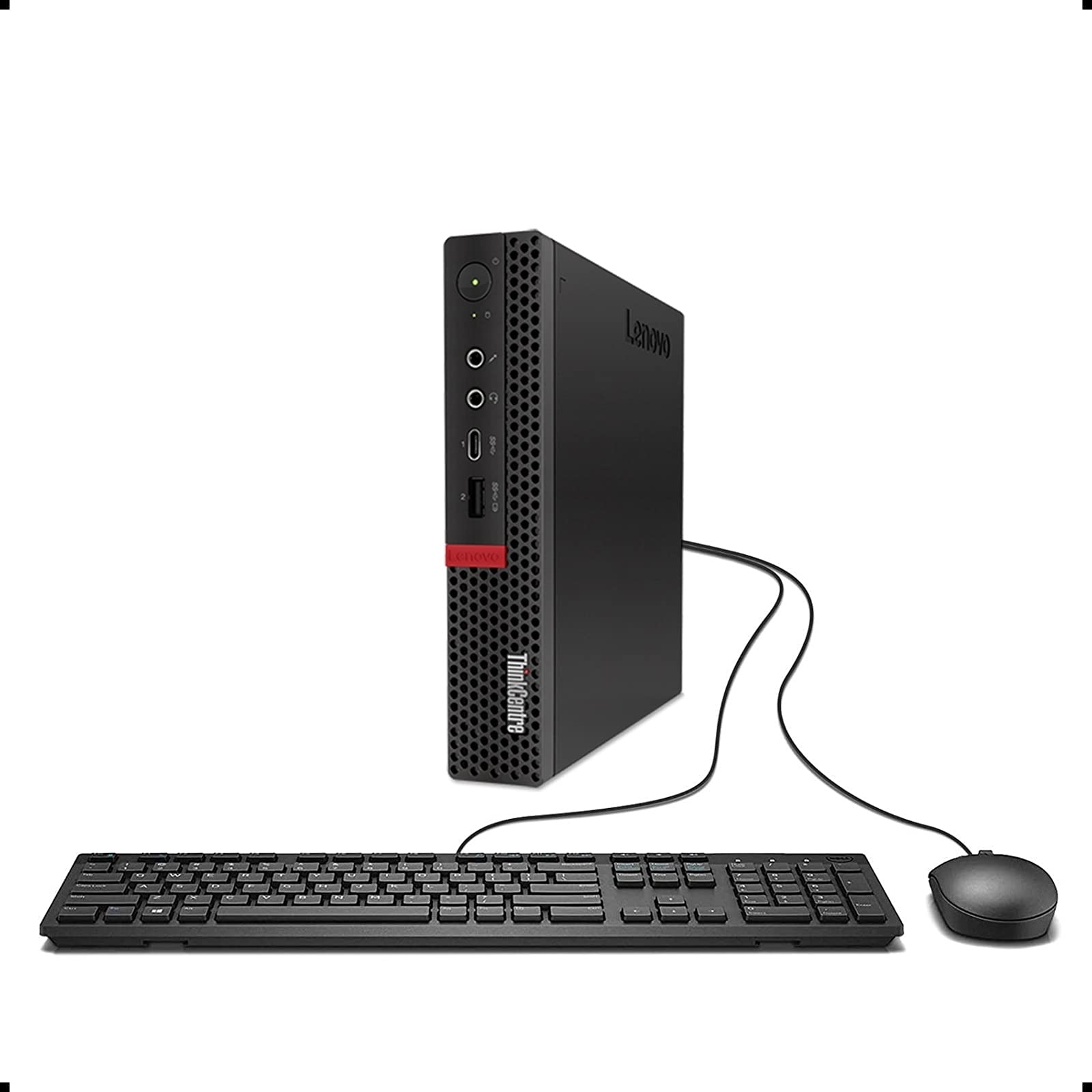
Lenovo Thinkcentre M720Q 10T7002Cus Desktop Computer - Intel Core I5 8Th Gen I5-8400T 1.70 Ghz - 8 Gb Ram Ddr4 Sdram - 256 Gb Ss
$290.28

Frequently Asked Questions
- Q: What are the dimensions of the Lenovo ThinkCentre M720q? A: The Lenovo ThinkCentre M720q measures seven inches in length, one point four inches in width, and seven point two inches in height. Its compact size makes it ideal for tight spaces.
- Q: What type of processor does the Lenovo ThinkCentre M720q have? A: The Lenovo ThinkCentre M720q is equipped with an Intel Core i5 eight generation processor, specifically the i5-8400T, which runs at a speed of one point seven gigahertz. This provides powerful performance for various tasks.
- Q: How much memory does the Lenovo ThinkCentre M720q come with? A: The Lenovo ThinkCentre M720q includes eight gigabytes of DDR4 SDRAM. This ample memory allows for smooth multitasking and efficient operation.
- Q: How do I set up the Lenovo ThinkCentre M720q? A: To set up the Lenovo ThinkCentre M720q, connect it to a power source, attach a monitor via HDMI or DisplayPort, and plug in peripherals like a keyboard and mouse. Follow the on-screen instructions to complete the setup.
- Q: Is the Lenovo ThinkCentre M720q suitable for gaming? A: No, the Lenovo ThinkCentre M720q is not specifically designed for gaming. It is optimized for business tasks and productivity rather than high-performance gaming.
- Q: Can I upgrade the RAM on the Lenovo ThinkCentre M720q? A: Yes, the RAM on the Lenovo ThinkCentre M720q can be upgraded. It supports additional DDR4 memory, allowing you to enhance its performance if needed.
- Q: How should I clean the Lenovo ThinkCentre M720q? A: To clean the Lenovo ThinkCentre M720q, turn it off and unplug it. Use a soft, dry cloth to wipe the exterior, and avoid using liquid cleaners. Ensure that vents are clear of dust.
- Q: What is the warranty period for the Lenovo ThinkCentre M720q? A: The Lenovo ThinkCentre M720q typically comes with a one-year warranty. This warranty covers hardware defects and provides support for any issues that may arise.
- Q: Does the Lenovo ThinkCentre M720q have a solid-state drive? A: Yes, the Lenovo ThinkCentre M720q features a two hundred fifty-six gigabyte solid-state drive. This type of storage offers faster load times and improved performance compared to traditional hard drives.
- Q: What operating system does the Lenovo ThinkCentre M720q run? A: The Lenovo ThinkCentre M720q is typically shipped with Windows operating system pre-installed, providing a user-friendly interface for various applications.
- Q: Is the Lenovo ThinkCentre M720q energy efficient? A: Yes, the Lenovo ThinkCentre M720q is designed to be energy-efficient. It helps reduce power consumption while maintaining performance, making it suitable for long hours of use.
- Q: Can I connect multiple monitors to the Lenovo ThinkCentre M720q? A: Yes, you can connect multiple monitors to the Lenovo ThinkCentre M720q. It supports dual display outputs, allowing you to enhance productivity with multiple screens.
- Q: What type of connectivity options does the Lenovo ThinkCentre M720q offer? A: The Lenovo ThinkCentre M720q provides various connectivity options, including USB ports, HDMI, and DisplayPort. This allows for easy connections to peripherals and external displays.
- Q: What is the weight of the Lenovo ThinkCentre M720q? A: The Lenovo ThinkCentre M720q weighs approximately three point two kilograms. Its lightweight design enhances portability and makes it easy to move as needed.
- Q: Is the Lenovo ThinkCentre M720q suitable for home office use? A: Yes, the Lenovo ThinkCentre M720q is ideal for home office use. Its compact design and powerful features make it perfect for professionals working from home.